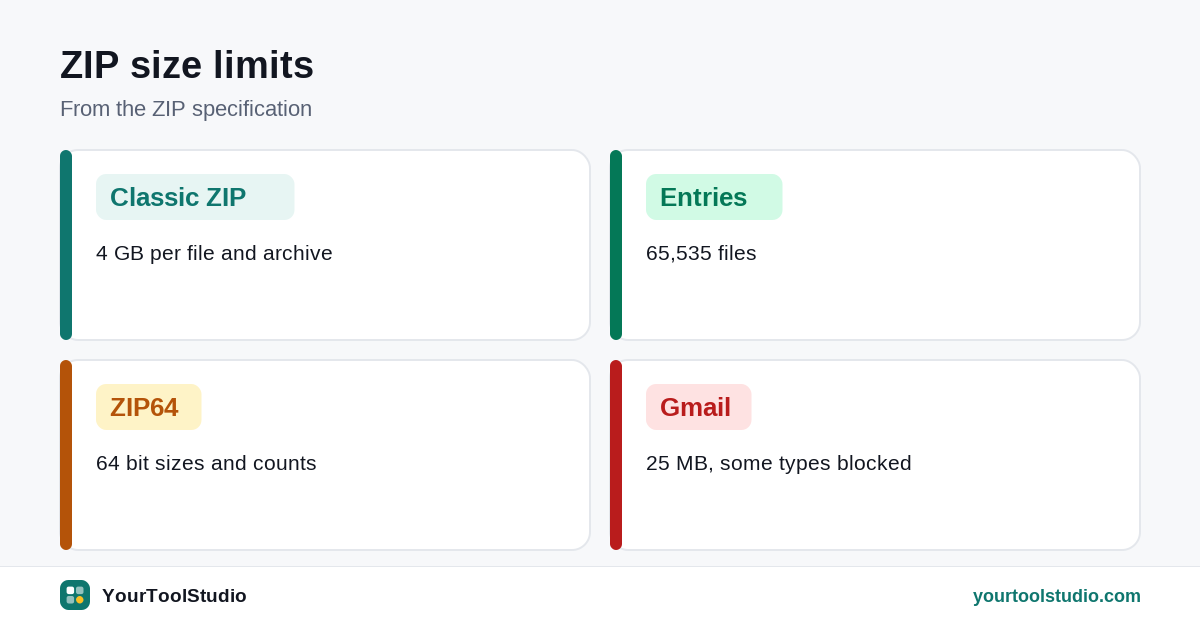
The classic ZIP format is limited to 4,294,967,295 bytes (just under 4 GiB) per file, per archive offset and for the central directory, and to 65,535 files per archive, because those values are stored in 4 byte and 2 byte fields. The ZIP64 extension stores them in 8 byte fields instead, which lifts these limits far beyond any real file. Each figure below comes from the PKWARE ZIP specification, APPNOTE version 6.3.9, read on 21 November 2026.
ZIP format limits
| What is limited | Classic ZIP field | Largest value | With ZIP64 |
|---|---|---|---|
| Compressed size of one file | 4 bytes | 4,294,967,295 bytes (0xFFFFFFFF) | 8 byte field |
| Uncompressed size of one file | 4 bytes | 4,294,967,295 bytes | 8 byte field |
| Offset of a file inside the archive | 4 bytes | 4,294,967,295 bytes, so data past about 4 GiB cannot be addressed | 8 byte field |
| Size of the central directory | 4 bytes | 4,294,967,295 bytes | 8 byte field |
| Number of entries in the archive | 2 bytes | 65,535 (0xFFFF) | 8 byte field |
| File name length | 2 bytes | 65,535 bytes | Unchanged |
| Archive comment length | 2 bytes | 65,535 bytes | Unchanged |
The 4 GiB ceiling applies to the original file as well as the compressed one. A 5 GB video that compresses to 4.8 GB, or a 6 GB log file that compresses to 1 GB, both need ZIP64, because the uncompressed size field has to hold the original size too.
How ZIP64 works
The specification says sizes should be stored in ZIP64 format, as 8 byte values, when a file is larger than 0xFFFFFFFF bytes, and that ZIP64 may be used for any file regardless of size. When a classic field cannot hold a value, the tool writes 0xFFFF or 0xFFFFFFFF there as a marker and puts the real value in a ZIP64 extra field or the ZIP64 end of central directory record.
A program that reads the archive must support version 4.5 of the specification, which the APPNOTE lists as the version for files that use ZIP64 format extensions. An older or simpler unzip tool that stops at version 2.0, the level for ordinary Deflate files, may refuse a ZIP64 archive or report it as damaged, even though nothing is wrong with it.
Upload and attachment caps for ZIP files
Services rarely care about the ZIP format limit, because their own caps are much lower. These are the figures stated on the pages we read.
| Service | Limit stated | Notes |
|---|---|---|
| Gmail, personal accounts | 25 MB total attachments | Over the limit, Gmail replaces the attachment with a Google Drive link. Work and school limits are set by the administrator |
| Gmail, any account | Blocks certain file types even inside a ZIP | Includes .exe, .msi, .bat, .js, .jar, .dmg, .iso and others, plus password protected archives with archived content |
| AWS Lambda deployment package | 50 MB zipped, uploaded through the API, SDKs or console | 250 MB for the unzipped contents, including layers and custom runtimes; larger zipped files go through Amazon S3 |
| Other email providers | Varies | See our email attachment size limits page |
| Cloud storage | Varies by service and plan | See Google Drive, Dropbox and OneDrive limits |
The Gmail block surprises people: zipping a program does not get it past the filter, because Gmail looks inside archives. Password protecting the archive does not help either, since Gmail also blocks password protected archives with archived content.
Worked examples
| Situation | Which limit applies | What to do |
|---|---|---|
| Folder of 3 GB of photos to a friend | Neither format limit; email caps | Share a cloud storage link |
| Single 4.5 GB video in a ZIP | 4 GiB per file in classic ZIP | Use a tool that writes ZIP64, or send the video directly through cloud storage |
| Backup of 80,000 small files | 65,535 entries in classic ZIP | ZIP64, or split into two archives |
| 20 MB ZIP of PDFs to a Gmail address | Gmail 25 MB | Fits, as long as no blocked file type is inside |
| Script files zipped for email | Gmail blocked types | Share through cloud storage or a code repository |
| 60 MB Lambda package | Lambda 50 MB direct upload | Upload the ZIP to Amazon S3 and point Lambda at it |
Getting under a size cap
Zipping rarely makes photos, video or PDFs much smaller, because those formats are already compressed. Our guide to why a ZIP file is not smaller shows measured results. To shrink the contents, use Compress Image, Compress PDF or Compress Video first, then zip the smaller files if you still want one attachment.
Sources and dates
| Page | Date | Used for |
|---|---|---|
| PKWARE ZIP specification (APPNOTE 6.3.9) | Revised 15 July 2020, read 21 November 2026 | Field sizes, 0xFFFF and 0xFFFFFFFF markers, ZIP64 rules, version 4.5 |
| Gmail Help: attachments and size limits | No date shown, read 21 November 2026 | 25 MB personal limit, Drive link, administrator limits |
| Gmail Help: blocked file types | No date shown, read 21 November 2026 | Blocked types inside archives, password protected archives |
| AWS Lambda quotas | No date shown, read 21 November 2026 | 50 MB zipped, 250 MB unzipped, S3 for larger |
Frequently asked questions
What is the maximum size of a ZIP file?
Classic ZIP stops at 4,294,967,295 bytes, just under 4 GiB, for each file and for positions inside the archive. ZIP64 uses 8 byte fields and lifts that limit.
How many files can a ZIP hold?
65,535 in the classic format, because the entry count is a 2 byte field. ZIP64 stores the count in 8 bytes.
Why will a large ZIP not open?
It may use ZIP64, which needs a tool supporting version 4.5 of the ZIP specification. Try a current archiver, or ask the sender to split it.
Can I email a ZIP file through Gmail?
Yes, up to 25 MB for personal accounts, unless it contains a blocked file type such as .exe or .js, or is a password protected archive.
What is the AWS Lambda ZIP limit?
50 MB zipped for a direct upload and 250 MB for the unzipped contents, including layers. Larger zipped packages go through Amazon S3.