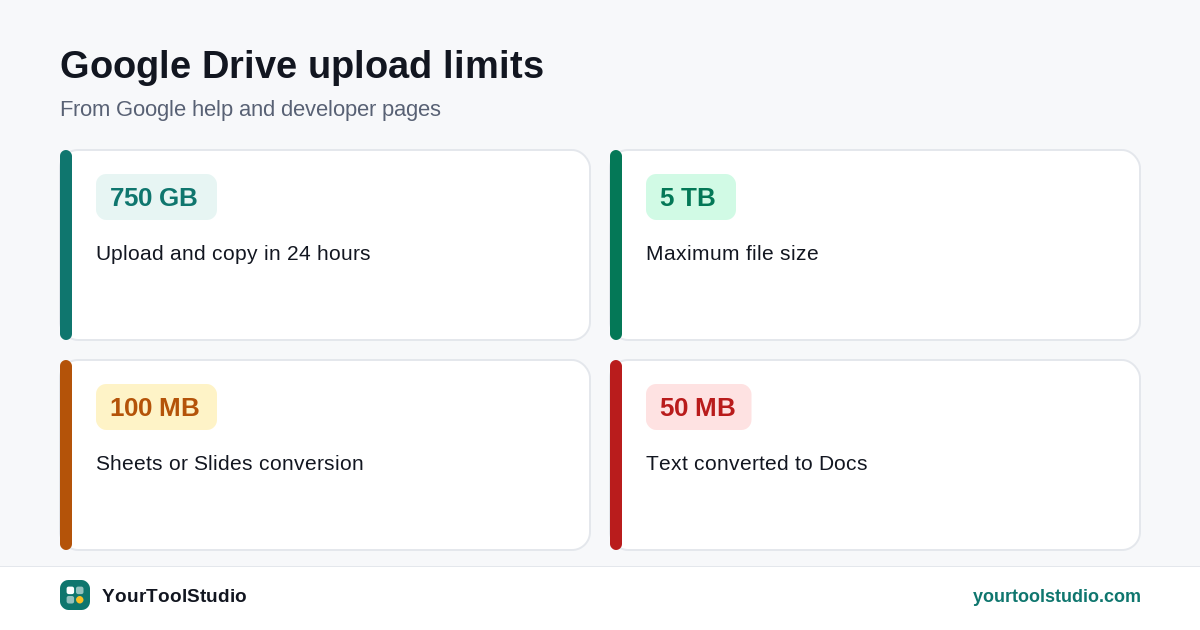
Google Drive lets each user upload and copy 750 GB within 24 hours, and a single file can be up to 5 TB. Your available storage can stop an upload much sooner, because a standard Google Account includes up to 15 GB. These figures come from Google's storage and upload limits, files you can store in Drive and Drive API usage limits pages, checked on 19 November 2026.
Upload limits at a glance
| Limit | Published figure | What happens at the limit |
|---|---|---|
| Uploads and copies per user | 750 GB within 24 hours | No more uploads or copies until the limit refreshes |
| Largest file | 5 TB | Applies to uploads and sync |
| Largest file you can copy | 750 GB | Download the file, then upload it again |
| Items created by one account | 500 million | No new items until some are permanently deleted |
| Items directly inside one folder | 500,000 | The My Drive root folder is exempt |
| Folder depth in My Drive | 100 levels | The 100th folder can hold files and shortcuts, but no more folders |
Google states the 750 GB and item limits on its Workspace administrator page and in its developer documentation. The consumer help page confirms the 5 TB file size, but the pages we opened do not give a separate daily figure for personal accounts.
Size limits for Google Docs, Sheets and Slides
An Office file can stay in its original format for as long as it fits the 5 TB limit. Tighter limits apply when you convert it into a Google format.
| File type | Published limit | Note |
|---|---|---|
| Google Docs | 1.02 million characters | Text documents converted to Docs can be up to 50 MB |
| Google Sheets | 20 million cells or 100 MB | Applies to spreadsheets created in or converted to Sheets |
| Google Slides | 100 MB | Applies to presentations converted to Slides |
| Google Vids | 30 minutes per video | Google says this may change |
| Google Sites | 15 million characters per page and 10,000 pages per site | A site can also hold up to 15,000 images |
| Every other file type | 5 TB | Includes PDFs, images, videos and archives |
Excel users should also note that converting to Sheets removes any cell containing more than 50,000 characters.
Storage limits
Storage is usually the first limit a personal account reaches. Google's storage guide explains what is counted.
| Item | Uses your storage? |
|---|---|
| PDFs, images, videos and other Drive files | Yes |
| Gmail messages and attachments, including Spam and Trash | Yes |
| Items in Drive Trash | Yes, until they are permanently removed |
| Docs, Sheets and Slides created or edited after 1 June 2021 | Yes |
| Docs, Sheets and Slides last edited before 1 June 2021 | No |
| Files in Shared with me | No, they count against the owner |
| Files you upload to someone else's folder | Yes |
New Google Accounts created from 9 March 2026 start with 5 GB and can unlock another 10 GB by verifying a phone number. According to Google's storage management page, an account over its limit cannot upload or create files in Drive, Gmail stops receiving mail, and Photos backup stops. After deleting many files, allow up to 48 to 72 hours for the total to update. Content may be deleted after an account has been over quota for 2 years.
Shared drive limits
Google's shared drive limits page lists its own caps. The 750 GB daily limit and 5 TB file size still apply to each user.
| Shared drive limit | Published figure |
|---|---|
| Items per shared drive | 500,000, including items in trash |
| Nested folder levels | 100 |
| Members | 600, of which up to 100 can be groups |
How long 750 GB takes to upload
These times are our own arithmetic, counting 1 GB as 1,000,000,000 bytes and assuming your full upload speed is available the entire time. You need a sustained upload speed of about 69.4 Mbps to reach 750 GB in 24 hours, so slower connections cannot hit the cap in a single day.
| Upload speed | Time to send 750 GB | Can it reach the cap in 24 hours? |
|---|---|---|
| 20 Mbps | 83 hours 20 minutes | No |
| 50 Mbps | 33 hours 20 minutes | No |
| 100 Mbps | 16 hours 40 minutes | Yes |
| 500 Mbps | 3 hours 20 minutes | Yes |
| 1 Gbps | 1 hour 40 minutes | Yes |
Fixes when a file will not fit
| Problem | What to do | Tool |
|---|---|---|
| PDF is using too much storage | Shrink the images inside it | Compress PDF |
| Only part of a long PDF is needed | Keep just those pages | Split PDF |
| Video is too large for your free space | Lower its resolution or bitrate | Compress Video |
| Only one scene matters | Cut the rest of the clip | Trim Video |
| Photos are filling your storage | Reduce their file size | Compress Image |
| Drive says the storage is full | Empty Trash, then allow time for the total to update | No tool needed |
| Daily limit reached | Wait for the limit to refresh within 24 hours | No tool needed |
Sending a file by email instead? Compare the limits in our email attachment size chart, or learn why a PDF may be sent as a Drive link.
Frequently asked questions
What is the Google Drive upload limit per day?
Google says each user can upload and copy 750 GB to Drive within 24 hours. After reaching it, uploads and copies stop until the limit refreshes.
What is the maximum file size for Google Drive?
Google lists 5 TB as the maximum for uploaded and synced files. Files converted to Docs, Sheets or Slides have much lower limits.
Does Google Drive limit the number of files?
Yes. An account can create up to 500 million items, and a folder outside a shared drive can hold 500,000 items directly inside it.
Why can I not upload to Google Drive when the file is small?
Your account may be out of storage. Google says an account over its limit cannot upload or create files in Drive, and items in Trash still count.
How much free storage does Google Drive include?
A Google Account includes up to 15 GB shared with Gmail and Photos. Accounts created from 9 March 2026 start with 5 GB and can unlock 10 GB more by verifying a phone number.