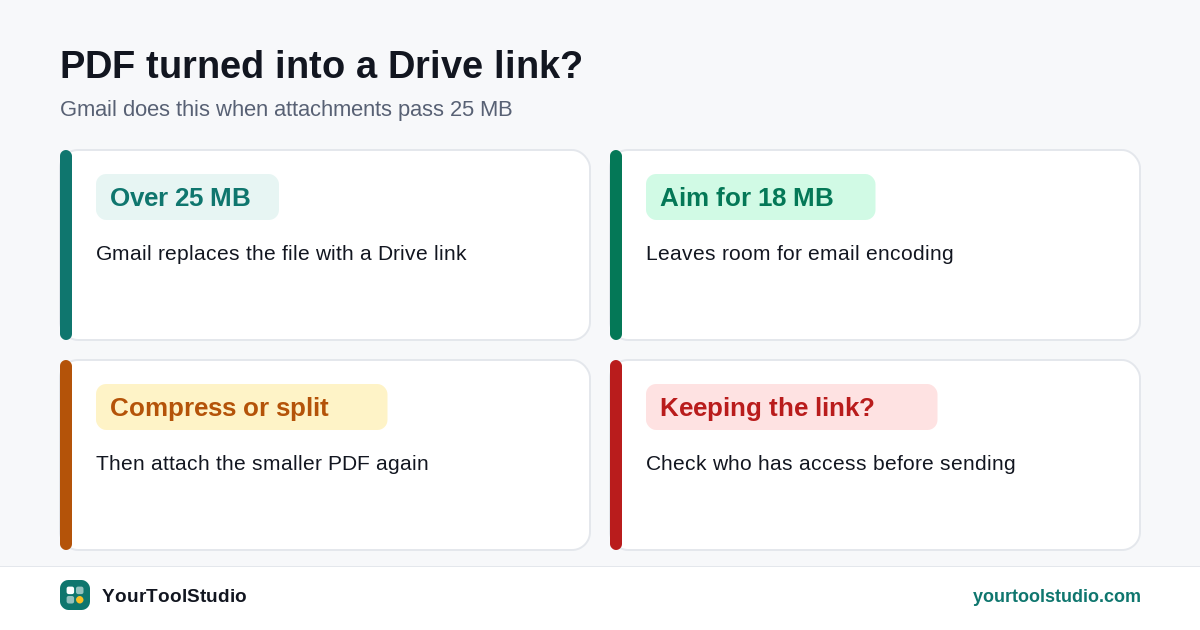
Your PDF is sending as a Google Drive link because the attachments on your email add up to more than 25 MB, the limit for personal Gmail accounts. Gmail removes the file and adds it as a Drive link instead. To send a real attachment, shrink the PDF with Compress PDF, delete the link from your draft and attach the smaller copy.
What Gmail is doing
Google states the behaviour in its Gmail attachment help: when attachments go over the limit, Gmail takes them out of the message and inserts a Drive link. Nothing is wrong with your PDF, and the file is not damaged. Gmail is simply refusing to carry that much data inside one email.
Two other situations produce the same result, so check these if your file is small:
- You picked the file from Drive. When you insert a file through the Drive icon, Gmail asks whether to send it as a Drive link or an Attachment. Choosing the first sends a link whatever the size.
- Several files pushed you over. Three PDFs of 12 MB, 9 MB and 6 MB are 27 MB together, even though each one is small enough alone.
- Your workplace sets the rules. On work and school accounts, the Google Workspace administrator decides the sending and receiving limits, so yours may differ from 25 MB.
How small does the PDF need to be?
Getting just under 25 MB is not always enough. Email carries attachments as text, and that conversion makes them bigger on the way. Google says in its Workspace receiving limits that encoding adds about 37%, and that those limits are measured after encoding. The personal Gmail help page does not say which way its 25 MB is measured, so the cautious approach is to allow for the increase: 25 MB divided by 1.37 is about 18 MB.
That margin matters most when you are writing to a company address, because the receiving server applies its own limit and may be stricter than Gmail.
| Your PDF | Cut needed to reach 24 MB | Cut needed to reach 18 MB | Best approach |
|---|---|---|---|
| 27 MB | 11% | 33% | Compress on the Recommended level |
| 32 MB | 25% | 44% | Compress, then check the quality |
| 48 MB | 50% | 63% | Compress on Extreme, or split in two |
| 80 MB | 70% | 78% | Split into parts, or keep the Drive link |
Turn the link back into an attachment
- In your draft, delete the Drive link so the email no longer points to the large file.
- Open Compress PDF and add the original file.
- Choose a level. Recommended suits most documents, Extreme gives the smallest file, and Less keeps the most quality for printing.
- Download the compressed copy and compare its size with your target.
- Open it and zoom in on small print, stamps and signatures. If they are hard to read, try a gentler level.
- Back in Gmail, attach the new file with the paperclip icon and send.
Choose from three compression levels and download a smaller copy.
When compressing is not enough
Compression works best on scans and image-heavy files. A PDF that is mostly text may already be close to its smallest size, and the tool will tell you when it cannot reduce the file further. These options cut the size in other ways:
| Situation | What to do | Tool |
|---|---|---|
| Long report, reader needs every page | Split it and send the parts in separate emails, numbered 1 of 3, 2 of 3 and so on | Split PDF |
| Only some pages are needed | Delete the appendices, blank pages and duplicates | Organize PDF |
| Colour scans of plain documents | Convert to grayscale, then compress | Grayscale PDF |
| Several PDFs on one email | Move some of them to a second email | No tool needed |
For device-specific advice on shrinking a file, see our guide to compressing a PDF for email.
If you decide to keep the Drive link
A link is a sensible choice for very large files. The usual problem is that the recipient clicks it and cannot open the file, so settle the access before you press send. According to Google's guide to sending Drive attachments:
- Anyone with the link lets recipients open the file without a Google Account. You choose whether they can view, comment or edit.
- Forwarding spreads access. If the email is forwarded, the new people get the same permissions as the original recipients.
- Private files stay private. Someone without a Google Account, or who receives the email through a mailing list, may not be able to see a file you did not share.
- Work accounts can be stricter. An administrator may restrict which files you can share and who can receive them.
Other email services do the same
Gmail is not alone. Most large providers pair an attachment limit with a cloud link for bigger files:
| Service | Attachment limit | Route for bigger files |
|---|---|---|
| Gmail (personal) | 25 MB | Google Drive link, added automatically |
| Outlook.com | 25 MB | OneDrive files up to 2 GB |
| iCloud Mail | 20 MB | Mail Drop up to 5 GB, expiring after 30 days |
| Proton Mail | 25 MB outgoing | Share through Proton Drive |
These limits were checked on the providers' own help pages on 18 November 2026. Providers can change them, so check the linked page if a file close to the limit will not send.
Frequently asked questions
Why does Gmail turn my PDF into a Google Drive link?
The attachments on your email are over the 25 MB limit for personal Gmail accounts, so Gmail removes them and adds a Drive link instead.
How do I send a PDF as an attachment instead of a link?
Delete the Drive link from the draft, compress the PDF to about 18 MB or less, then attach the smaller file with the paperclip icon.
Why is 18 MB safer than 25 MB?
Email encoding makes attachments larger as they travel. Google says encoding adds about 37%, and 25 MB divided by 1.37 is about 18 MB.
Can the recipient open a Drive link without a Google account?
Yes, if the file is shared with Anyone with the link. A private file cannot be seen by someone without a Google Account.
Why did my small PDF still send as a link?
You may have inserted it through the Drive icon and chosen Drive link, or other attachments on the same email may have pushed the total over the limit.