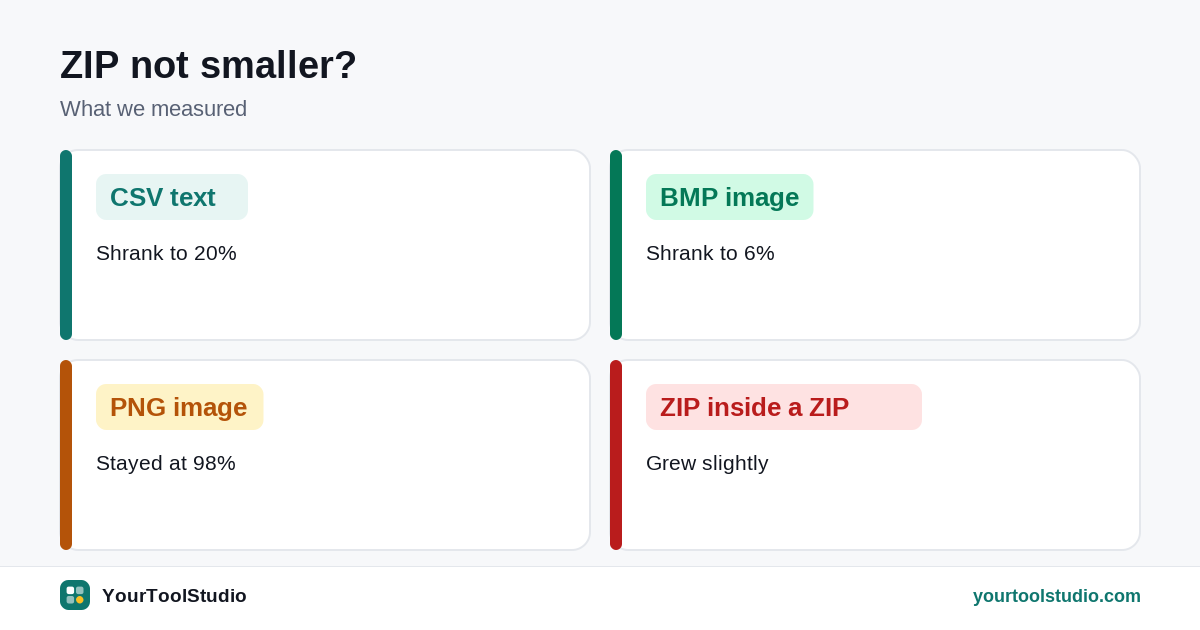
A ZIP file is not smaller when the files inside it are already compressed, because ZIP compression cannot shrink data that has already had its redundancy removed. Photos, videos, music, PDFs and modern Office files fall into that group, so zipping them saves little or nothing. Microsoft says this directly: JPEG images are already highly compressed, so a zipped folder of JPEGs ends up about the same size as the original pictures.
ZIP still helps with text, spreadsheets saved as CSV, logs, code and uncompressed images such as BMP or TIFF. If your ZIP is barely smaller, the fix is to compress the content itself with a tool made for that file type, then zip the result only if you need a single file.
What we measured
To show the difference, we zipped five files one at a time on Windows with PowerShell Compress-Archive at its Optimal level, which writes standard Deflate ZIP files. These are our own results from 21 November 2026. Your numbers will differ with your files, but the pattern holds.
| File | Original | ZIP | ZIP as share of original |
|---|---|---|---|
| CSV, 20,000 rows of order data | 1,128,945 bytes | 229,647 bytes | 20.3% |
| BMP image, 1200 x 630 (uncompressed) | 2,268,054 bytes | 134,563 bytes | 5.9% |
| PNG image, the same picture | 222,887 bytes | 218,646 bytes | 98.1% |
| JPEG image, the same picture | 61,444 bytes | 51,037 bytes | 83.1% |
| Random data, 1 MB | 1,000,000 bytes | 1,000,428 bytes | 100.04%, slightly larger |
| The CSV ZIP, zipped again | 229,647 bytes | 229,843 bytes | Slightly larger |
Three things stand out. The text file and the BMP shrank dramatically, because both contain lots of repetition. The PNG barely moved, because PNG already uses the same Deflate method inside it. And the random data and the second ZIP grew, because there was nothing left to remove and the archive still adds its own headers.
The JPEG saved 17% here, more than you should expect in everyday use. Our test image is a flat graphic with large plain areas saved by a basic encoder, which leaves more slack than a camera photo. Microsoft's advice that zipped JPEGs stay about the same size is the better guide for a folder of photos.
Why compressed files do not shrink again
Compression works by finding patterns, such as repeated words or long runs of the same colour, and storing them more briefly. Once a file has been compressed, those patterns are gone and the data looks close to random. Running a second compressor over it finds almost nothing to remove.
| File type | Already compressed? | What happens in a ZIP |
|---|---|---|
| JPEG, HEIC, WebP, AVIF photos | Yes, lossy image compression | About the same size |
| PNG images | Yes, PNG uses Deflate, the same method most ZIPs use | About the same size |
| MP4, MOV, MP3, M4A | Yes, video and audio codecs | About the same size |
| DOCX, XLSX, PPTX | Yes, each one is itself a ZIP package | About the same size |
| Depends on how it was made; scans and photo heavy PDFs carry compressed images | Varies; photo heavy PDFs barely shrink | |
| ZIP, RAR, 7z | Yes, already an archive | Same or slightly larger |
| TXT, CSV, JSON, HTML, code, logs | No | Often a large saving |
| BMP, uncompressed TIFF, WAV | No | Often a large saving, depending on content |
The Office row surprises people. Microsoft's Open XML documentation explains that a .docx file is a .zip package: rename one to .zip and you can open it and see the XML parts inside. Zipping a Word file means zipping a ZIP.
Why a ZIP can be bigger than the original
When the data cannot be compressed, a ZIP is always a little larger, because the format adds structure around each file. The PKWARE ZIP specification, the document that defines the format, gives every file a local file header and a matching central directory entry, both holding the file name, sizes, dates and a checksum. On top of that, the whole archive ends with an end of central directory record. For one large file the extra is tiny, as in our 428 byte growth on 1 MB of random data. For thousands of small, already compressed files, it adds up.
Store versus Deflate
The ZIP specification defines several compression methods. Method 0 means the file is stored with no compression at all, and method 8 means it is Deflated, which is what most tools use. Some archivers let you choose Store, often shown as a compression level of 0 or None, to save time. If your text files did not shrink at all, check that your archiver is not set to Store or a compression level of 0.
What to do instead
- Photos: run them through Compress JPG or Compress Image at a slightly lower quality, and use Resize Image if they are larger than the screen they will be viewed on. Cutting a 4000 px photo to 2000 px wide leaves a quarter of the pixels.
- PNG screenshots and graphics: Compress PNG reduces colours, which a ZIP cannot do.
- Videos: Compress Video lowers the bitrate or resolution. See why video files get so large for what drives the size.
- PDFs: Compress PDF shrinks the images inside, which is usually where the bulk is. Our guide to why PDFs get so large covers the causes.
- Word and PowerPoint files: the bulk is usually pictures, so compress the pictures inside the document. See why Word documents get so large.
- Too big after all that: share a link from cloud storage rather than an attachment. The email attachment size limits list what each provider accepts.
Lower quality and size for JPG, PNG and WebP images in your browser. Files stay on your device.
When zipping is still worth it
Even if a ZIP saves no space, it can be the right choice. It bundles many files into one attachment and keeps the folder structure intact when the other person unzips it. Apple notes that compressing is useful for backups and for sending files over the internet, and Microsoft notes that zipped files can be combined to share a group more easily. Just do not expect a ZIP to fix a size limit when the folder is full of photos or video.
Quick troubleshooting
| What you see | Likely cause | What to try |
|---|---|---|
| ZIP about the same size as the folder | Mostly photos, video, PDFs or Office files | Compress those files with a matching tool first |
| ZIP slightly larger than the folder | Incompressible files plus header overhead | Normal; send the files directly or use a link |
| Text files did not shrink at all | Archiver set to Store or level 0 | Choose Deflate or Normal or higher |
| ZIP much larger than expected | Hidden files, a previous ZIP or a cache folder included | Open the ZIP and check for files you did not mean to add |
| Zipping a ZIP made it bigger | Archives are already compressed | Send the first ZIP instead |
Sources and dates
| Page | Date | Used for |
|---|---|---|
| Microsoft Support: Zip and unzip files | No date shown, read 21 November 2026 | JPEGs zip to about the same size; how to zip in Windows |
| PKWARE ZIP specification (APPNOTE 6.3.9) | Revised 15 July 2020, read 21 November 2026 | Headers per file, central directory, Store and Deflate methods, LZMA and Zstandard |
| Microsoft Learn: Structure of a WordprocessingML document | No date checked, read 21 November 2026 | A .docx file is a .zip package |
| PNG Specification 1.2: Deflate compression | Version 1.2, read 21 November 2026 | PNG uses Deflate, the method used in ZIP |
| Apple Mac User Guide: Zip and unzip files | No date shown, read 21 November 2026 | How to compress on a Mac and why |
Frequently asked questions
Why is my ZIP file the same size as the original?
The files inside are already compressed. JPEG, PNG, MP4, MP3, PDF and Office files leave little for ZIP to remove, so the archive stays about the same size.
Why is my ZIP file bigger than the original?
When nothing can be compressed, the ZIP headers for each file and the central directory make the archive slightly larger. In our test, 1 MB of random data grew by 428 bytes.
Which files compress well in a ZIP?
Text, CSV, JSON, HTML, code, logs and uncompressed images like BMP. In our test a CSV shrank to 20% and a BMP to 6% of the original.
Does zipping a Word document make it smaller?
Rarely by much. Microsoft documents that a .docx file is already a .zip package, so compress the pictures inside instead.
How do I make a folder of photos smaller to send?
Compress or resize the photos themselves, then zip them if you need one file. If it is still too big, share a cloud storage link.