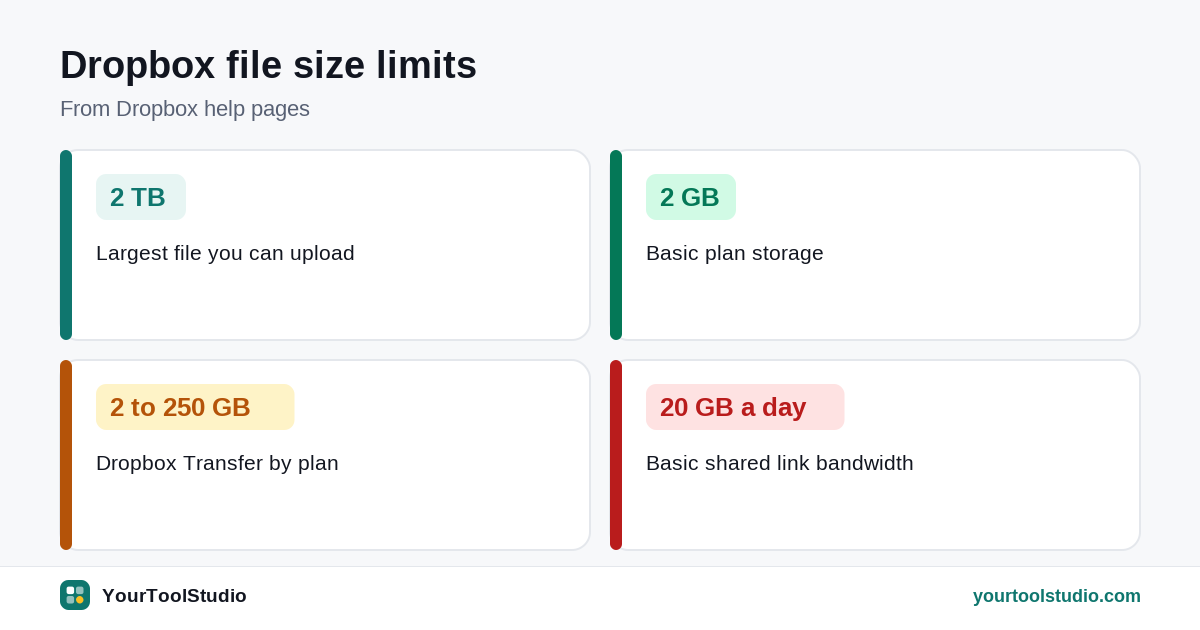
The largest file you can upload to Dropbox is 2 TB (2,199,019,061,248 bytes), but the file must also fit in your available storage. That makes the practical limit 2 GB on the free Basic plan. Figures below come from the Dropbox help pages linked in each section, all checked on 19 November 2026.
Upload limits by method
Dropbox's file size limit article sets the overall maximum, while its other pages add advice for each upload method.
| Upload method | Published figure | Source page updated |
|---|---|---|
| Any method, overall maximum | 2 TB | 17 June 2026 |
| Desktop app | Up to 2 TB per file or folder | 21 April 2026 |
| dropbox.com in a browser | Up to 350 GB per file or folder | 21 April 2026 |
| dropbox.com in a browser | Above 375 GB, uploads may time out or be interrupted | 17 June 2026 |
| Mobile app | No figure given, and large uploads may be unreliable | 17 June 2026 |
| API, single request to /files/upload | Designed for files under 150 MB | Undated developer guide |
| API, larger files | Upload in chunks through an upload session | Undated developer guide |
The 2 TB figure is slightly below a true binary 2 TiB of 2,199,023,255,552 bytes. By our arithmetic the difference is exactly 4,194,304 bytes, or 4 MiB, so a file at the very edge of 2 TiB will not qualify.
Limits by plan
Sending a file to someone else uses separate limits. These come from Dropbox's Transfer overview and file request guide.
| Plan | Dropbox Transfer size | Transfer link expiry | File request size |
|---|---|---|---|
| Basic | 2 GB | 7 days | 2 GB |
| Plus and Family | 50 GB | 7 days | 2 GB |
| Professional, Essentials and Standard | 100 GB | Custom, or 30 days by default | 250 GB |
| Business and Advanced | 100 GB | Custom, or 30 days by default | 250 GB |
| Business Plus and Enterprise | 250 GB | Custom, or 30 days by default | 250 GB |
The Replay add-on raises the Transfer limit to 250 GB. A file request is capped by the plan of the person who created it, and received files use that person's storage. If they run out of space, the sender sees an error.
Shared link bandwidth
Popular links can be paused even when the file itself is small. Dropbox's traffic limits page lists these daily allowances.
| Plan | Bandwidth per day | File downloads per day |
|---|---|---|
| Basic, Simple and all trials | 20 GB | Up to 100,000 |
| Plus, Family, Professional, Essentials, Standard and Business | 1 TB | Unlimited |
| Advanced, Business Plus and Enterprise | 4 TB | Unlimited |
A first breach pauses sharing and file requests for 24 hours, and repeat problems can lead to longer suspensions. As a guide, a 500 MB video shared from a Basic account reaches 20 GB after 40 full downloads.
Storage, devices and sync
| Limit | Published figure | Source |
|---|---|---|
| Basic plan storage | 2 GB | Dropbox Basic overview |
| Plus plan storage | 2,000 GB (2 TB) | Dropbox plans |
| Devices signed in on Basic | 3 at a time | Device limit page |
| Devices on Plus, Family, Professional and Essentials | As many as needed | Device limit page |
| Recommended path length | Under 260 characters | File size limit article |
| Recommended files per user for desktop sync | 300,000, including online-only files | Team deployment page |
Certain symlinks, .lnk shortcuts and web-based files are exceptions that may not upload normally. If a Basic account goes over its storage limit, Dropbox says you may not be able to sync, upload, share, move or preview files. It may eventually delete the least recently modified files you own, after sending email warnings.
When your file will not fit
| Situation | Best next step | Tool |
|---|---|---|
| A video is over your free 2 GB | Lower its resolution or bitrate | Compress Video |
| You only need one part of a video | Cut the rest before uploading | Trim Video |
| A scanned PDF is taking up the space | Shrink the page images | Compress PDF |
| A large PDF must go in parts | Divide it by page range | Split PDF |
| A photo folder is filling your account | Reduce each file size | Compress Image |
| A browser upload keeps failing | Install the desktop app and upload there | No tool needed |
| A shared link is temporarily disabled | Wait 24 hours before using it again | No tool needed |
Comparing services? See our Google Drive upload limits and email attachment size limits charts.
Frequently asked questions
What is the Dropbox file size limit?
Dropbox lists 2 TB as the maximum file size. The file must also fit within your available storage, so the free Basic plan is limited in practice to 2 GB.
What is the Dropbox upload limit in a browser?
Dropbox's upload guide says 350 GB per file or folder on dropbox.com, while its file size article warns of interruptions above 375 GB. Use the desktop app for very large files.
How big a file can I send with Dropbox Transfer for free?
Dropbox Basic can send transfers of up to 2 GB, and the link expires after 7 days. Paid plans range from 50 GB to 250 GB.
Does Dropbox limit uploads per day?
The Dropbox help pages we checked do not list a daily upload cap for individual users. They do publish daily shared link limits, starting at 20 GB of bandwidth on Basic.
Why is my Dropbox shared link disabled?
Dropbox says a link can be disabled when it is shared or downloaded too many times within 24 hours. Wait 24 hours before using it again.