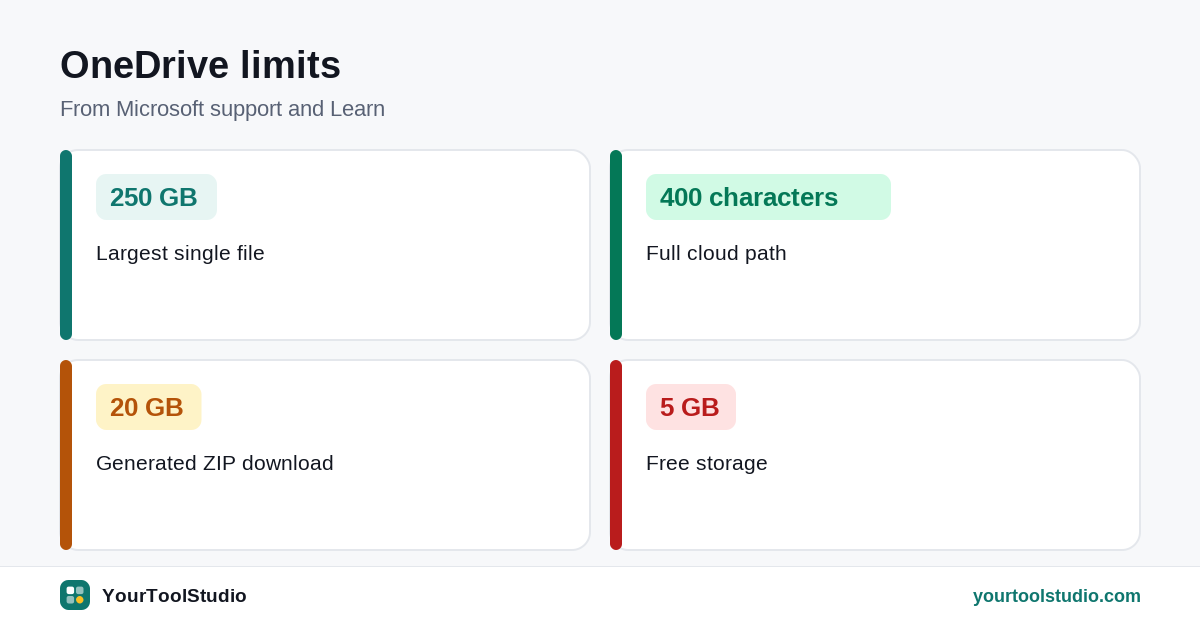
OneDrive accepts individual files of up to 250 GB, on both personal and work or school accounts. Your storage quota can stop an upload sooner, because a free account has only 5 GB. These figures come from Microsoft's restrictions and limitations page and the other Microsoft pages linked below, all checked on 19 November 2026.
OneDrive limits chart
| Item | Published limit | Applies to |
|---|---|---|
| Single file upload or download | 250 GB | Personal, work and school |
| Single file synced | 250 GB | Personal, work and school |
| File inside a ZIP | 250 GB | Personal, work and school |
| Generated ZIP when downloading several files | 20 GB | Listed in the SharePoint service limits |
| Files copied at once on the website | 2,500 | Personal, work and school |
| Items in one shared folder | 50,000, including subfolders | Personal, work and school |
| OneNote notebook | 2 GB | Work and school |
| Image thumbnails and PDF previews | Not shown above 100 MB | Personal, work and school |
Storage by plan
Personal plans are listed on Microsoft's storage quotas page, and work plans in the OneDrive service description.
| Plan | OneDrive storage | People |
|---|---|---|
| Free Microsoft account | 5 GB | 1 |
| Microsoft 365 Basic | 100 GB | 1 |
| Microsoft 365 Personal | 1 TB | 1 |
| Family or Premium, started before 8 October 2026 | 1 TB per person | Up to 6 |
| Family or Premium, started on or after 8 October 2026 | 2 TB shared | Up to 6 |
| Pro, started on or after 8 October 2026 | 5 TB shared | Up to 6 |
| Microsoft 365 Business Basic, Standard or Premium | 1 TB per user | Per license |
| Microsoft 365 E3 or E5 | 1 TB per user, can be increased to 5 TB | Per license |
| Microsoft 365 F3 | 2 GB per user | Per license |
Existing Family and Premium subscriptions move to 2 TB of shared storage when they renew from 2 May 2027. Existing Pro subscriptions move to 5 TB shared on 1 November 2027.
File name and path length limits
A long folder structure causes many failed transfers, even for small files. These limits come from Microsoft's page on file path length limits.
| Where the file is used | Limit |
|---|---|
| OneDrive and SharePoint in the cloud, full path | 400 characters |
| Office for the web | 400 characters |
| OneDrive sync, total path | 520 characters: up to 400 for the local path and up to 120 for the OneDrive root folder |
| Windows File Explorer | 260 characters |
| Word, Excel and PowerPoint for Windows | 256 characters |
| Word, Excel and PowerPoint for Mac | 1,024 UTF-8 bytes |
| Single file or folder name | 255 characters |
Microsoft's page describes the 400-character limit as applying to the decoded path, yet also says encoded forms such as %20 for a space count toward it. Staying well under 400 characters avoids the question. A file that opens online can still fail in desktop Word if its synced path passes 256 characters.
Characters and names OneDrive rejects
| Type | Not allowed |
|---|---|
| Characters in names | " * : < > ? / \ | |
| Spaces | Leading or trailing spaces |
| Reserved names | .lock, CON, PRN, AUX, NUL, COM0 to COM9, LPT0 to LPT9, desktop.ini |
| Name patterns | _vti_ anywhere in a name, or a name starting with ~$ |
Sync and SharePoint limits
Work accounts share several limits with SharePoint, which are set out in the SharePoint service limits.
| Item | Figure | Status |
|---|---|---|
| Items synced across all libraries | 300,000 | Recommended for best performance |
| Files and folders in one library | 30 million | Limit |
| Move or copy across sites | 100 GB and 30,000 files | Limit per operation |
| File attached to a list item | 250 MB | Limit |
| Versions of a file | 50,000 major and 511 minor | Limit |
Limits for developers
The Microsoft Graph API has separate rules for simple uploads and upload sessions.
| API item | Published figure |
|---|---|
| Simple upload | Files up to 250 MB |
| Bytes in one upload session request | Less than 60 MiB |
| Fragment size | A multiple of 320 KiB (327,680 bytes) |
| Recommended fragment size | 5 to 10 MiB |
| Use resumable transfers | For files larger than 10 MiB |
How long a large upload takes
These planning figures are our own arithmetic, counting 1 GB as 1,000,000,000 bytes and assuming your full upload speed is available throughout.
| File size | At 20 Mbps | At 100 Mbps | At 500 Mbps |
|---|---|---|---|
| 5 GB | 33 minutes | 7 minutes | 1 minute 20 seconds |
| 50 GB | 5 hours 33 minutes | 1 hour 7 minutes | 13 minutes |
| 250 GB | 27 hours 47 minutes | 5 hours 33 minutes | 1 hour 7 minutes |
What happens when you go over quota
Microsoft says you cannot upload, edit or sync new files once you exceed your storage, and existing files become read-only. After three months over the limit the account is frozen, and after six months Microsoft might delete the OneDrive and its files. Outlook.com email also stops sending and receiving while you are over your cloud quota.
Fixes when a file will not upload
| Problem | What to do | Tool |
|---|---|---|
| Video does not fit your storage | Lower its resolution or bitrate | Compress Video |
| PDF does not fit, or has no preview above 100 MB | Shrink the images inside it | Compress PDF |
| Very long PDF | Divide it into smaller parts | Split PDF |
| Photo has no thumbnail above 100 MB | Reduce the file size | Compress Image |
| Path is too long | Shorten folder names or move the file nearer the top level | No tool needed |
| Name contains a blocked character | Rename the file before uploading | No tool needed |
Comparing storage services? See our Google Drive limits chart and Dropbox limits chart.
Frequently asked questions
What is the OneDrive file size limit?
Microsoft lists 250 GB per file for uploads, downloads and sync, on both personal and work or school accounts.
Is the OneDrive file size limit lower on a free account?
Microsoft lists the same 250 GB per-file limit, but a free account has only 5 GB of storage, so that is the largest file that can realistically fit.
What is the OneDrive path length limit?
The full cloud path, including the file name, can be up to 400 characters. Sync allows 520 characters in total, and single names can be up to 255 characters.
Why can't I open a OneDrive file in Word?
Word for Windows has a 256-character path limit, which is shorter than the OneDrive limit. Move the file to a shorter folder path and try again.
How large can a OneDrive ZIP download be?
Microsoft lists 20 GB for the ZIP created when you download several files together. Download in smaller groups if your selection is larger.
What happens if my OneDrive is full?
You cannot upload, edit or sync new files, and existing files become read-only. Microsoft may freeze the account after three months over quota.