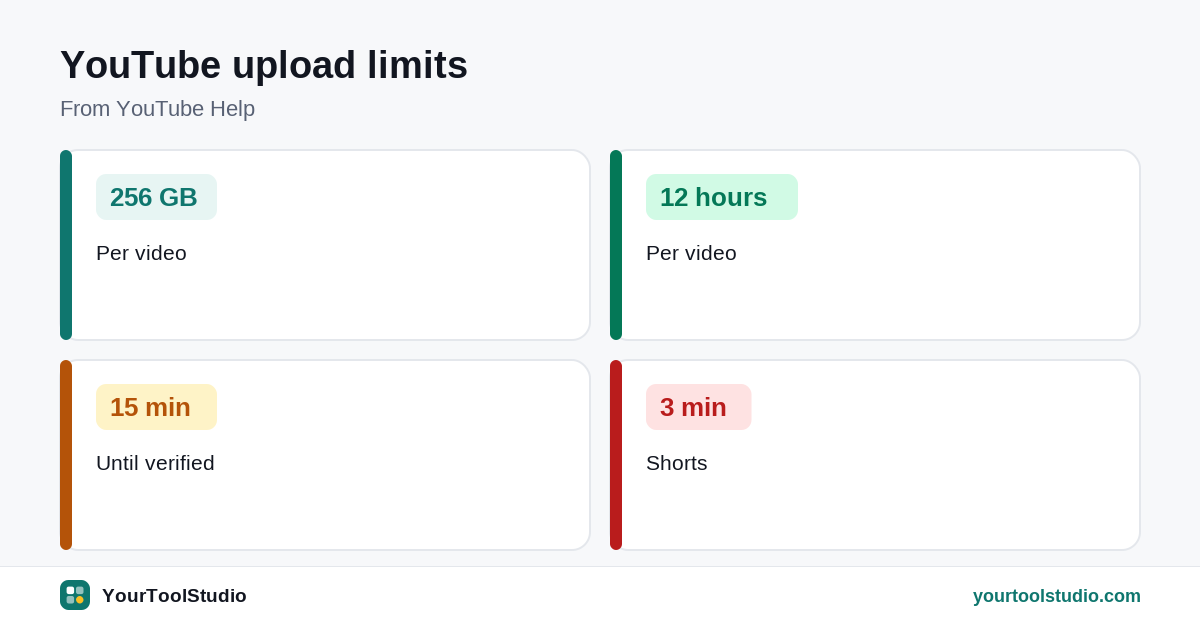
The YouTube upload limit is 256 GB or 12 hours per video, whichever is less, and accounts that have not completed phone verification can only upload videos up to 15 minutes long. YouTube also limits how many videos one channel can upload in 24 hours, but it does not publish that number. These rules come from the YouTube Help articles Upload videos longer than 15 minutes, Common uploading errors and intermediate and advanced features, plus the YouTube Data API pages, all checked on 19 November 2026.
YouTube limits at a glance
| Limit | Value | Source |
|---|---|---|
| Largest file | 256 GB | YouTube Help, 15 minutes article |
| Longest video | 12 hours | YouTube Help, 15 minutes article |
| Length before phone verification | 15 minutes | YouTube Help, 15 minutes article |
| Smallest file | 2 KB (smaller files are rejected) | YouTube Help, uploading errors |
| Videos per daily window | Not published; counted per channel over 24 hours | YouTube Help, uploading errors |
| Videos selected at once | Up to 15 | YouTube Help, Upload YouTube videos |
| Shorts length | Up to 3 minutes, square or vertical | YouTube Help, three-minute Shorts |
The daily upload limit
When you hit it, YouTube Studio shows Daily upload limit reached. You can upload more videos in 24 hours. The help page says the cap is per channel, can differ by region and channel history, and can be lowered by Community Guidelines strikes. YouTube lists higher daily upload limits as an advanced feature. To unlock advanced features you first complete phone verification, then either build enough channel history or verify your identity with an ID or a video. Identity and video verification are not offered to every creator, and only the primary channel owner can do it. You can check your status in YouTube Studio under Settings, Channel, Feature eligibility.
Because no number is published, treat any figure such as a fixed count per day as unconfirmed. If you are moving a back catalogue, upload in batches and wait for the 24 hour window to pass rather than retrying.
Shorts rules
Since 15 October 2024, square or vertical uploads up to three minutes long can be classed as Shorts on standard channels; for Official Artist Channels the date is 8 December 2025. A horizontal video, or one longer than three minutes, is treated as a regular upload. If a clip is being labelled as a Short when you did not want that, see why a video uploads as a Short.
Accepted file types
The YouTube Help article on supported formats lists these video types:
- MOV, MP4, MPEG4, MPEG-1, MPEG-2, MPG and MPEGPS
- AVI, WMV and FLV
- 3GPP and WebM
- DNxHR, ProRes and CineForm
- HEVC (H.265)
Audio-only files such as MP3, WAV or PCM cannot be uploaded as a video; YouTube allows them only as extra language tracks for an existing video. To post a song or podcast, combine the audio with a still image first. If your file is in an unusual container, change it with the Video Converter.
Recommended bitrates and settings
YouTube recommends MP4 with H.264 High Profile, progressive scan, 4:2:0 chroma, AAC-LC or Opus audio at 48 kHz, and the moov atom at the start of the file. These are its SDR video bitrates:
| Resolution | 24, 25 or 30 fps | 48, 50 or 60 fps |
|---|---|---|
| 2160p (4K) | 35 to 45 Mbps | 53 to 68 Mbps |
| 1440p | 16 Mbps | 24 Mbps |
| 1080p | 8 Mbps | 12 Mbps |
| 720p | 5 Mbps | 7.5 Mbps |
| 480p | 2.5 Mbps | 4 Mbps |
| 360p | 1 Mbps | 1.5 Mbps |
Recommended audio bitrates are 128 kbps for mono, 384 kbps for stereo and 512 kbps for 5.1.
YouTube Data API quota
| API limit | Value |
|---|---|
| videos.insert calls | 100 per day by default, in a separate Video Uploads bucket |
| Cost of one upload | 1 unit in the Video Uploads bucket |
| Other endpoints | 10,000 units per day combined |
| search.list calls | 100 per day by default |
| Largest file through the API | 256 GB |
| Accepted media types | video/* and application/octet-stream |
Older posts that say each upload costs about 1,600 units describe the previous quota system. The API quota is per project and is separate from the per channel daily limit in YouTube Studio.
Worked examples
| Your file | What happens | Fix | Tool |
|---|---|---|---|
| 22 minute vlog on an unverified account | Over the 15 minute limit | Verify by text or voice call, or trim below 15 minutes | Trim Video |
| 12 hour 4K60 stream recorded at 68 Mbps (about 367 GB) | Over 256 GB | Re-encode near 45 Mbps or split into parts | Compress Video |
| 13 hour livestream archive | Over the 12 hour length limit | Split it into two uploads | Trim Video |
| 4 minute vertical clip meant as a Short | Too long to count as a Short | Cut it to 3 minutes or less | Trim Video |
| Landscape clip you want as a Short | Not square or vertical | Crop it to 9:16 or 1:1 | Crop Video |
| Podcast as an MP3 | Audio-only files are not accepted as videos | Combine the audio with an image into an MP4 | Video Converter |
A quick size check: bitrate in Mbps times seconds, divided by 8, gives megabytes. A 15 minute 1080p30 video at 8 Mbps is about 900 MB, and 256 GB over 12 hours works out to an average of about 47 Mbps, so only very high bitrate 4K or 8K masters reach the size cap before the length cap. To shrink a file without changing its length, use Resize Video or Compress Video.
For other platforms, see the LinkedIn video size limits, the Discord file size limits and the Google Photos upload limits.
Frequently asked questions
What is the YouTube upload limit?
Each video can be up to 256 GB or 12 hours long, whichever is less. Accounts without phone verification are limited to 15 minutes per video.
Is there a YouTube upload limit per day?
Yes. YouTube limits how many videos a channel can upload in 24 hours, but it does not publish the number. It can depend on region and channel history, and advanced feature access raises it.
How do I upload videos longer than 15 minutes?
Verify your account with a code sent by text message or automated voice call. Verified accounts can upload videos longer than 15 minutes, up to 12 hours.
How long can a YouTube Short be?
Up to three minutes, with a square or vertical aspect ratio, for uploads from 15 October 2024 on standard channels.
Can I upload an MP3 to YouTube?
Not as a video. YouTube says audio-only files such as MP3 and WAV can only be added as extra language tracks. Combine the audio with an image into an MP4 first.
How many videos can the YouTube API upload per day?
By default a project gets 100 videos.insert calls per day in a separate Video Uploads bucket, with 10,000 units per day for other endpoints.