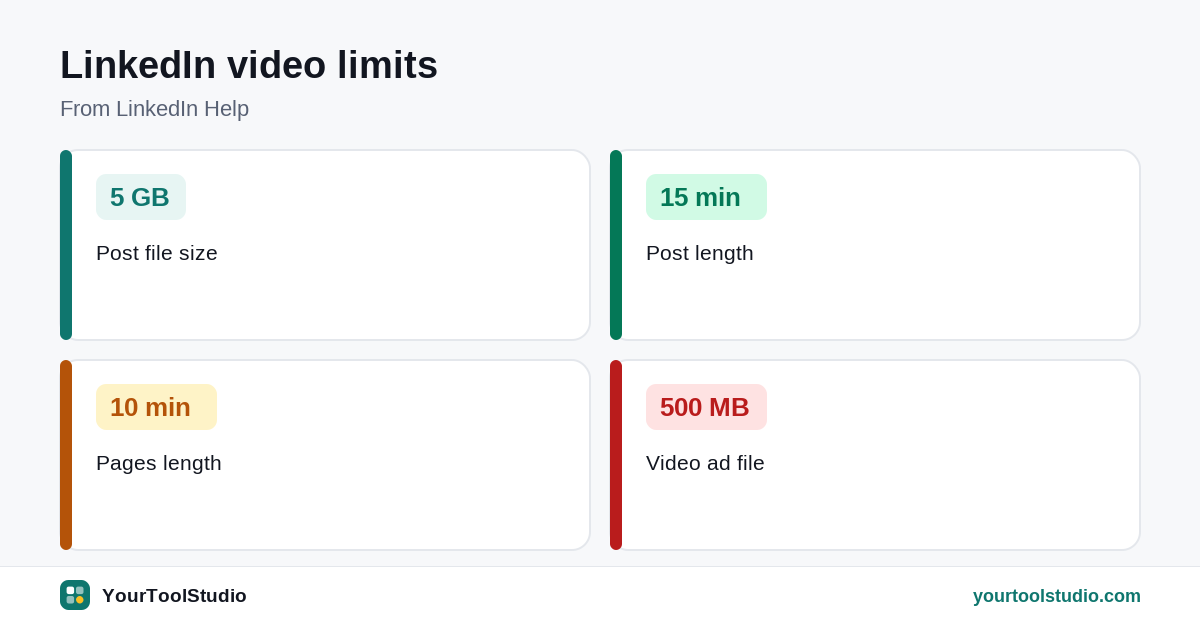
A LinkedIn video post can be up to 5 GB and 15 minutes long, and must be at least 75 KB. Video ads are stricter, with a 500 MB file limit and a 30 minute maximum, while LinkedIn Pages and Career Pages list a 10 minute maximum. These figures come from the LinkedIn help article Video sharing troubleshooting, the video specifications for LinkedIn Pages and Career Pages and the Video Ads Specifications page. All three were checked on 19 November 2026. The first help article said it was last updated two years ago and the Pages article four years ago; neither gives an exact date.
LinkedIn video limits at a glance
| Spec | Member post | Company or Career Page | Video ad (Sponsored Content) |
|---|---|---|---|
| Maximum file size | 5 GB | 5 GB | 500 MB |
| Minimum file size | 75 KB | 75 KB | 75 KB |
| Maximum length | 15 minutes | 10 minutes | 30 minutes |
| Minimum length | 3 seconds on desktop, 2 seconds in the mobile app | 3 seconds | 3 seconds |
| Resolution | 256x144 to 4096x2304 | 256x144 to 4096x2304 | 360 to 1920 pixels in each direction |
| Aspect ratio | 1:2.4 to 2.4:1 | 1:2.4 to 2.4:1 | 9:16 to 16:9, with 5% tolerance |
| Frame rate | 10 to 60 fps | 10 to 60 fps | 30 fps recommended |
| Bit rate | 192 Kbps to 30 Mbps | 192 Kbps to 30 Mbps | Not stated |
Video ad sizes LinkedIn recommends
The ads page gives a minimum and maximum size for each recommended shape. Anything outside 360 to 1920 pixels wide or tall is out of range.
| Shape | Ratio | Minimum | Maximum |
|---|---|---|---|
| Vertical | 4:5 | 360 x 450 | 1080 x 1350 |
| Vertical (full screen) | 9:16 | 360 x 640 | 1080 x 1920 |
| Landscape | 16:9 | 640 x 360 | 1920 x 1080 |
| Square | 1:1 | 360 x 360 | 1920 x 1920 |
For ads, LinkedIn asks for an MP4 file with AAC or MPEG4 audio at a sound rate below 64 kHz. Captions are optional. A thumbnail is optional but recommended, as a JPG or PNG of up to 2 MB that matches the video's aspect ratio.
Which file formats work
The two help articles do not agree on MOV. The post troubleshooting article lists MP4, MOV, AVI, WEBM, MKV, WMV, VC1, MPEG, DVVIDEO, QTRLE and TSCC2 as supported on desktop, iOS and Android. The older Pages article says LinkedIn no longer supports AVI, QuickTime or MOV files and lists formats such as MP4, MKV, WebM, H264/AVC, VP8 and VP9. The safest choice for every route is MP4 with H.264 video, which both articles and the ads page accept.
LinkedIn also warns that some formats, such as ProRes, may upload but then fail to process. If a video sticks at processing, convert it to MP4 with the Video Converter before trying again.
Worked examples
| Your video | Problem | Fix | Tool |
|---|---|---|---|
| 20 minute webinar for a member post | Over the 15 minute limit | Cut it to 15 minutes or post the key section | Trim Video |
| 12 minute clip for a company Page | Over the 10 minute Pages limit | Trim to 10 minutes or share it from a profile | Trim Video |
| 900 MB, 60 second ad | Over the 500 MB ad limit | Lower the bitrate; 500 MB over 60 seconds still allows about 66 Mbps | Compress Video |
| 4K landscape ad, 3840 x 2160 | Over the 1920 pixel ad maximum | Resize to 1920 x 1080 | Resize Video |
| Landscape clip for a 4:5 feed ad | Wrong shape | Crop to 1080 x 1350 | Crop Video |
| ProRes MOV export | May upload but fail to process | Convert to MP4 with H.264 | Video Converter |
The bit rate cap matters more than the 5 GB limit for most posts. At the top rate of 30 Mbps, a full 15 minute video is about 3.4 GB, so a video that is close to 5 GB is almost certainly encoded above LinkedIn's bit rate range and will be re-encoded. The help article also says quality may drop for files close to the limit.
Mobile upload notes
- On iPhone, stay in the LinkedIn app until the upload finishes, because uploads can stall in the background. Processing can carry on after you switch apps.
- On Android, uploads continue in the background.
- Videos stored only in iCloud cannot be uploaded from the LinkedIn mobile app. Download them to the phone first.
- Keep text and logos away from the top, bottom and side edges, where LinkedIn controls can cover them.
For other platforms, see the guide to cropping video for TikTok and Instagram, the WhatsApp file size limits and the Discord file size limits.
Frequently asked questions
What is the LinkedIn video size limit?
Video posts can be up to 5 GB and at least 75 KB. Sponsored Content video ads are limited to 500 MB.
How long can a LinkedIn video be?
Member posts can be up to 15 minutes. LinkedIn lists 10 minutes for Pages and Career Pages, and 30 minutes for video ads.
What is the best LinkedIn video format?
MP4 with H.264 video. It is accepted for posts, Pages and ads, while LinkedIn help pages disagree on MOV.
What resolution should a LinkedIn video be?
Posts accept 256x144 up to 4096x2304. Ads accept 360 to 1920 pixels in each direction, such as 1920 x 1080 landscape or 1080 x 1920 vertical.
Why is my LinkedIn video stuck processing?
The format may be unsupported, such as ProRes. Convert to MP4 with H.264 and keep the bit rate at 30 Mbps or less.
Can I upload a video from iCloud to LinkedIn?
Not from the LinkedIn mobile app. Save the video to the phone first, then upload it.