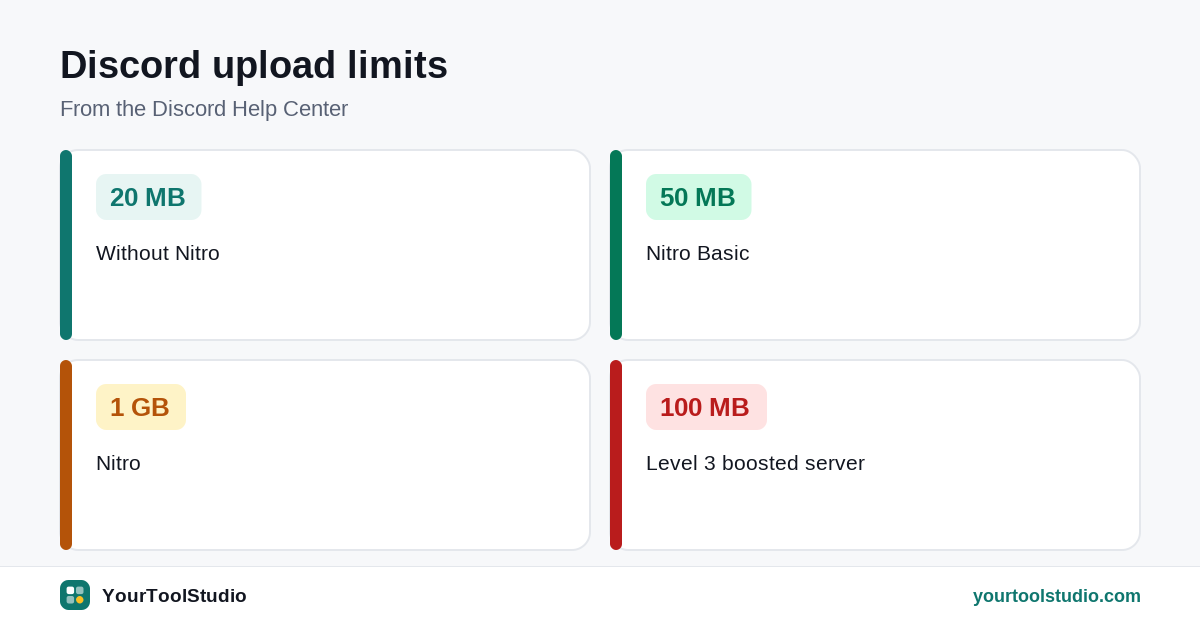
Without Nitro, Discord lets you upload files of up to 20 MB each. Discord's File Attachments FAQ says the free limit rose from 10 MB to 20 MB in August 2026, and that Nitro Basic offers 50 MB and Nitro offers up to 1 GB. All figures on this page come from the Discord pages linked here, checked on 19 November 2026.
Discord upload limits by account
| Account or place | Largest file per upload | Where Discord states it |
|---|---|---|
| Free account (no Nitro) | 20 MB | File Attachments FAQ |
| Nitro Basic | 50 MB | File Attachments FAQ and Nitro page |
| Nitro | Up to 1 GB | File Attachments FAQ and Nitro page |
| Any member, Level 2 boosted server (7 Boosts) | 50 MB, in that server only | Server Boosting FAQ |
| Any member, Level 3 boosted server (14 Boosts) | 100 MB, in that server only | Server Boosting FAQ |
| Server with Larger File Uploads (experiment, 5 Boosts) | 250 MB, in that server only | Server Boosting FAQ |
| Bots and apps through the API | 20 MiB by default, per file | Developer API reference |
Why older pages show a different number
Search results still mix figures from earlier years, and third-party pages often disagree. The table below sets out what Discord's own pages say today, so you can tell which number is current.
| Figure you may see | What it refers to now |
|---|---|
| 8 MB or 25 MB | Found on older third-party pages. Neither appears as a current limit on the Discord pages linked here |
| 10 MB | The free limit before August 2026. The Nitro help page still mentions 10 MB in one answer, but the File Attachments FAQ gives 20 MB as current |
| 500 MB | Found on some third-party pages for Nitro. Discord's pages now say up to 1 GB |
| 20 MB | The current free limit, per the File Attachments FAQ |
Discord also says it is experimenting with upload limits, so some accounts may see a larger limit than the one in this chart. If your app shows a different number, the number in your app is the one that applies to you.
Mobile uploads and compression
Discord now checks the size of a file before any compression, on desktop and mobile alike. Previously, the mobile app compressed a file first and only refused it afterwards if it was still too big. Discord notes that because Android phones tend to record larger source files, Android users may hit the limit more often than before, even though the stated limit is higher.
| What you are sending | What usually decides if it fits |
|---|---|
| Phone video | The original recording size, not the size after the app shrinks it |
| Screenshot or photo | Usually far below 20 MB, so rarely a problem |
| Screen recording at high resolution | Often over 20 MB within a minute or two |
| PDF or document | Sent as a file embed with no preview, but the same size limit applies |
Mobile users can also choose Data Saver under Video Uploads in Chat settings, which uploads videos in lower quality. In desktop Chat settings, an image larger than 20 MB uploaded directly is shared as a download rather than shown inline.
Getting a file under 20 MB without Nitro
| File | What to do | Tool |
|---|---|---|
| Video clip | Lower the resolution or bitrate | Compress Video |
| Long recording | Keep only the part you want to share | Trim Video |
| Short reaction clip | Turn it into a small looping GIF | Video to GIF |
| Large GIF | Reduce frames and colours | Compress GIF |
| High-resolution photo | Resize or recompress it | Compress Image |
| Scanned or image-heavy PDF | Shrink the images inside it | Compress PDF |
As a rough guide, a 20 MB limit fits about 80 seconds of video at 2 Mbps (20 MB is 160 megabits, and 160 divided by 2 is 80). Aim a little lower to leave room for audio and file overhead. For files too big for any Discord limit, share a cloud link instead and see our Google Drive limits chart or WeTransfer limits chart.
Limits for bots and developers
The Discord API reference says the default upload limit is 20 MiB for all users, that it applies to each file in a request, and that it may be higher depending on the user's Nitro status or the server's Boost Tier. For interactions, Discord provides the effective limit as the maximum of those values, so a bot should read it rather than hard-code 20 MiB.
Frequently asked questions
What is the Discord file size limit without Nitro?
20 MB per file. Discord's File Attachments FAQ says the free limit rose from 10 MB to 20 MB in August 2026.
What is the Discord upload limit with Nitro?
Nitro allows files of up to 1 GB and Nitro Basic allows 50 MB, according to Discord's Help Center.
Do server boosts raise the upload limit?
Yes, for everyone in that server. Level 2 (7 Boosts) gives 50 MB and Level 3 (14 Boosts) gives 100 MB. Some servers can test a 250 MB option.
Why can I not upload a video on Discord mobile that fits on desktop?
Discord now checks the size before compression on all platforms, so the original phone recording must be under your limit, not the compressed copy.
What is the Discord bot file upload limit?
The developer documentation lists 20 MiB per file by default, which may be higher depending on Nitro status or the server Boost Tier.
Why does my Discord limit differ from this chart?
Discord says it is experimenting with upload limits, so some users may get larger limits. The limit your app shows is the one that applies.