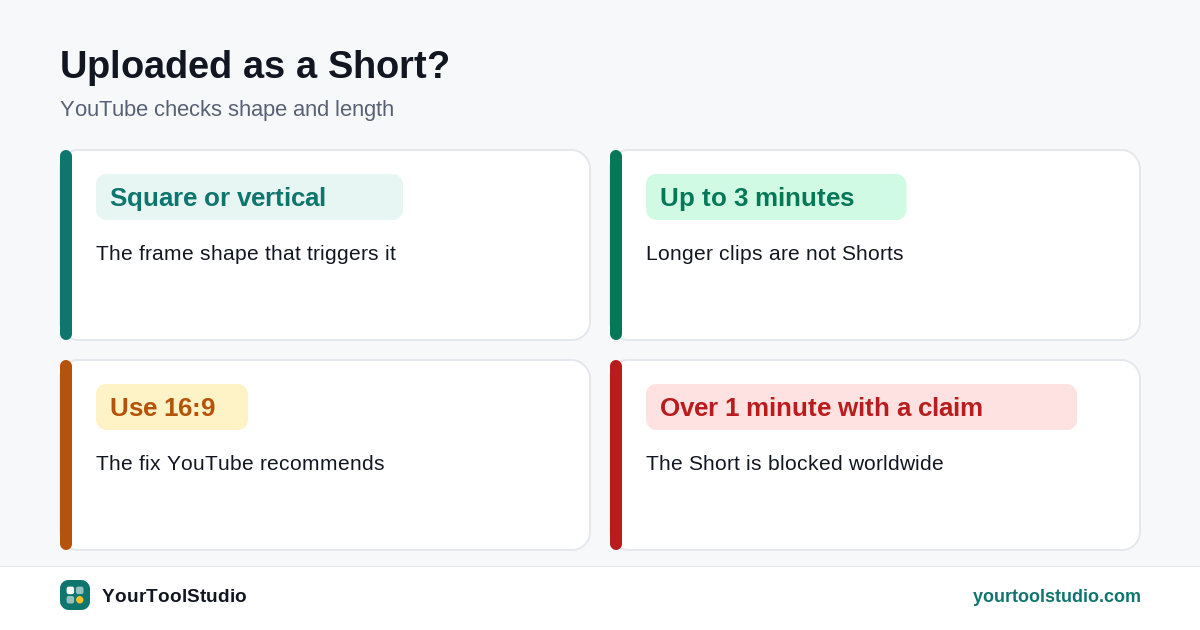
Your video is uploading as a Short because it is square or vertical and no longer than 3 minutes. YouTube puts every video that meets both conditions into Shorts. To publish it as a regular video, change the frame to a wider shape such as 16:9 with Resize Video, then upload the new copy.
The rule YouTube applies
YouTube's guide to three-minute Shorts says videos uploaded on or after 15 October 2024 are categorized as Shorts when they have a square or vertical aspect ratio and run for up to three minutes. YouTube says videos uploaded before that date remain long-form, which is why an older upload of the same shape and length can still sit on your channel as a regular video.
Official Artist Channels follow the same rule for videos uploaded on or after 8 December 2025.
| Your video | Length | How YouTube treats it |
|---|---|---|
| Vertical, such as 9:16 or 4:5 | Up to 3 minutes | Short |
| Square, 1:1 | Up to 3 minutes | Short |
| Vertical or square | Over 3 minutes | Regular video, because it is past the Shorts length |
| Widescreen, 16:9 | Any length | Regular video |
Check what your file really is
The picture you see is not always the shape of the file. Compare the width and height in your file details or editor export settings. If the height is equal to or greater than the width, the video counts as square or vertical.
- Bars inside a vertical frame. A wide clip placed in a 1080 × 1920 project looks like landscape footage, but the file is still vertical.
- A nearly square crop. A screen recording of 1078 × 1080 looks almost square and is technically taller than it is wide.
- The wrong project canvas. If your editor is set to a vertical or square canvas, the export comes out in that shape even when the footage inside it is wide.
Your three ways to fix it
YouTube's own answer to stopping a video from becoming a Short is to use a wider aspect ratio such as 16:9. You can get there in two ways, or you can leave the shape alone and make the video longer.
| Fix | Best for | What it costs you |
|---|---|---|
| Fit into 16:9 | Talking heads, tutorials and anything where the whole frame matters | Bars on both sides, and a smaller picture |
| Fill 16:9 by cropping | Footage with the action in the middle of the frame | The top and bottom of the picture are lost |
| Make it longer than 3 minutes | Vertical videos with enough real content to continue | More editing, and the video stays vertical |
How much picture each fix keeps
Before you choose, work out what the change does to your footage. These figures are calculated for a 1920 × 1080 frame.
| Original shape | Fit: share of the frame width used | Fill: share of the picture height kept |
|---|---|---|
| 9:16 (1080 × 1920) | 31.6% | 31.6% |
| 4:5 (1080 × 1350) | 45% | 45% |
| 1:1 (1080 × 1080) | 56.3% | 56.3% |
A 9:16 video is the hardest case. Fit leaves a narrow column in the middle of the screen, and Fill throws away more than two thirds of the height. A square video survives far better, so Fill can work if nothing important sits near the top or bottom edge.
There is a trade-off to accept with Fit. YouTube's page on video resolution and aspect ratios advises against adding padding or black bars, because they stop the player from adapting to the viewer's screen. Bars are still the way to keep the full picture in a 16:9 file, so treat them as a deliberate compromise and not as the ideal format.
Convert your video to 16:9
- Open Resize Video and add your file. It is processed on your device.
- Enter a width of 1920 and a height of 1080, which is YouTube's listed 1080p size for 16:9.
- Choose Fit to keep the whole picture, then pick a bar colour. Choose Fill to crop the edges instead.
- Press Resize video and watch the result from start to finish.
- In YouTube Studio, select Create, then Upload videos, and upload the new file.
Set the exact frame size, choose Fit or Fill and download the new copy without uploading your video.
If you want to control exactly which part of the frame stays, use Crop Video first. Horizontal footage that was saved sideways needs Rotate Video before any resizing.
What about a video that is already published?
YouTube's Shorts help pages do not describe a setting that moves a published video out of Shorts, so plan on uploading a corrected copy. Once the new version is live, decide whether to keep the old one. A Short that is already getting views may be worth leaving up alongside the regular version.
Longer Shorts can be blocked
There is one more reason to care about the classification. YouTube says any Short over one minute with an active copyright claim of any type is blocked globally, so it cannot be played or recommended. A single claimed song can therefore block a 2-minute Short.
If that happens, you have three choices: remove the claimed content, dispute the claim if it was made in error, or cut the clip to one minute or less with Trim Video before uploading it again. YouTube says the limitations for Shorts under one minute have not changed.
When you actually want a Short
Sometimes the problem runs the other way, and a clip you meant as a Short appears as a regular video. YouTube's upload instructions list the same two requirements, so check them in this order:
- Cut the video to 3 minutes or less with Trim Video.
- Make the frame vertical or square with Resize Video. Our guide to cropping video for vertical platforms explains how to keep the subject in frame.
- Upload the new file through the YouTube app or YouTube Studio.
The YouTube rules on this page were checked on the help pages linked above on 18 November 2026.
Frequently asked questions
Why did YouTube turn my video into a Short?
The video is square or vertical and runs for 3 minutes or less. YouTube categorizes videos that meet both conditions as Shorts.
How do I upload a vertical video without it becoming a Short?
Place it in a wider frame such as 16:9 before uploading, or publish a version that runs for longer than 3 minutes.
Does removing #Shorts stop a video from being a Short?
The YouTube help pages we checked name shape and length as the test and do not list the hashtag, so change the frame to 16:9 instead of relying on removing the tag.
Is a 4-minute vertical video a Short?
No. Shorts can be up to 3 minutes long, so a 4-minute vertical video falls outside the Shorts length.
Why was my 2-minute Short blocked?
YouTube blocks Shorts longer than one minute worldwide when they have an active copyright claim. Remove the claimed content, dispute the claim or trim the video to one minute or less.