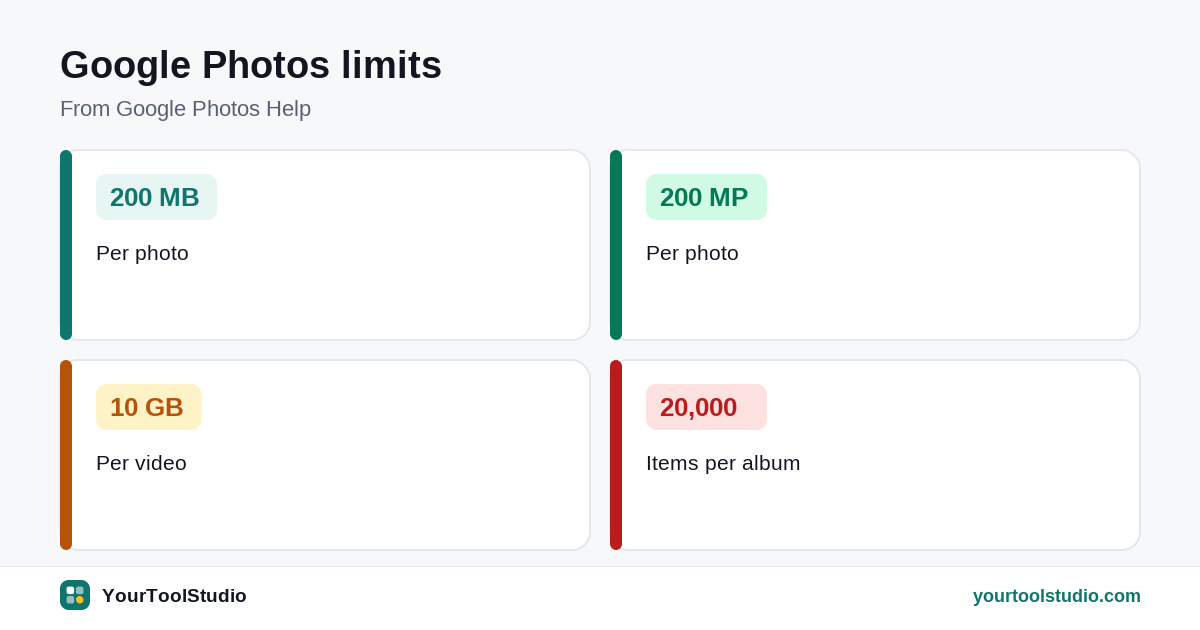
Google Photos accepts photos up to 200 MB or 200 megapixels and videos up to 10 GB, and every item must be larger than 256 x 256 pixels. There is no published daily upload cap for the app: what stops backups is your Google Account storage, which is shared with Gmail and Drive. These figures come from the Google Photos help article Back up photos and videos, the backup quality article, the Google One storage article and the Google Photos developer pages, all checked on 19 November 2026.
Google Photos limits at a glance
| Limit | Value | Source |
|---|---|---|
| Largest photo | 200 MB or 200 MP | Google Photos Help |
| Largest video | 10 GB | Google Photos Help |
| Smallest item | Larger than 256 x 256 pixels | Google Photos Help |
| Items in one album | Up to 20,000 photos or videos | Google Photos Help, albums article |
| Free storage | Up to 15 GB, shared with Gmail and Drive | Google One Help |
| Daily upload cap in the app | None published; you can choose a daily limit on how much data backup uses | Google Photos Help |
What each backup quality keeps
Backup quality does not change whether a file uploads, but it decides what Google stores. Every option now counts toward your storage.
| Quality | Photos | Videos | Counts toward storage |
|---|---|---|---|
| Original quality | Kept at the resolution you took them | Kept at the resolution you took them | Yes |
| Storage saver (formerly High quality) | Larger than 16 MP resized to 16 MP | Higher than 1080p resized to 1080p | Yes, except items backed up before 1 June 2021 |
| Express (some countries only) | Larger than 3 MP resized to 3 MP | Higher than 480p resized to 480p | Yes, except items backed up before 1 June 2021 |
If you do not see Express in your settings, Google says it is not offered in your country or region.
Supported file types
- Photos: JPG, HEIC, HEIF, PNG, WEBP, GIF, AVIF and most RAW files, including most DNG formats.
- Videos: MPG, MOD, MMV, TOD, WMV, ASF, AVI, DIVX, MOV, M4V, 3GP, 3G2, MP4, M2T, M2TS, MTS and MKV.
- Also supported: 10-bit HDR video, slow motion, depth videos and motion photos.
- Google warns that file types not on its list may not work.
Note that BMP and TIFF are on the developer API list but not on the help page list for the app. If a TIFF scan will not back up, convert it to JPG or PNG first.
Storage when you hit the limit
Google One Help says each account includes up to 15 GB, shared across Gmail, Google Drive and Google Photos. Accounts created from 9 March 2026 start with 5 GB and can get another 10 GB after verifying a phone number. Once you are over quota, you cannot back up any new photos or videos until you free space or buy more. For the Drive side of the same quota, see the Google Drive upload limits.
Developer API limits
| API limit | Value |
|---|---|
| Photo file size (Library API upload) | 200 MB, with under 50 MB suggested |
| Video file size (Library API upload) | 20 GB |
| Media items per batchCreate call | 50 |
| Library API requests | 10,000 per project per day |
| Library API media byte access | 75,000 requests per project per day |
| Picker API requests | 100,000 per minute per project |
The developer upload guide also says apps should remind users that uploads over 25 MB per user count toward their Google Account storage. That is a reminder rule, not a size cap.
Worked examples
| Your file | What happens | Fix | Tool |
|---|---|---|---|
| 12 GB 4K video from a phone | Over the 10 GB video limit | Compress it or split it into shorter clips | Compress Video |
| Stitched panorama of 24,000 x 10,000 pixels (240 MP) | Over the 200 MP limit | Resize below 200 MP, for example 20,000 x 10,000 | Resize Image |
| 200 x 200 pixel icon | Not larger than 256 x 256 | Upscale it past 256 pixels on each side | Resize Image |
| 48 MP photo on Storage saver | Uploads, but stored at 16 MP | Switch to Original quality before backing up | None needed |
| 4K video on Storage saver | Uploads, but stored at 1080p | Switch to Original quality, or keep a local copy | Resize Video to choose the size yourself |
| HEIC photo that must be shared outside Google | Uploads fine to Google Photos | Convert a copy for apps that reject HEIC | HEIC to JPG |
A quick check for videos: 10 GB over one hour is roughly 22 Mbps on average, so most hour-long phone recordings in 1080p fit, while long 4K recordings often do not. Shortening the clip with Trim Video is usually faster than recompressing it.
For other services, see the Dropbox file size limits, the OneDrive file size limits and the iCloud Mail attachment limits.
Frequently asked questions
What is the Google Photos upload limit?
Photos can be up to 200 MB or 200 megapixels, and videos up to 10 GB. Every item must be larger than 256 x 256 pixels.
Is there a Google Photos upload limit per day?
Google publishes no daily upload cap for the app. Backups stop when your Google Account storage is full. You can choose a daily limit on how much data the app uses for backup.
Does Google Photos reduce photo quality?
Only on Storage saver or Express. Storage saver resizes photos over 16 MP to 16 MP and videos above 1080p to 1080p. Original quality keeps the file as taken.
How many photos can a Google Photos album hold?
Up to 20,000 photos or videos, according to Google Photos Help.
Do Google Photos uploads count toward storage?
Yes. All backup qualities count toward your Google Account storage, except items backed up in High quality or Express before 1 June 2021.
What is the largest video the Google Photos API accepts?
The Library API upload guide lists 20 GB for videos and 200 MB for photos, with under 50 MB suggested for images.