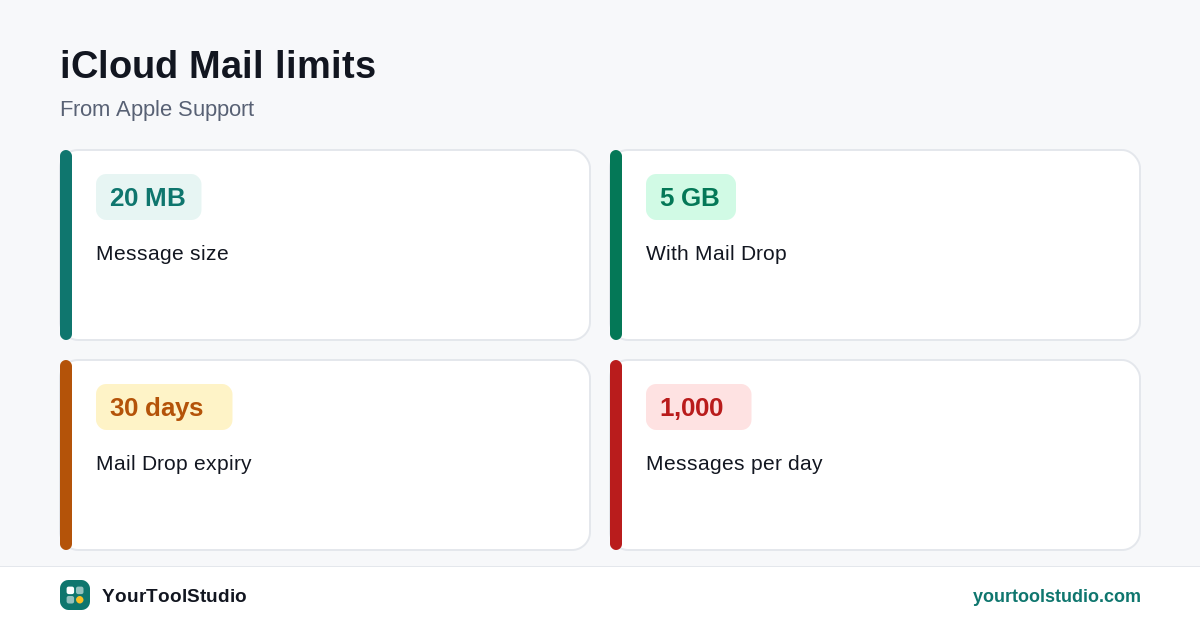
An iCloud Mail message, including its attachments, can be up to 20 MB, or up to 5 GB when Mail Drop is turned on. Apple states both figures on its support article Mailbox size and message sending limits in iCloud, and the 5 GB ceiling again on Mail Drop limits. Some third-party guides give 25 MB, but no Apple page opened for this chart says so. All figures were checked on 19 November 2026.
iCloud Mail limits at a glance
| Limit | Figure | Apple page |
|---|---|---|
| Size of an incoming or outgoing message | 20 MB | Mailbox size and message sending limits |
| Message size with Mail Drop turned on | Up to 5 GB | Mailbox size and message sending limits; Mail Drop limits |
| Messages you can send each day | 1,000 | Mailbox size and message sending limits |
| Recipients you can message each day | 1,000 | Mailbox size and message sending limits |
| Recipients in one message | 500 | Mailbox size and message sending limits |
| Mail Drop storage | 1 TB | Mail Drop limits |
| How long Mail Drop files stay available | 30 days | Mail Drop limits; iCloud User Guide |
| Free iCloud storage shared with Mail | 5 GB | Mailbox size and message sending limits |
How Mail Drop changes the limit
Mail Drop uploads large attachments to iCloud, where they are encrypted, and sends the recipient a link or the attachment instead of the full file. According to Apple, Mail Drop attachments do not count against your iCloud storage, and recipients have 30 days to download them. Files already sent cannot be removed early; they expire on their own.
| Where you send from | How to turn Mail Drop on | What happens with a large file |
|---|---|---|
| iCloud.com | Open Mail, choose Settings, select Composing, then tick Use Mail Drop when sending large attachments | You are asked whether to deliver the attachments using Mail Drop |
| Mail on Mac, iCloud account | Mail Drop is available for iCloud accounts | Large attachments are uploaded to iCloud for up to 30 days |
| Mail on Mac, another provider | Mail, Settings, Accounts, choose the account, Account Information, then Send large attachments with Mail Drop | Mail asks whether to use Mail Drop when a file exceeds what that provider allows |
You must be signed in to your Apple Account to send with Mail Drop. The Mail Drop limits page also warns that the recipient's email app may have a smaller message size limit, and that access to a link can be restricted if it gets an excessive number of downloads or very high traffic.
Why an iCloud attachment still will not send
| Symptom | Likely cause from Apple Support | What to do |
|---|---|---|
| Mail Drop refuses the message | The message with attachments is larger than 5 GB | Split the files across messages or compress them |
| Mail Drop says storage is full | You reached the 1 TB Mail Drop storage limit | Wait for older Mail Drop files to expire after 30 days |
| A whole folder will not attach | An uncompressed folder was attached | Compress the folder into a ZIP file first |
| Cannot send message using the server iCloud (Mac) | The daily message or recipient limit was exceeded | Check the Outbox for stuck copies and try again later |
| You cannot send or receive any email | Your iCloud storage is full | Free up space or upgrade to iCloud+ |
| The message bounces from the recipient | Their email service has a lower size limit | Use Mail Drop or send a smaller file |
Worked example: what fits in 20 MB
Attachments are encoded as text before they travel. The MIME standard, RFC 2045 section 6.8, encodes every 3 bytes of a file as 4 characters, in lines of no more than 76 characters. That turns 15 MB of files into about 20 MB of message. Apple does not say whether its 20 MB is measured before or after this encoding, so keeping attachments at about 14 MB or less is the safe choice when Mail Drop is off.
| What you want to send | Rough fix to stay under about 14 MB | Tool |
|---|---|---|
| Scanned PDF of 30 MB | Compress the images inside it, or split it into two emails | Compress PDF |
| Ten iPhone photos in HEIC | Convert to JPG for recipients who cannot open HEIC, then resize | HEIC to JPG |
| Large photos for printing | Reduce the pixel size or JPEG quality | Compress Image |
| Phone video of a few minutes | Lower the resolution or bitrate, or use Mail Drop | Compress Video |
For a side-by-side view of Gmail, Outlook, Yahoo and Proton Mail limits, see the email attachment size limits chart. To send something larger than 5 GB, a cloud link is the usual route; see the Google Drive upload limits and WeTransfer limits.
Frequently asked questions
What is the iCloud Mail attachment size limit?
Messages, including attachments, can be up to 20 MB, or up to 5 GB with Mail Drop turned on, according to Apple Support.
Is the iCloud Mail limit 20 MB or 25 MB?
Apple Support gives 20 MB for incoming and outgoing messages. The 25 MB figure appears in some third-party guides but not on the Apple pages checked.
Do Mail Drop files use my iCloud storage?
No. Apple says Mail Drop attachments do not count against your iCloud storage. Mail Drop has its own 1 TB limit.
How long do Mail Drop links last?
Recipients have 30 days to download Mail Drop attachments, after which the files expire.
How many emails can I send a day from iCloud Mail?
Up to 1,000 messages and 1,000 recipients a day, with no more than 500 recipients in a single message.
Can I use Mail Drop with a Gmail account on a Mac?
Yes. In Mail on Mac, open the account under Account Information and select Send large attachments with Mail Drop. You must be signed in to your Apple Account.