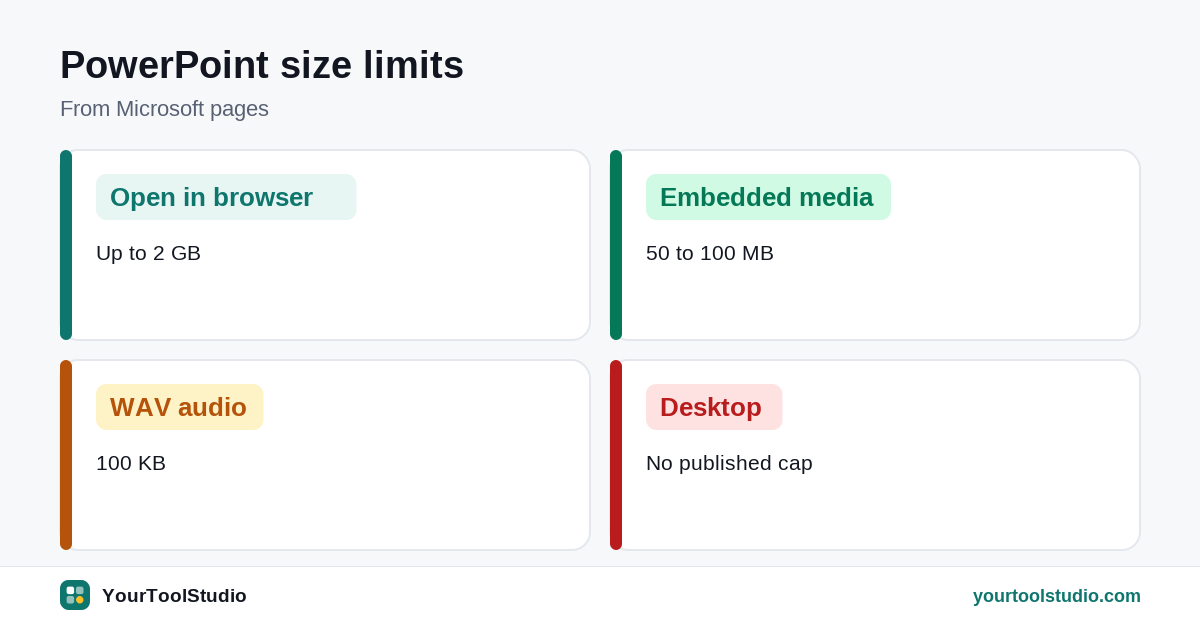
PowerPoint for the web can open presentations up to 2 GB, according to Microsoft Support, but it will not insert large media: embedded media is limited to between 50 and 100 MB, and WAV audio to 100 KB. Microsoft publishes no maximum file size for desktop PowerPoint, so in practice the limit you hit is usually the one set by email, cloud storage or the browser. All figures below were checked on Microsoft pages on 23 November 2026.
PowerPoint limits at a glance
| Where | Limit | Microsoft source |
|---|---|---|
| PowerPoint for the web, opening a file | Up to 2 GB | How certain features behave in web-based PowerPoint |
| PowerPoint for the web, embedded media | 50 to 100 MB, depending on the media | How certain features behave in web-based PowerPoint |
| PowerPoint for the web, WAV audio | 100 KB | How certain features behave in web-based PowerPoint |
| Older PowerPoint Web App (SharePoint 2010 and 2013 Office Web Apps) | 300 MB to open | How certain features behave in web-based PowerPoint |
| Desktop PowerPoint for Windows or Mac | No maximum published | None of the pages checked states one |
The 2 GB figure is about opening. Large files still take time to download into the browser, so a presentation well under 2 GB can be slow or time out on a weak connection. If you only need people to read the slides, a PDF copy made with PowerPoint to PDF is usually far smaller than the original.
Microsoft 365 for the web: view and edit limits
Microsoft Learn publishes a separate table for the Cloud Storage Partner Program, which covers Office for the web opened from storage services that integrate with Microsoft (CSPP and the extended CSPP+ programme). It is the only Microsoft page found that gives editing limits for all three apps side by side. It does not describe files stored in OneDrive or SharePoint, so treat it as a guide for those.
| App | Mode | CSPP limit | CSPP+ limit |
|---|---|---|---|
| PowerPoint for the web | View | No limit, subject to a 60 second download time out | No limit, subject to a 60 second download time out |
| PowerPoint for the web | Edit | 300 MB | 2 GB |
| Word for the web | View | No limit, subject to a 60 second download time out | No limit, subject to a 60 second download time out |
| Word for the web | Edit | 100 MB | 100 MB |
| Excel for the web | View and edit | 25 MB | 100 MB |
The same page repeats the media rule for PowerPoint: 100 MB for most embedded media types and 100 KB for WAV files. It also says that desktop and mobile clients integrated through CSPP+ do not have these limitations.
Related Excel limit in SharePoint
For decks that link to workbooks, Microsoft Support lists a separate cap for opening workbooks in a browser: between 0 and 100 MB in a SharePoint Online library, depending on the subscription, and under 10 MB for a workbook attached to an email in Outlook Web App. Above that, the workbook does not open in the browser window.
How to get a presentation under a limit
Microsoft gives the following steps on its pages about reducing presentation size and compressing media. Media is normally the largest part of a big deck, so start there.
- Compress Media (PowerPoint for Windows only): File, Info, then Compress Media in the Multimedia section. The options are Full HD (1080p), HD (720p) and Standard (480p). Microsoft says this is not available in PowerPoint for Mac or for the web, and that embedded subtitles and alternate audio tracks are lost.
- Compress Pictures: Picture Format, Compress Pictures, with Apply only to this picture cleared and Delete cropped areas of pictures ticked. Cropped areas cannot be restored afterwards.
- Lower the default resolution: File, Options, Advanced, Image Size and Quality. Set Default resolution to 150 ppi or lower and tick Discard editing data.
- Embed fewer font characters: File, Options, Save, then Embed only the characters used in the presentation.
- Shrink video before inserting it: on a Mac or the web, compress clips first with Compress Video, then insert the smaller file.
For a full walk through of what makes a deck heavy, see why a PowerPoint file is so large. To send one by email, check the email attachment size limits for your provider, and for sharing through the cloud, the OneDrive file size limits.
Sources and dates
| Page | Checked | Used for |
|---|---|---|
| Microsoft Support: How certain features behave in web-based PowerPoint | 23 November 2026 | 2 GB opening limit, 50 to 100 MB media, 100 KB WAV, older 300 MB Web App |
| Microsoft Learn: File sizes supported by Microsoft 365 for the web | 23 November 2026 | View and edit limits for PowerPoint, Word and Excel for the web |
| Microsoft Support: File size limits for workbooks in SharePoint | 23 November 2026 | Excel workbook limits in SharePoint and Outlook Web App |
| Microsoft Support: Compress your media files | 23 November 2026 | Compress Media steps, quality options, platforms, what is lost |
| Microsoft Support: Reduce the file size of your PowerPoint presentations | 23 November 2026 | Compress Pictures, default resolution, editing data, embedded fonts |
Frequently asked questions
Does PowerPoint have a file size limit?
Microsoft publishes no maximum for desktop PowerPoint. PowerPoint for the web opens files up to 2 GB, and limits embedded media to between 50 and 100 MB.
What is the PowerPoint online file size limit?
Microsoft Support says PowerPoint for the web can open files up to 2 GB. For Office for the web through storage partners, editing is listed at 300 MB, or 2 GB on CSPP+.
Why will PowerPoint for the web not insert my video?
The browser version will not insert large media. Microsoft gives a limit of 50 to 100 MB for embedded media and 100 KB for WAV audio. Compress the video first or insert it in the desktop app.
Can I compress media in PowerPoint for Mac?
No. Microsoft says Compress Media is available in PowerPoint for Windows but not for Mac or the web. Compress the video before inserting it instead.
What resolution should pictures in PowerPoint be?
Microsoft suggests setting the default resolution to 150 ppi or lower to reduce file size, and compressing pictures with cropped areas deleted.