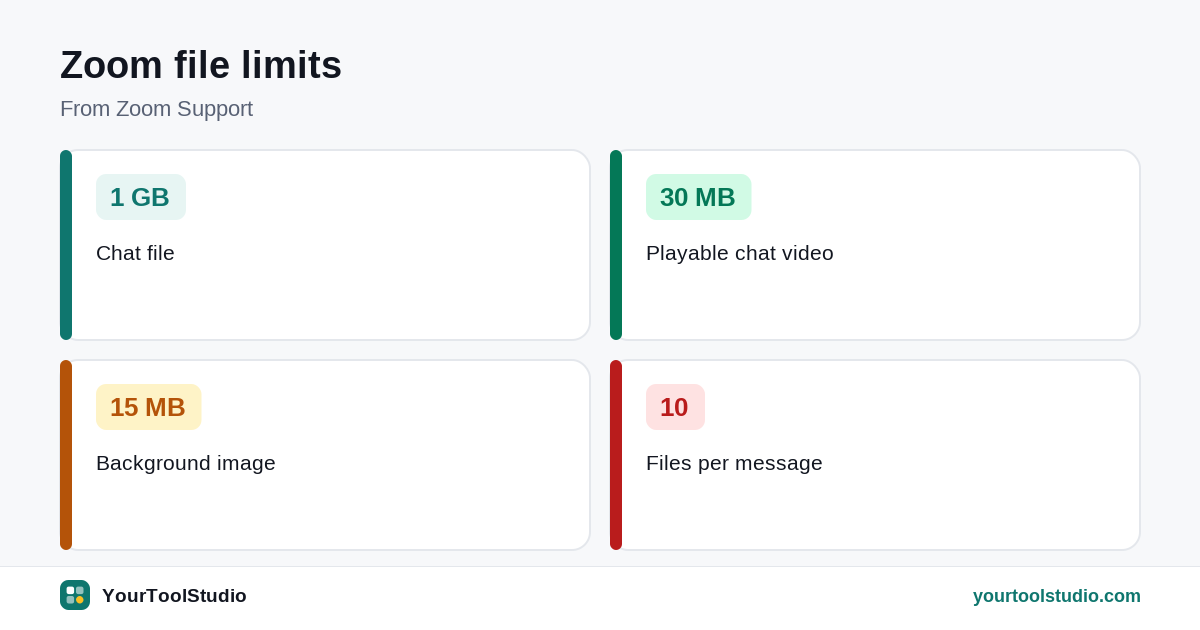
A file sent in Zoom Chat can be up to 1 GB, and a video that plays inside the chat window can be up to 30 MB. Zoom states both figures on its Zoom Chat specifications and limitations page, which applies to paid accounts and warns that free accounts may have different limitations. Files sent in the chat of a meeting or webinar follow a separate limit that the account admin sets. All figures were checked on 19 November 2026.
Zoom limits at a glance
| Where the file goes | Limit | Zoom page |
|---|---|---|
| File in Zoom Chat (Team Chat) | 1 GB; admins can set a lower cap of up to 1024 MB | Zoom Chat specifications and limitations; Managing file transfers in Zoom Chat |
| Video that plays in Zoom Chat | 30 MB, in MP4, M4V or MOV | Sending videos in Zoom Chat |
| Attachments in one chat message | Up to 10, including GIFs | Zoom Chat specifications and limitations |
| Text in one chat message | Up to 4,000 characters | Zoom Chat specifications and limitations |
| File sent in meeting chat | No default figure published; the admin can set a maximum file size | Enabling file transfer in meetings |
| File sent in webinar chat | No default figure published; the admin can set a maximum file size | Enabling or disabling file transfer in webinars |
| Virtual background image | 24-bit PNG or JPG, up to 15 MB | Changing your virtual background image |
| Virtual background video | MP4 or MOV, from 480x360 to 1920x1080 pixels | Changing your virtual background image |
| File in Video SDK session chat (developers) | The portal setting limits files to 2048 MB | Zoom Video SDK, Send files |
Chat files and chat videos are two different limits
Zoom treats a video in chat in one of two ways. According to Sending videos in Zoom Chat, an MP4, M4V or MOV file of 30 MB or less can be played directly in the chat window on the desktop or mobile app version 5.7.3 or higher. A larger video still sends, up to the 1 GB file limit, but it arrives as a normal file transfer that the recipient must download and open in another video player.
| Video you send | What the recipient sees |
|---|---|
| MP4 of 25 MB from the desktop app | A video that plays inside the chat |
| MOV of 80 MB from the desktop app | A file to download; it does not play in the chat |
| Video sent from the mobile app | Zoom converts it to MP4 with H.264 video at a maximum of 720p |
| Video shared from a cloud service | A link, which does not play in the desktop app |
| File larger than 1 GB | Zoom will not send it; share a cloud link instead |
Meeting and webinar file transfer
Files sent through the chat during a meeting are controlled by the Meeting file transfer setting. The page Enabling file transfer in meetings says any Zoom account can use it, and that an admin can tick Maximum file size and Only allow specified file types to restrict it, but it does not publish a default size. For webinars, Enabling or disabling file transfer in webinars requires a Pro, Business or Enterprise account with a Webinars add-on, and panelists can send files only if the admin allows it. If a file is refused in a meeting, the cap you hit is the one your admin chose, so ask them for the value or send a cloud link.
Virtual background requirements
The page Changing your virtual background image asks for a 24-bit PNG or JPG image of up to 15 MB, matched to your camera's aspect ratio. For a 16:9 camera, 1280x720 or 1920x1080 pixels work, and 1280x720 is the suggested minimum when you are not sure. Video backgrounds must be MP4 or MOV between 360p and 1080p; Zoom does not list a file size limit for them.
Worked example: fitting a clip under 30 MB
One megabyte is 8 megabits, so 30 MB holds about 240 megabits of video and audio. At a combined bitrate of 2 Mbps that is roughly 120 seconds, and at 4 Mbps about 60 seconds. A 90-second phone clip at 8 Mbps is around 90 MB, so it would arrive as a download.
| Problem | Fix | Tool |
|---|---|---|
| Video is over 30 MB and must play in chat | Lower the bitrate or resolution to 720p | Compress Video |
| Only part of the recording is needed | Cut the clip to the important section | Trim Video |
| Recording is in a format that will not play in chat | Convert it to MP4 | Video Converter |
| Background image is over 15 MB | Resize it to 1920x1080 and save as JPG | Resize Image |
| Shared PDF is too heavy for the admin cap | Compress the images inside it | Compress PDF |
To compare Zoom with other chat apps, see the Microsoft Teams file size limits, the Slack file upload limits and the Discord file size limits.
Frequently asked questions
What is the Zoom file size limit?
Zoom Chat files can be up to 1 GB on paid accounts, according to Zoom Support. Admins can set a lower cap. Files sent in meeting chat follow a separate admin-set limit.
Why will my video not play in Zoom Chat?
Only MP4, M4V and MOV videos of 30 MB or less play in the chat window. Larger videos are sent as normal files that must be downloaded.
Is the Zoom chat limit 512 MB?
None of the Zoom support pages checked give 512 MB. They give 1 GB for Zoom Chat files and leave the meeting chat limit to the admin.
How many files can I attach to one Zoom chat message?
Up to 10 attachments, including GIFs, according to the Zoom Chat specifications page.
What size should a Zoom virtual background be?
Use a 24-bit PNG or JPG of up to 15 MB. For a 16:9 camera, 1920x1080 or 1280x720 pixels match well.
Do free Zoom accounts have the same limits?
Zoom says its chat limits apply to paid accounts and that free accounts may have different limitations not listed on the page.