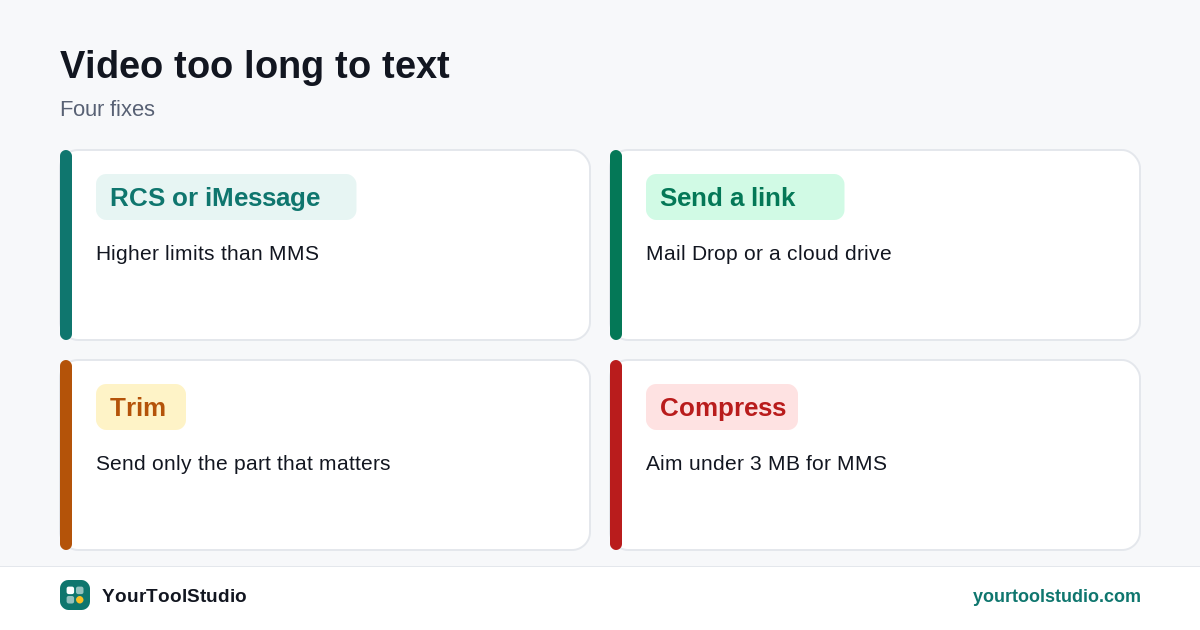
A video is too long to send via text when its file is bigger than the limit for a picture message (MMS), and that limit is set by the carriers, not by the length of the clip. Verizon, for example, lists 3.5 MB for a video on its 4G LTE and 5G network and warns that messages between different carriers are typically limited to 300 to 600 KB. Even 3.5 MB leaves under 1 Mbps for a 30 second clip, far below what phones record at. The fix is to switch to a message type with a higher limit, send a link instead of the file, or make the file smaller by trimming or compressing it.
Why the phone says the video is too long
There are three ways a phone sends a text with media, and only one of them has the tight limit.
| Message type | Bubble colour | Who it reaches | Video limit |
|---|---|---|---|
| iMessage | Blue | Apple devices only | Apple says it sends high resolution photos and videos; it publishes no MB figure on that page |
| RCS | Green on iPhone, chat style on Android | Android phones and iPhones on iOS 18 or later with a carrier that supports RCS | Apple and Google both describe high resolution video; neither page gives a fixed MB figure |
| SMS / MMS | Green | Any phone | Set by the carriers: Verizon lists 3.5 MB on its own network and 300 to 600 KB between carriers |
Apple's iPhone User Guide says the size limit of attachments is determined by your service provider, and its page on long videos says some long video files are too large to send in a standard text message. So when an iPhone or Android phone falls back to MMS, usually because the other person is on a different platform without RCS, or RCS is switched off or not connected, the carrier cap applies and the phone either refuses the video, shrinks it to a blurry clip, or the message silently never arrives. Verizon notes that a message over the other carrier's limit may be rejected and will not reach the person.
The length matters only because longer clips make bigger files. Size grows with bitrate multiplied by duration, so a 4K or high frame rate clip hits the cap after a second or two. Our guide to why a video file is so large covers the reasons in detail.
Fix 1: Check that RCS or iMessage is on
If both phones support a richer message type, the problem may vanish without touching the video.
- iPhone to iPhone. A blue bubble means iMessage. If you see green, check Settings, Apps, Messages, and make sure iMessage is on for both people.
- iPhone to Android, or the other way. Apple says RCS needs iOS 18 and a carrier that supports RCS on iPhone. Turn it on in Settings, Apps, Messages, RCS Messaging. Apple notes that if the setting does not appear, RCS might not be available on your plan.
- Android to Android. In Google Messages, open your profile picture, Messages settings, RCS chats, and check the status says Connected. Google lists Connecting and Trouble connecting as other statuses; until it says Connected, media goes as MMS.
- Group chats. One person without RCS or iMessage can push the whole group to MMS, so a long video may fail in the group and work in a one to one chat.
Fix 2: Send a link instead of the file
A link works for any length of video and keeps full quality, because only a short web address travels in the text. The recipient taps it and downloads the original.
| Method | How | Worth knowing |
|---|---|---|
| Mail Drop (iPhone) | In Photos, tap Share, then Mail; a large video goes as a Mail Drop attachment | Apple says recipients have 30 days to download Mail Drop attachments |
| AirDrop (nearby Apple devices) | Share, AirDrop, then pick the device | Uses Wi-Fi and Bluetooth, so both people must be close by |
| Google Drive, Dropbox or OneDrive | Upload the video, copy a share link, paste it into the text | Check the link is set so anyone with it can view |
If you would rather email the file itself, see how to compress a video for email, which covers email attachment limits and bitrate by clip length.
Fix 3: Trim the video to the part that matters
Cutting length is the only change that shrinks the file without lowering quality. Halve the clip and you roughly halve the file. Use Trim Video to keep just the moment you want to share, or the trim handles in your phone's Photos or Gallery app. Verizon's own advice for MMS also mentions the video trimmer on some Android phones for exactly this reason.
Choose the start and end, keep only the part you need and download a shorter file. It runs in your browser.
Fix 4: Compress to a target size
When the video must go as a normal attachment to someone without RCS or iMessage, compress it to a size under the cap. Our Compress Video tool has a Target size mode: choose it, type a Maximum file size (MB) and the tool works out the bitrate from the length of the clip. We checked the figures below against the tool's code on 22 November 2026.
- Open Compress Video and select the video.
- Set Mode to Target size and type 3 in Maximum file size (MB). That is 3 MiB, about 3.15 MB, just under Verizon's 3.5 MB video figure.
- Set Resolution to 480p or 360p. A small screen in a chat bubble does not need 1080p, and fewer pixels look far better at a low bitrate.
- Keep Format on MP4, which plays everywhere, and press the compress button.
- Send the new file. If it still fails, the message is crossing carriers, so trim further or send a link.
The tool reserves sound and a little overhead from the target, then gives the rest to the picture. With sound on at its default 128 kbps, a 3 MB target leaves this much for the video:
| Clip length | Video bitrate at a 3 MB target | What to expect |
|---|---|---|
| 15 seconds | About 1,450 kbps | Fine at 720p |
| 30 seconds | About 660 kbps | Good at 480p |
| 60 seconds | About 270 kbps | Watchable at 360p |
| 2 minutes | Below the tool's 80 kbps floor | Too long for 3 MB; untick Keep sound, trim, or send a link |
These bitrates are our arithmetic from the tool's formula: the target in bytes times 8 times 0.94, divided by the length in seconds, minus the audio bitrate. At 2 minutes the tool warns that the quality will be low, and the file can end up slightly over the target because of its minimum video bitrate. Unticking Keep sound frees 128 kbps for the picture, which helps most with short silent clips.
Pick Target size, type the limit in MB and choose a lower resolution. The video is compressed in your browser and never uploaded.
What about 600 KB between carriers?
Verizon gives 300 to 600 KB as the typical limit when a message crosses to another carrier, and Amazon Web Services, which sends MMS for businesses, lists 600 KB for video files in its own MMS service. Our tool's smallest target is 1 MB, and even a ten second clip at 600 KB leaves under 500 kbps, so for messages between carriers a link is usually the better answer. If you must try, trim the clip to a few seconds and use 360p with sound off.
Troubleshooting
| What you see | Likely cause | Fix |
|---|---|---|
| Video too long or too large on iPhone | The chat is using SMS/MMS | Turn on RCS, or send a Mail Drop or cloud link |
| Video arrives tiny and blurry | The phone or carrier shrank it to fit MMS | Send a link, or ask the person to turn on RCS; see why videos look blurry after upload |
| Sends to one friend, fails to another | Different message type or carrier | Check the bubble colour and RCS status for that chat |
| Shows as sent but never arrives | Over the other carrier's limit, so it was rejected | Send a link, or compress well under 1 MB |
| Fails in a group chat only | One member has no RCS or iMessage | Send it one to one, or post a link in the group |
Sending somewhere else instead? Our Discord file size limits page covers Discord, and the Vimeo upload limits page covers hosting a video to share by link.
Sources and when they were checked
Read on 22 November 2026: Verizon's Ensure Picture / Video Message does not Exceed File Size Limit for 3.5 MB video, 1.2 MB image and 300 to 600 KB between carriers; Apple's What is the difference between iMessage, RCS, and SMS/MMS? and Turn on RCS messaging on your iPhone; Apple's iPhone User Guide pages Share long videos on iPhone and Share photos and videos on iPhone; Google Messages Help Turn RCS chats on or off; and AWS MMS file types, size and character limits. The Compress Video settings were checked in the tool's code.
Frequently asked questions
Why does my phone say a video is too long to send?
The video file is bigger than the MMS limit set by the carriers. Length only matters because longer clips make bigger files.
How big can a video be in a text message?
Over MMS it depends on the carrier. Verizon lists 3.5 MB on its own network and 300 to 600 KB between carriers. RCS and iMessage allow much larger videos.
How do I send a long video from an iPhone to an Android phone?
Turn on RCS in Settings, Apps, Messages if your carrier supports it, or send it with Mail Drop or as a Google Drive link.
What size should I compress a video to for a text?
Around 3 MB is a sensible target for MMS on a big US network. Use Target size in Compress Video and a 480p or 360p resolution.
Does trimming a video reduce its file size?
Yes. Cutting length is the only way to shrink the file without lowering quality, and halving the clip roughly halves the file.