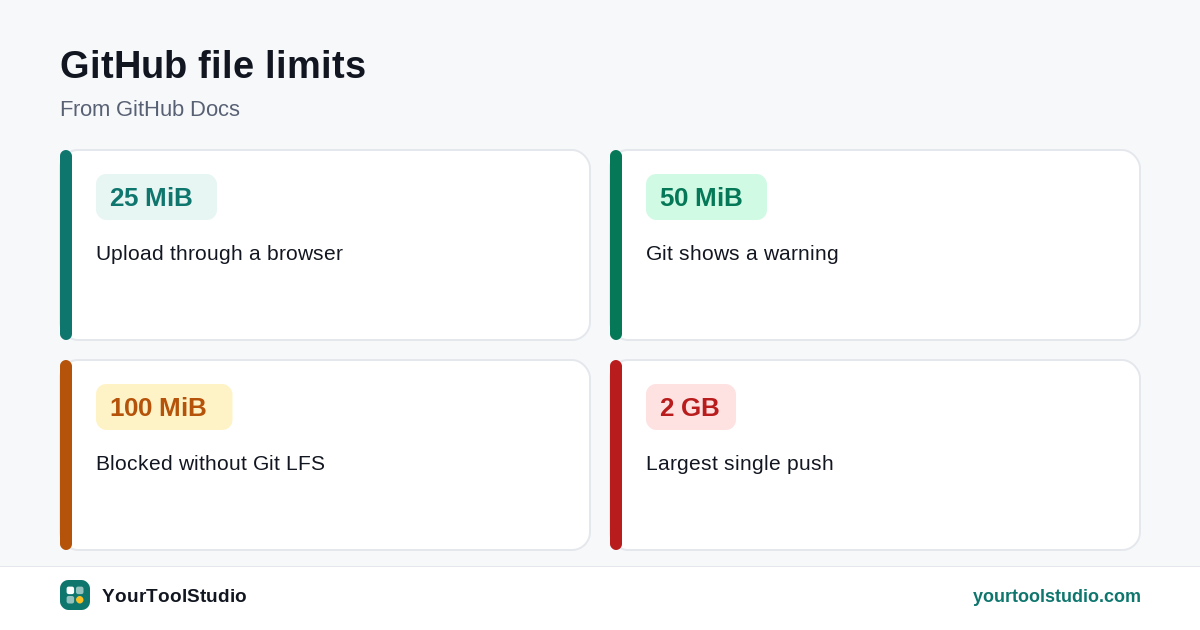
GitHub blocks any file larger than 100 MiB in a regular Git repository, warns you above 50 MiB, and accepts no more than 25 MiB when you add a file through the browser. Larger files need Git LFS, which allows 2 GB to 5 GB per file depending on your plan. Every figure below was checked against GitHub Docs on 19 November 2026.
GitHub file size limits chart
The first three rows come from GitHub's page About large files on GitHub.
| How the file is added | Limit | What happens at the limit |
|---|---|---|
| Web browser upload | 25 MiB per file | The file cannot be added this way, so use Git or Git LFS |
| Git push, warning level | Over 50 MiB | Git warns you, but the push still succeeds |
| Git push, hard block | Over 100 MiB | GitHub blocks the file |
| Git LFS object | 2 GB to 5 GB, by plan | Git LFS rejects the file with an error message |
| Release asset | Below the Git LFS maximum for your plan | Total release size and bandwidth are not limited |
Git LFS limits by plan
Per-file maximums are listed in About Git Large File Storage. The included allowances are on GitHub's Git LFS billing page.
| Plan | Largest LFS file | Included storage | Included bandwidth |
|---|---|---|---|
| GitHub Free | 2 GB | 10 GiB | 10 GiB |
| GitHub Pro | 2 GB | 10 GiB | 10 GiB |
| GitHub Free for organizations | Not listed separately | 10 GiB | 10 GiB |
| GitHub Team | 4 GB | 250 GiB | 250 GiB |
| GitHub Enterprise Cloud | 5 GB | 250 GiB | 250 GiB |
Without a payment method, going over the storage allowance means clones receive pointer files only and new LFS files cannot be pushed. Going over the bandwidth allowance disables Git LFS on the account until the next month. Git LFS also cannot be used with GitHub Pages sites or template repositories.
Repository and push limits
GitHub separates enforced limits from recommendations. These figures come from its repository limits page, apart from the 1 GB and 5 GB guidance, which is on the large files page.
| Item | Figure | Status |
|---|---|---|
| Single push | 2 GB | Enforced |
| Single Git object | 100 MB | Enforced, with 1 MB recommended |
| Repository size | Ideally under 1 GB, and under 5 GB strongly recommended | Recommended |
| On-disk size of the .git folder | 10 GB | Recommended |
| Entries in one directory | 3,000 | Recommended |
| Directory depth | 50 levels | Recommended |
| Branches | 5,000 | Recommended |
| Pushes per repository | 6 per minute | Recommended |
| Repositories per account or organization | 100,000 | May not be exceeded |
As a worked example, 30 files of 90 MiB each pass the per-file block, but together they total 2,700 MiB. That exceeds the 2 GB push limit, so they must be sent across at least two pushes, and they would also take the repository past the recommended size.
Issue and pull request attachments
Files attached to comments have separate limits, published in GitHub's guide to attaching files.
| Attachment | Maximum size |
|---|---|
| Images and GIFs | 10 MB |
| Videos in a repository owned by a free plan | 10 MB |
| Videos in a repository owned by a paid plan | 100 MB |
| All other supported files | 25 MB |
On a paid-plan repository, uploading a video over 10 MB requires you to be an organization member, an outside collaborator or on a paid plan yourself. GitHub recommends H.264 for the widest video playback.
When GitHub will not display a file
A file can be stored successfully and still fail to preview. GitHub says formatted previews are attempted for small files, generally under 2 MB, and complex files may fall back to plain text or not display at all. Pull requests have their own display limits too: 300 files in a single diff, and 20,000 loadable lines or 1 MB of raw diff data in total.
How to fit a file under the limit
| File | Best option | Tool or action |
|---|---|---|
| Screenshot or demo image for a README | Reduce it under the 10 MB attachment limit | Compress Image |
| Demo video for an issue | Lower the resolution or trim it to fit 10 MB | Compress Video |
| PDF documentation | Shrink embedded images before committing | Compress PDF |
| Large JSON sample data | Remove whitespace, then test with a smaller sample | JSON Formatter |
| Binary build output | Publish it as a release asset instead of committing it | GitHub Releases |
| Model, dataset or media that must stay versioned | Track it with Git LFS | git lfs track |
Removing a large file in a new commit does not remove it from history, so a blocked push can keep failing until the commit that added the file is rewritten. If you share big files outside GitHub, compare our Google Drive and Dropbox limit charts.
Frequently asked questions
What is the GitHub file size limit?
GitHub blocks files larger than 100 MiB in regular Git repositories and warns above 50 MiB. Files added through a browser can be no larger than 25 MiB.
What is the maximum file size with Git LFS?
Git LFS allows 2 GB per file on GitHub Free and Pro, 4 GB on GitHub Team and 5 GB on GitHub Enterprise Cloud.
Why does GitHub say 25 MB when the limit is 100 MB?
The 25 MiB limit applies only to files added through the browser. Using Git from the command line raises the ceiling to 100 MiB per file.
How big can a GitHub repository be?
GitHub recommends keeping repositories ideally under 1 GB and strongly recommends under 5 GB. It may contact you if a repository excessively affects its infrastructure.
How large can a single push to GitHub be?
GitHub enforces a limit of 2 GB on a push. Split larger uploads across several pushes, while keeping each file within the per-file limit.
Is there a size limit on GitHub release files?
GitHub does not limit the total size of a release or its bandwidth, but each file must be smaller than the Git LFS maximum for your plan.