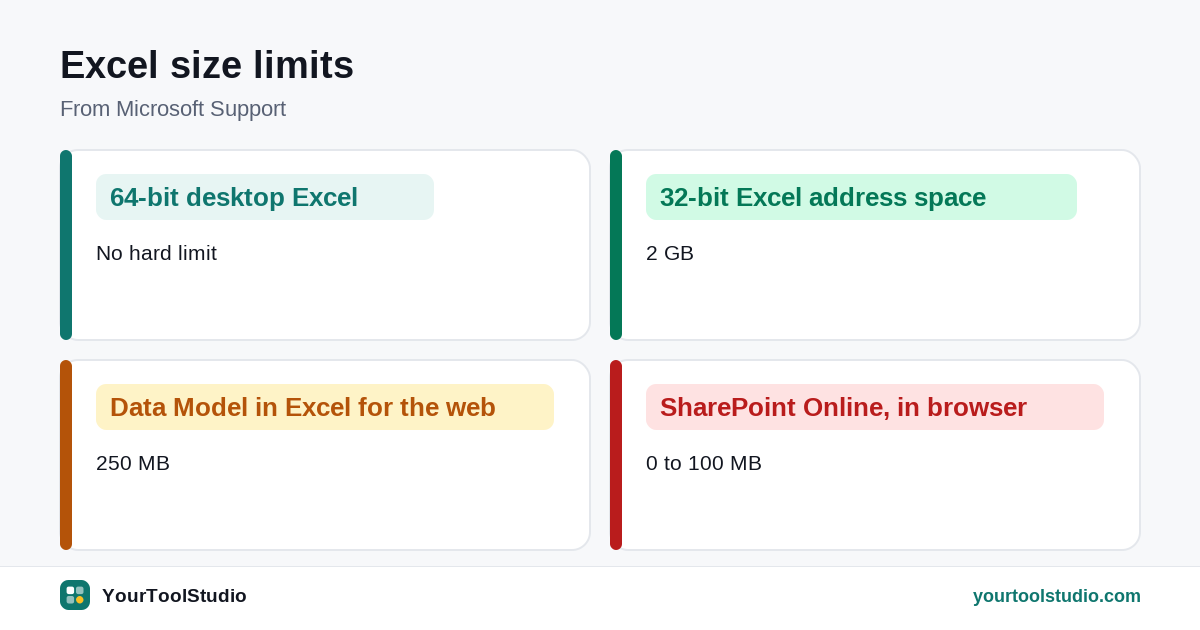
Desktop Excel in its 64-bit version has no hard file size limit: Microsoft says workbook size is limited only by available memory and system resources. The 32-bit version is the one that runs out, because Excel, the workbook and its add-ins share 2 GB of virtual address space (4 GB on 64-bit Windows since the Large Address Aware update). Every figure below was read on Microsoft Support and Microsoft Learn on 23 November 2026.
Excel file size limits at a glance
| Where the workbook is opened | Limit Microsoft states | Microsoft source |
|---|---|---|
| Excel desktop, 64-bit | No hard limit; available memory and system resources | Excel specifications and limits |
| Excel desktop, 32-bit on 32-bit Windows | 2 GB of virtual address space shared by Excel, the workbook and add-ins (3 GB with the /3GB boot switch) | Excel specifications and limits; Large Address Aware capability change |
| Excel desktop, 32-bit on 64-bit Windows | 4 GB of address space, applied automatically | Large Address Aware capability change |
| Data Model inside 32-bit Excel | Its share of the address space might reach 500 to 700 MB, less if other models and add-ins are loaded | Excel specifications and limits |
| Excel for the web, workbook with a Data Model | 250 MB total file size | Data Model specification and limits |
| Excel for the web, SharePoint Online library | 0 to 100 MB to work with it in a browser window | File size limits for workbooks in SharePoint |
| Outlook on the web, workbook attached to an email | Smaller than 10 MB to open it in the browser | File size limits for workbooks in SharePoint |
| Excel for the web through a storage partner (CSPP) | 25 MB to view or edit | File sizes supported by Microsoft 365 for the web |
| Excel for the web through a storage partner (CSPP+) | 100 MB to view or edit | File sizes supported by Microsoft 365 for the web |
| Power BI Pro or free service | 0 to 250 MB | Data Model specification and limits |
The desktop row is the one most people need: a 64-bit copy of Excel will open a 1 GB workbook if the computer has the memory to hold it. The browser rows are hard ceilings, and Microsoft notes that limits in Microsoft 365 are not configurable, though they can change over time.
How to tell which limit you are hitting
| What you see | Likely limit | First thing to try |
|---|---|---|
| Excel cannot complete this task with available resources, or Out of Memory, on the desktop | 32-bit address space | Close other workbooks and add-ins; Microsoft recommends a 64-bit version of Excel to increase the memory available |
| The workbook opens in Excel but not in the browser | SharePoint Online or Excel for the web cap | Download it and open it in the desktop app, which Microsoft lists as the first workaround |
| An attachment will not preview in Outlook on the web | The 10 MB browser cap for attachments | Save it to a team site library or open it in desktop Excel |
| A Power Pivot or Data Model workbook will not open online | The 250 MB Data Model cap | Remove unused columns and tables from the model, or run Microsoft's Workbook Size Optimizer |
Microsoft's Large Address Aware article adds that extra RAM does not raise the 2 GB or 4 GB address space of 32-bit Excel; only a move to 64-bit Excel does.
Where Microsoft's own pages disagree
The SharePoint limits page gives 0 to 100 MB for a team site library and under 10 MB for Outlook Web App attachments. The older Reduce the file size of a workbook page, opened the same day, still says a team site workbook should not exceed 10 MB and that Outlook Web App supports workbooks smaller than 5 MB. This chart uses the limits page because it is the one Microsoft labels as the current limits; the lower figures explain why many forum answers still quote 10 MB. The Data Model page also lists SharePoint Server 2013 defaults (50 MB upload, 10 MB rendering, 2 GB maximum), but Microsoft marks those as historical because that version reached end of support on 11 April 2023.
Making a workbook fit
- Leave Add this data to the Data Model unticked when importing data you will not relate to other tables; Microsoft notes that adding tables to the Data Model increases the file size.
- Remove images, sheet backgrounds and shaded cells you do not need, which Microsoft lists as common causes of size.
- Repair the workbook if it may be corrupted, since a corrupted file can take far more space than its data.
- To share figures that only need reading, export a copy with Excel to PDF and shrink it with Compress PDF.
For the reasons a workbook grows in the first place, see why an Excel file is so large. For grid limits such as rows, columns and characters per cell, see the Excel row limit chart, and before emailing a workbook, check the email attachment size limits.
Sources and dates
| Page | Checked | Used for |
|---|---|---|
| Microsoft Support: Excel specifications and limits | 23 November 2026 | 64-bit and 32-bit memory and file size notes, Data Model address space share |
| Microsoft Learn: Large Address Aware capability change for Excel | 23 November 2026 | 2 GB, 3 GB and 4 GB address space, error messages, RAM note |
| Microsoft Support: Data Model specification and limits | 23 November 2026 | 250 MB Excel for the web, Power BI range, SharePoint Server 2013 history |
| Microsoft Support: File size limits for workbooks in SharePoint | 23 November 2026 | 0 to 100 MB library limit, 10 MB Outlook Web App limit, download workaround |
| Microsoft Support: Reduce the file size of a workbook | 23 November 2026 | Older 10 MB and 5 MB figures, size reduction steps |
| Microsoft Learn: File sizes supported by Microsoft 365 for the web (updated 27 February 2025) | 23 November 2026 | 25 MB and 100 MB storage partner limits |
Frequently asked questions
What is the maximum file size for an Excel workbook?
Microsoft sets no hard file size limit for 64-bit Excel; the workbook is limited by available memory and system resources. 32-bit Excel shares 2 GB of address space, or 4 GB on 64-bit Windows.
What is the Excel for the web file size limit?
Microsoft lists 0 to 100 MB for workbooks in a SharePoint Online library, 250 MB for workbooks with a Data Model, and 25 MB or 100 MB when opened through storage partners.
Why does my Excel file not open in the browser?
It is probably over the browser limit for where it is stored, such as 10 MB for an Outlook on the web attachment. Download it and open it in desktop Excel.
Does adding RAM raise the 32-bit Excel limit?
No. Microsoft says extra RAM does not change the 2 GB or 4 GB address space of 32-bit Excel. Moving to 64-bit Excel removes that cap.
Why do some sites say the Excel online limit is 10 MB?
An older Microsoft page still gives 10 MB for team site workbooks and 5 MB for Outlook Web App. The current SharePoint limits page lists 0 to 100 MB and 10 MB.