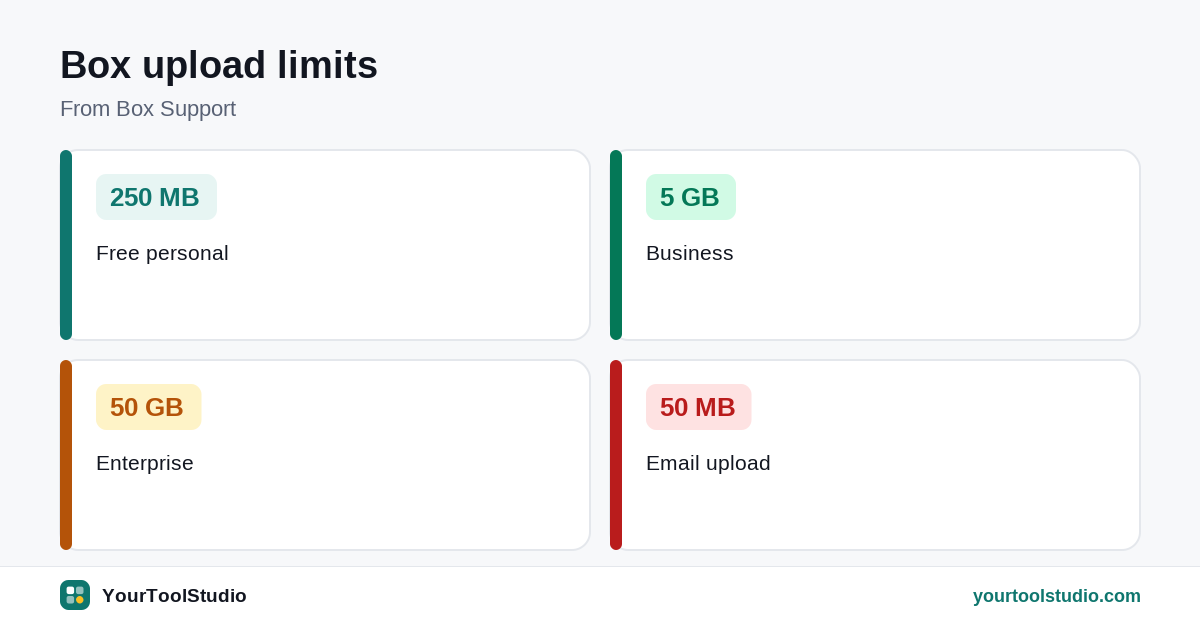
The largest file you can upload to Box depends on your plan: 250 MB on a free personal account, 5 GB on Personal Pro and Business, 15 GB on Business Plus, 50 GB on Enterprise and up to 500 GB on Enterprise Advanced. Box lists these figures on its help article Understand the maximum file size you can upload to Box. All figures on this page were checked on 19 November 2026; the Box pages do not show their own update dates.
Box upload limit by plan
| Box plan | Largest single file |
|---|---|
| Free personal (Individual) | 250 MB |
| Personal Pro | 5 GB |
| Business Starter | 2 GB |
| Business | 5 GB |
| Business Plus | 15 GB |
| Enterprise and Digital Suites | 50 GB |
| Enterprise Plus | 150 GB |
| Enterprise Advanced | 500 GB |
Limits that apply on top of your plan
Some ways of getting files into Box have their own cap. When the app cap is lower than your plan limit, the app cap wins.
| Upload route | Limit | Box page |
|---|---|---|
| Box mobile app | 15 GB | Understand the maximum file size you can upload to Box |
| Box Sync (older desktop client) | 15 GB | Understand the maximum file size you can upload to Box |
| Upload by email | 50 MB | Understand the maximum file size you can upload to Box |
| Direct upload API | 50 MB per file | Box Developer: Uploads |
| Chunked upload API | Files of at least 20 MB; an upload session lasts 7 days | Box Developer: Chunked uploads |
| Box web app, Box Drive, Shuttle | Your plan limit; Box names these as supporting the 500 GB Enterprise Advanced limit | Large file size limit for uploads and downloads |
The Box upload guide for developers says the direct upload endpoint takes files up to 50 MB in a single request, and that the overall API limit follows the account type of the signed-in user. The chunked upload guide says that API rejects files smaller than 20 MB, so files between 20 MB and 50 MB can use either method. The announcement Large file size limit for uploads and downloads lists the web experience, Box Drive, the Chunked Upload API, the Download API and Box Shuttle as supporting 500 GB files; it does not mention the mobile app.
Shared folders use the owner's plan
Box says a shared folder enforces the file size limit of the folder owner's plan, whatever plan the collaborator uploading has. This is the most common reason someone with a large limit still sees a file rejected.
| Who uploads | Folder owner | Largest file allowed |
|---|---|---|
| Business user (5 GB) | Free personal account | 250 MB |
| Free user (250 MB) | Enterprise account | 50 GB |
| Enterprise user (50 GB) | Business Starter account | 2 GB |
How to check your own limit
Sign in to Box, select your account icon in the top-right corner, choose Account Settings and scroll to Account details. The Max file size entry shows your plan limit. For a shared folder, the limit that matters is the owner's, so ask them if an upload fails.
Worked example: a 3.4 GB file on a Starter plan
A 3.4 GB recording cannot be uploaded on Business Starter, because the cap is 2 GB. There are three ways round it. Compress the video so it falls under 2 GB, which at a total bitrate of 8 Mbps leaves room for about 33 minutes. Split a large PDF into parts that each fit. Or ask a colleague on a higher plan to create the folder, so the owner's larger limit applies.
| Problem | Fix | Tool |
|---|---|---|
| Video is over your plan limit | Lower the bitrate or resolution | Compress Video |
| Only part of a recording is needed | Cut it to the useful section | Trim Video |
| Scanned PDF is too big for email upload (50 MB) | Compress the images inside it | Compress PDF |
| One PDF is larger than the folder owner's limit | Split it into smaller files | Split PDF |
| Photo set is too heavy for a free account | Reduce image file sizes | Compress Image |
To compare Box with other storage services, see the Dropbox file size limits, the Google Drive upload limits and the OneDrive file size limits.
Frequently asked questions
What is the Box file size limit on a free account?
Free personal Box accounts can upload files up to 250 MB each, according to Box Support.
What is the largest file Box allows?
500 GB, on the Enterprise Advanced plan. Enterprise allows 50 GB and Enterprise Plus 150 GB.
Why does Box reject my file when my plan allows it?
If you upload to a folder someone else owns, Box applies the folder owner's plan limit. Uploads by email are also capped at 50 MB, and the mobile app at 15 GB.
What is the Box Business Starter upload limit?
Business Starter allows files up to 2 GB, which is lower than the 5 GB on Personal Pro and Business.
What is the Box API upload limit?
The direct upload endpoint takes files up to 50 MB. Larger files use the chunked upload API, which accepts files from 20 MB up to your plan limit.
How do I see my Box max file size?
Open Account Settings from your account icon and look for Max file size under Account details.