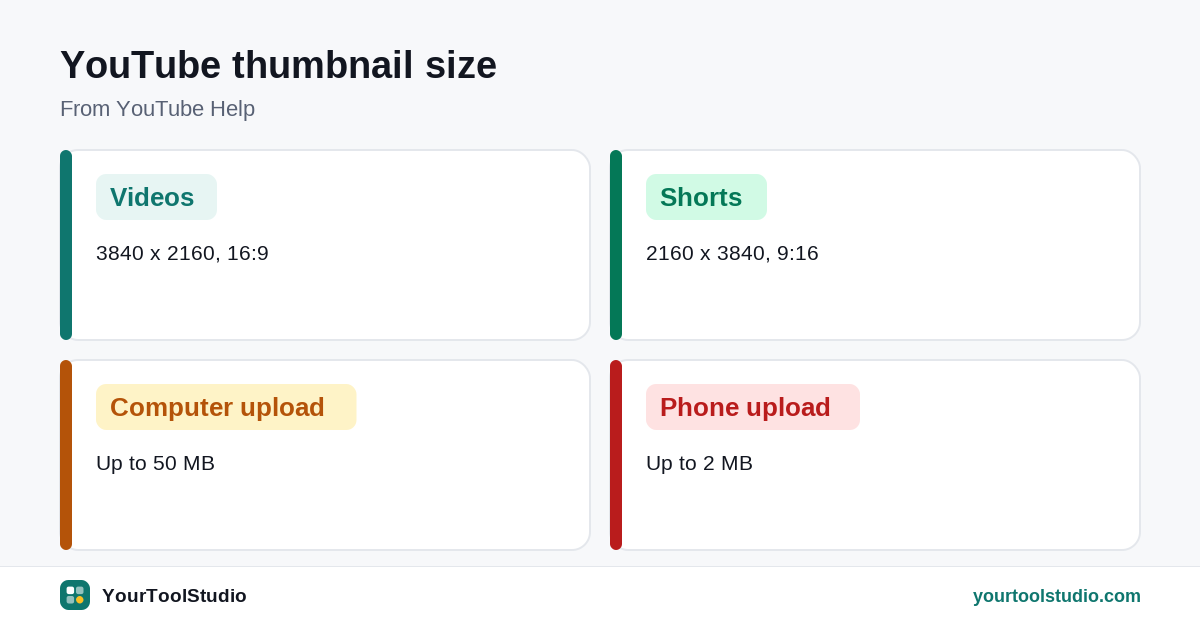
YouTube recommends a custom thumbnail of 3840 x 2160 pixels at 16:9 for videos and 2160 x 3840 pixels at 9:16 for Shorts, in JPG or PNG. The file can be up to 50 MB when uploaded from a computer but only 2 MB from a phone. These figures come from YouTube Help's Add custom thumbnails page, checked on 20 November 2026.
Official thumbnail specifications
| Specification | Videos | Shorts | Podcast playlists |
|---|---|---|---|
| Recommended resolution | 3840 x 2160 px | 2160 x 3840 px | Not stated |
| Minimum | 640 px wide | 640 px tall | Not stated |
| Aspect ratio | 16:9 | 9:16 | 1:1 |
| Formats | Image formats such as JPG or PNG | Image formats such as JPG or PNG | Image formats such as JPG or PNG |
| Maximum size from a computer | 50 MB | 50 MB | 50 MB |
| Maximum size from a phone | 2 MB | Shorts thumbnails can only be added on a computer | 10 MB |
YouTube Help says custom thumbnails for Shorts are currently only available in YouTube Studio on a computer, and that your account must be verified to upload your own thumbnail at all. Without verification you can only choose from the auto-generated options.
Pixel sizes for common 16:9 and 9:16 targets
Every row below is the right shape. The pixel counts are our own arithmetic from YouTube's ratios and minimums.
| Size | Shape | Meets the minimum? | Notes |
|---|---|---|---|
| 3840 x 2160 | 16:9 | Yes | YouTube's recommendation for videos |
| 1920 x 1080 | 16:9 | Yes | Half the width of the recommendation |
| 1280 x 720 | 16:9 | Yes | The old common target, one ninth of the recommended pixel count |
| 640 x 360 | 16:9 | Yes, exactly | The smallest width YouTube recommends |
| 2160 x 3840 | 9:16 | Yes | YouTube's recommendation for Shorts |
| 1080 x 1920 | 9:16 | Yes | A typical phone recording frame |
| 3000 x 3000 | 1:1 | Not stated | A square for a podcast playlist |
What YouTube generates from your upload
YouTube serves thumbnails in several smaller sizes. The YouTube Data API thumbnail reference, last updated 12 November 2026, lists these named sizes for a video:
| Name | Size | Shape | Always available? |
|---|---|---|---|
| default | 120 x 90 px | 4:3 | Yes |
| medium | 320 x 180 px | 16:9 | Yes |
| high | 480 x 360 px | 4:3 | Yes |
| standard | 640 x 480 px | 4:3 | Only for some videos |
| maxres | 1280 x 720 px | 16:9 | Only for some videos |
Three of these are 4:3, so a 16:9 thumbnail can appear with bands at the top and bottom in those sizes. Keep important text away from the very top and bottom edges. For channels, the same page lists 88 x 88, 240 x 240 and 800 x 800 pixels.
Uploading through the API
The thumbnails.set reference, also last updated 12 November 2026, lists a maximum file size of 50 MB and accepts image/jpeg, image/png and application/octet-stream. That matches the computer limit in YouTube Help.
Other rules that affect thumbnails
- Vertical videos. YouTube Help says a vertical video with a 16:9 custom thumbnail has it replaced by an auto-generated 4:5 thumbnail on the home, explore and subscription pages. Your thumbnail still shows in the watch feed, watch history and on non-mobile platforms.
- Daily limit. There is a limit on how many custom thumbnails a channel can upload each day. YouTube does not publish the number, and says to try again in 24 hours if you see Daily custom thumbnail limit reached.
- Policies. Thumbnails must follow the Community Guidelines. YouTube says repeat offences can remove custom thumbnail access for 30 days.
- Delay. YouTube notes that a thumbnail change may take time to appear.
Fix a thumbnail that will not upload
| Problem | Fix | Tool |
|---|---|---|
| Over 2 MB on a phone | Upload from a computer, or compress the image | Compress Image |
| Over 50 MB from a computer | Save as JPG instead of PNG, or compress | Compress JPG |
| Wrong shape | Crop to 16:9 for videos or 9:16 for Shorts | Crop Image |
| Too small or too large | Resize to 3840 x 2160 or 1920 x 1080 | Resize Image |
| No Upload file button | Verify your account, then try again | YouTube Studio |
For video file sizes and lengths, see our YouTube upload limits chart. If a video is turning into a Short by mistake, read why a video uploads as a Short.
Sources and dates
| Page | Date | Used for |
|---|---|---|
| YouTube Help: Add custom thumbnails | No date shown, read 20 November 2026 | Resolution, ratios, MB limits, verification, policies |
| YouTube Data API: Thumbnails | Last updated 12 November 2026 | Generated sizes |
| YouTube Data API: Thumbnails set | Last updated 12 November 2026 | API file size and formats |
Frequently asked questions
What is the best YouTube thumbnail size?
YouTube recommends 3840 x 2160 pixels at 16:9 for videos, with a minimum width of 640 pixels. For Shorts it recommends 2160 x 3840 at 9:16.
What is the YouTube thumbnail size limit in MB?
YouTube Help lists 50 MB for uploads from a computer, and 2 MB for video thumbnails uploaded from a phone, or 10 MB for podcasts.
Is 1280 x 720 still OK for a YouTube thumbnail?
Yes, it is 16:9 and above the 640 pixel minimum. YouTube now recommends 3840 x 2160 because the thumbnail is also used in the embedded player.
Why can I not upload a custom thumbnail?
Your account must be verified, Shorts thumbnails need YouTube Studio on a computer, and there is a daily limit on custom thumbnail uploads.
What size is a YouTube Shorts thumbnail?
YouTube recommends 2160 x 3840 pixels at 9:16, with a minimum height of 640 pixels, added in YouTube Studio on a computer.