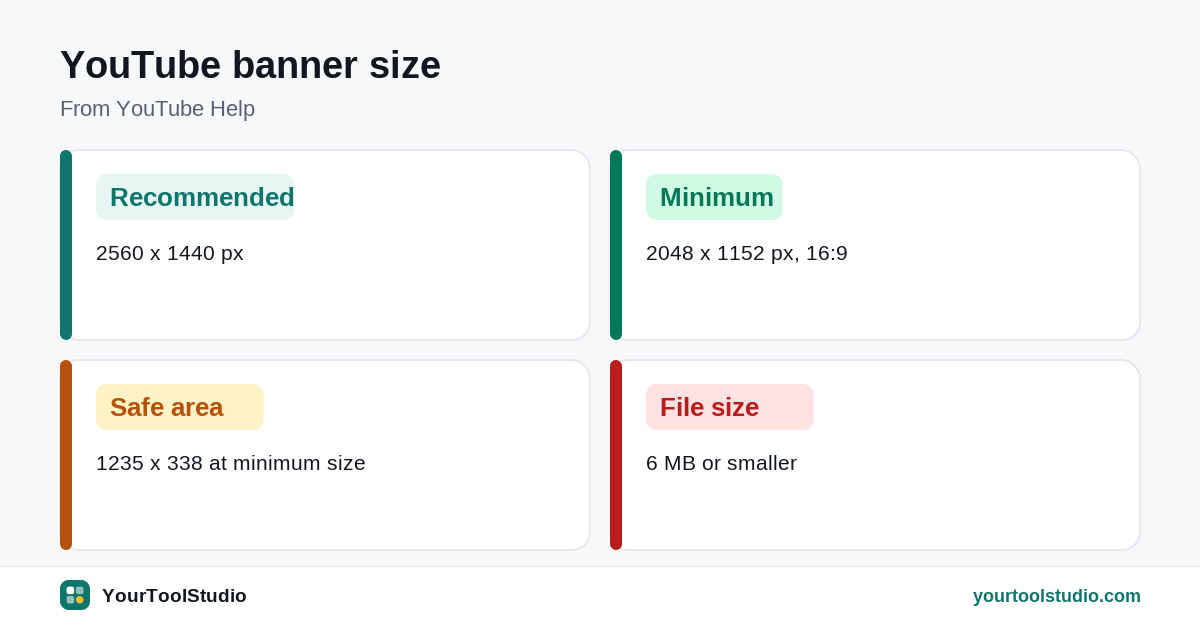
The recommended YouTube banner size is 2560 x 1440 pixels, and the minimum upload is 2048 x 1152 pixels at 16:9. Keep text and logos inside the safe area, which YouTube gives as 1235 x 338 pixels at the minimum size, and keep the file at 6 MB or smaller. These figures come from YouTube Help's Manage your channel branding page, read on 20 November 2026.
Channel banner specifications
| Specification | YouTube Help figure |
|---|---|
| Recommended size | 2560 x 1440 px, especially for TV |
| Minimum size for upload | 2048 x 1152 px |
| Aspect ratio | 16:9 |
| Safe area for text and logos | 1235 x 338 px at the minimum dimension |
| Maximum file size | 6 MB or smaller |
| Embellishments | Do not add shadows, borders or frames |
| Devices | One image is used on computer, mobile and TV, but it is cropped differently on each |
YouTube says images should fill the entire screen on larger devices but will get cropped on certain views and devices. In practice that means the full 16:9 image is the TV view, and phones and computers show a wide strip across the middle.
The safe area at each canvas size
YouTube states the safe area only at the 2048 x 1152 minimum. The 1546 x 423 figure that many guides use is the same area scaled up to the recommended canvas. This is our own arithmetic, multiplying by 1.25 because 2560 is 1.25 times 2048:
| Canvas | Safe area | Space above and below | Space left and right |
|---|---|---|---|
| 2048 x 1152 (YouTube minimum) | 1235 x 338 px, from YouTube Help | 407 px each | 406.5 px each |
| 2560 x 1440 (YouTube recommended) | About 1544 x 423 px, scaled | About 509 px each | About 508 px each |
If you design at 2560 x 1440, centre a box of about 1544 x 423 pixels and keep your channel name, logo and any text inside it. Guides that say 1546 x 423 are rounding the same scaled box. Everything outside the box may be cut off on a phone or computer.
File types
The banner section of the YouTube Help page does not list accepted file types. The profile picture section of the same page lists JPG, GIF, BMP or PNG with no animated GIFs, and many third-party guides apply that list to banners too. The YouTube Data API reference for channelBanners.insert (last updated 12 November 2026) is more specific: banner uploads through the API accept image/jpeg and image/png, must be 16:9 and at least 2048 x 1152, with 2560 x 1440 recommended and a 6 MB maximum.
So JPG or PNG is the safe choice. Use PNG if the banner is mostly sharp text or a logo, and JPG for photos, which helps stay under 6 MB.
Other channel branding images
| Image | Size | File rules |
|---|---|---|
| Profile picture | Renders at 98 x 98 px | JPG, GIF, BMP or PNG, no animated GIFs, 15 MB or smaller |
| Video watermark | Minimum 150 x 150 px, square | Less than 1 MB |
| Custom video thumbnail | See our YouTube thumbnail size chart | Covered on that page |
YouTube's channel banner and profile picture tips say the profile picture appears on your channel page, beside your comments and at the bottom right of videos in most playback modes, so a square or round image works best. The same page recommends a banner of at least 2560 x 1440 for the best display on all devices.
YouTube also notes that video watermarks are not available on videos set as made for kids, and that the watermark shows in landscape view on computers and mobile devices, where it is not clickable.
How to change your banner
- Sign in to YouTube Studio.
- From the left menu, select Customization, then Profile.
- Under the banner image, click Change and select an image.
- Select a preview and adjust the crop if needed, then click Done.
- Click Publish.
Official Artist Channels have a separate banner for TV and YouTube Music, which is changed from the Profile section in YouTube Studio, according to the same help page.
Fix a banner that will not upload or looks wrong
| Problem | Likely reason | Fix |
|---|---|---|
| Image is rejected | Smaller than 2048 x 1152 or not 16:9 | Resize to 2560 x 1440 with Resize Image |
| File is too large | Over 6 MB | Shrink it with Compress Image or save as JPG |
| Text cut off on phones | Text outside the safe area | Move it into the centre box shown above |
| Wrong shape photo | Not 16:9 | Crop to 16:9 with Crop Image |
For upload limits on videos themselves, see YouTube upload limits.
Sources and dates
| Page | Date | Used for |
|---|---|---|
| YouTube Help: Manage your channel branding | No date shown, read 20 November 2026 | Banner, profile picture and watermark specs, steps |
| YouTube Help: Channel banner and profile picture tips | No date shown, read 20 November 2026 | Where the profile picture appears, banner recommendation |
| YouTube Data API: channelBanners.insert | Last updated 12 November 2026, read 20 November 2026 | Accepted file types, 16:9, size and 6 MB limit |
Frequently asked questions
What is the YouTube banner size?
YouTube recommends 2560 x 1440 pixels. The minimum upload is 2048 x 1152 pixels at a 16:9 aspect ratio, and the file must be 6 MB or smaller.
What is the YouTube banner safe area?
YouTube Help gives 1235 x 338 pixels at the 2048 x 1152 minimum. Scaled to 2560 x 1440, that is about 1544 x 423 pixels in the centre.
What is the YouTube banner size for mobile?
There is no separate mobile banner. The same image is used on all devices, and phones show a strip around the centre, so keep key content in the safe area.
What is the maximum file size for a YouTube banner?
The banner image must be 6 MB or smaller, according to YouTube Help.
What size is a YouTube profile picture?
It renders at 98 x 98 pixels. YouTube accepts JPG, GIF, BMP or PNG up to 15 MB, with no animated GIFs.