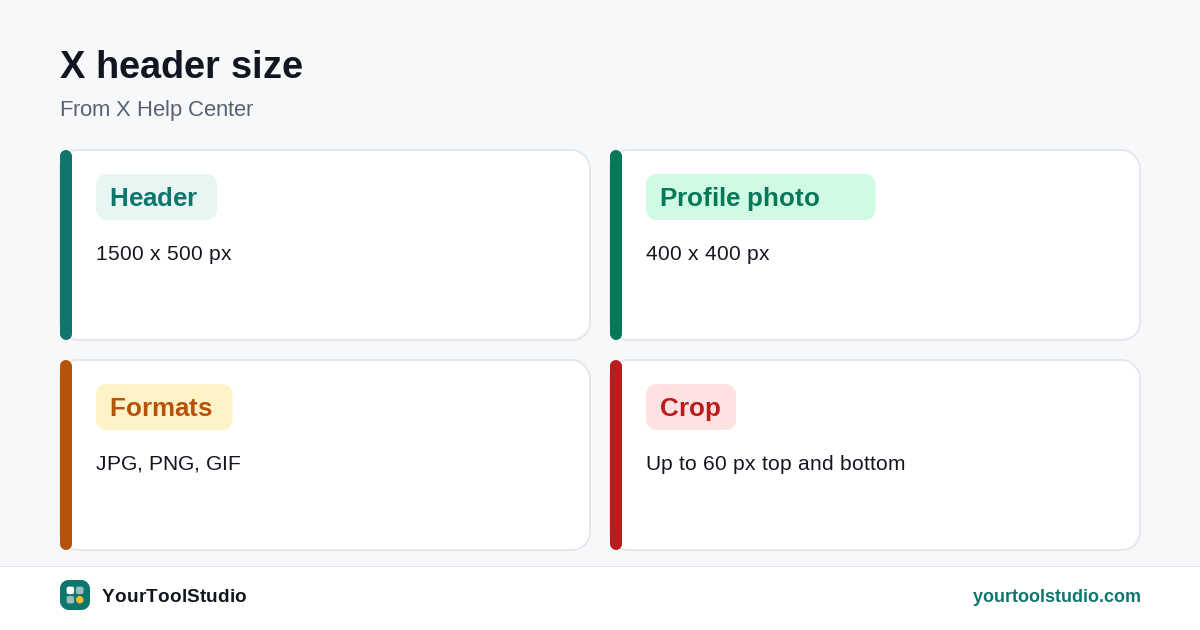
X recommends a header image of 1500 x 500 pixels, which is a 3:1 shape, and a profile photo of 400 x 400 pixels. X Help also warns that up to 60 pixels at the top and bottom of a header can be cropped, depending on the monitor and browser. These rules were read on the X Help Center on 20 November 2026; the help pages show no date of their own.
X profile image rules at a glance
| Item | What X Help states | Help page |
|---|---|---|
| Header (banner), recommended | 1500 x 500 px | How to customize your profile; Help with uploading a profile photo |
| Header crop | Up to 60 px on the top and bottom may be cropped on some monitors and browsers | Help with uploading a profile photo |
| Profile photo, recommended | 400 x 400 px | How to customize your profile; Help with uploading a profile photo |
| Profile photo, maximum file size | 2 MB | Help with uploading a profile photo |
| File formats | JPG (JPEG), PNG or GIF | Both pages |
| Animated GIF | Not supported for profile or header images | How to customize your profile |
| Bio length | Up to 160 characters | How to customize your profile |
| Where to upload | x.com or the official iOS or Android app, then click Apply and Save | Both pages |
What X does not publish
Many guides say the header has a 2 MB or a 5 MB file size limit, a 600 x 200 minimum or a 1200 x 400 display size. None of those appear on the two X Help pages checked for this chart. The only file size limit X states there is 2 MB, and it is written for profile photos. X also gives no pixel safe zone beyond the 60 pixel crop warning. If a header upload fails, keeping the file under 2 MB is a sensible first test, but treat it as a precaution rather than a published header rule.
How much of the header stays visible
If 60 pixels are cut from both the top and the bottom of a 1500 x 500 image, the strip that is always shown is 1500 x 380 pixels, which is 76 percent of the height. Put names, logos and faces inside that middle band. On screens where nothing is cropped, the full 500 pixel height appears, so the top and bottom bands should still look finished, for example a continuation of the background.
| Header design size | Shape | Band at risk top and bottom | Always visible strip |
|---|---|---|---|
| 1500 x 500 px (recommended) | 3:1 | 60 px each | 1500 x 380 px |
| 3000 x 1000 px (same shape, double size) | 3:1 | About 120 px each when scaled down | About 3000 x 760 px |
The second row is simple scaling of the first: a double size image is shown at the same proportions, so the band that may be cut doubles too.
Worked examples
| Starting image | Check against X Help | What to do |
|---|---|---|
| Canva export at 1500 x 500 px PNG, 1.4 MB | Right size and format | Upload as it is |
| Phone photo, 4032 x 3024 px (4:3) | Far taller than 3:1 | Crop a 3:1 strip first, or X crops it for you |
| Animated GIF banner | Animated GIFs are not supported | Export one still frame as PNG or JPG |
| Logo at 200 x 200 px for the profile photo | Below 400 x 400 px | Recreate it at 400 x 400 px or larger |
| Profile photo at 400 x 400 px, 3.1 MB PNG | Over the 2 MB profile photo limit | Save as JPG or compress it under 2 MB |
How to prepare an X header
- Open your image in Crop Image, choose Free ratio and cut a strip three times wider than it is tall.
- Set the exact size to 1500 x 500 pixels with Resize Image.
- Keep text and logos inside the middle 380 pixels of height, away from the top and bottom 60 pixels.
- Save as PNG for text and logos, or JPG for photos, and reduce the file with Compress Image if it is large.
- On x.com, go to your profile, click Edit profile, click the camera icon on the header, upload, then click Apply and Save.
Sources and dates
| Page | Date | Used for |
|---|---|---|
| X Help Center: Help with uploading a profile photo | No date shown, read 20 November 2026 | 1500 x 500 header, 400 x 400 profile photo, 2 MB profile photo limit, formats, 60 px crop warning |
| X Help Center: How to customize your profile | No date shown, read 20 November 2026 | Header and profile photo sizes, no animated GIFs, 160 character bio, edit steps |
For other X limits, see the Twitter video size limit chart, and for other networks the Facebook cover photo size and LinkedIn image size charts.
Frequently asked questions
What size is an X header?
X Help recommends 1500 x 500 pixels, a 3:1 shape, in JPG, PNG or GIF format.
Why is my X header cut off?
X says up to 60 pixels at the top and bottom can be cropped depending on the monitor and browser. Keep important content in the middle 380 pixels of height.
What is the file size limit for an X header?
The X Help pages checked do not state one for headers. They give a 2 MB maximum for profile photos, so staying under 2 MB is a safe precaution.
Can I use an animated GIF as my X banner?
No. X Help says animated GIFs are not supported for profile or header images.
What size should an X profile picture be?
400 x 400 pixels, as a JPG, PNG or GIF under 2 MB.