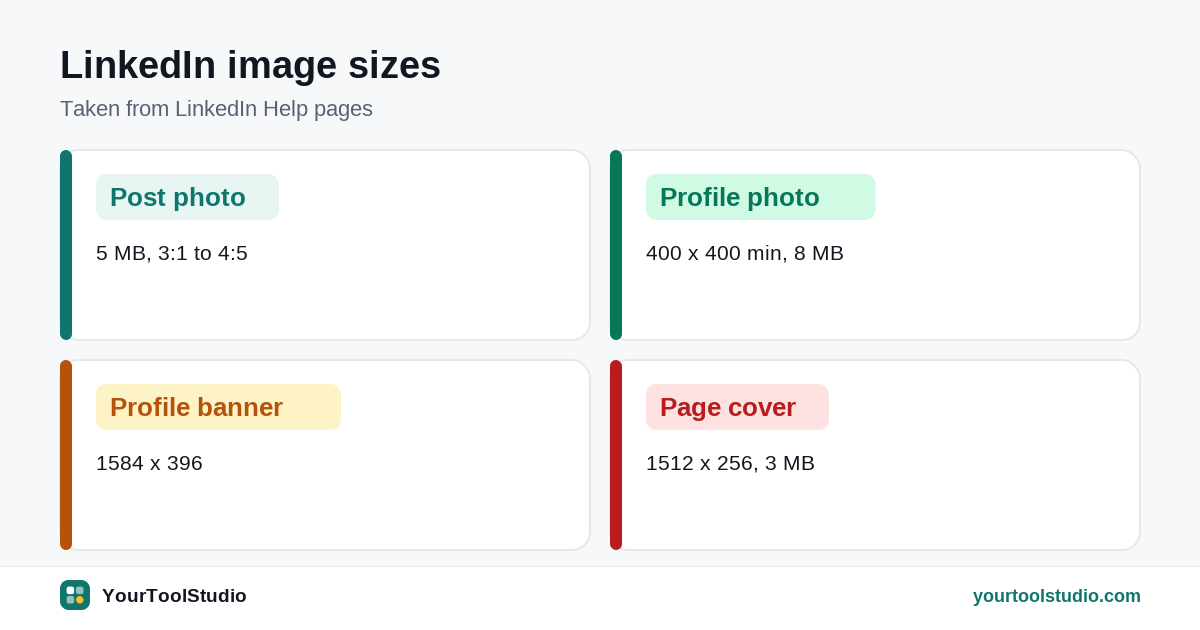
A LinkedIn post photo can be up to 5 MB, must be at least 552 x 276 pixels, and can have an aspect ratio from 3:1 to 4:5, with LinkedIn recommending a width of 1080 pixels, according to Share photos on LinkedIn. Profile photos have a higher 8 MB limit, while LinkedIn Page images are capped at 3 MB. Every figure below was read on LinkedIn Help on 20 November 2026; the date each page shows as its last update is in the sources table.
LinkedIn image sizes at a glance
| Image | Size from LinkedIn | File limit and formats | LinkedIn page |
|---|---|---|---|
| Post photo (feed) | At least 552 x 276 px, 1080 px wide recommended, ratio 3:1 to 4:5 | 5 MB | Share photos |
| Multi-photo post | Up to 20 photos; renders to a 4:5 maximum, for example 640 x 800 | 5 MB each | Share photos |
| Profile photo | 400 x 400 px to 7680 x 4320 px | 8 MB, PNG or JPG, no GIF | Photo will not upload |
| Profile background (banner) | 1584 x 396 px recommended | 8 MB, PNG or JPG | Photo will not upload |
| Page logo | 268 x 268 px minimum, 400 x 400 px recommended | 3 MB, PNG or JPEG | Page image specifications |
| Page cover | 1512 x 256 px minimum and recommended | 3 MB, PNG or JPEG | Page image specifications |
| Life tab main image | 1128 x 376 px | 3 MB | Page image specifications |
| Life tab custom modules | 502 x 282 px | 3 MB | Page image specifications |
| Life tab company photos | 264 x 176 px minimum, 900 x 600 px recommended | 3 MB | Page image specifications |
| Group cover | 1776 x 444 px recommended | JPEG or PNG | Group cover image |
| Link preview (og:image) | At least 1200 x 627 px, ratio 1.91:1 | 5 MB | Make your website shareable |
The company cover size has changed
The LinkedIn Pages image specifications page lists the Page cover at 1512 x 256 pixels as both the minimum and the recommended size. That is a ratio of about 5.9:1. Many guides still quote 1128 x 191, and some quote 4200 x 700, but neither appears on the live LinkedIn page we checked. The 1128 figure on that page now belongs to the Life tab main image, at 1128 x 376.
LinkedIn also warns that the cover can be trimmed horizontally or vertically to fit different screens. Keep text and logos in the centre, away from the edges and especially the lower-right corner, and prefer a high-resolution JPEG over a PNG for the sharpest result. A transparent logo is shown on a white background, so check it on both light and dark themes.
Post photos: ratios that fit the feed
| Shape | Ratio | Example at 1080 px wide | Within LinkedIn range? |
|---|---|---|---|
| Wide banner | 3:1 | 1080 x 360 | Yes, the widest allowed |
| Link style landscape | 1.91:1 | 1080 x 565 | Yes |
| Square | 1:1 | 1080 x 1080 | Yes |
| Portrait | 4:5 | 1080 x 1350 | Yes, the tallest allowed |
| Phone screenshot | 9:16 | 1080 x 1920 | No, centred and cropped to fit |
The example sizes are our arithmetic from LinkedIn's ratio range and its 1080 pixel width recommendation. An image outside 3:1 to 4:5 is, in LinkedIn's words, centred and cropped to fit, and photos cannot be resized or edited after posting. A post can carry either a link or an image, not both.
Link previews and Page posts with a URL
When you share a web address, LinkedIn builds the preview from the page's Open Graph tags. Make your website shareable lists a 5 MB maximum, a minimum of 1200 x 627 pixels and a 1.91:1 ratio, and says images under 401 pixels wide show as a thumbnail. The Pages specifications page gives a slightly different rule for custom images on Page posts with a URL: use 1200 x 627, and images under 200 pixels wide appear as a thumbnail on the left. Aim for 1200 x 627 or larger and both rules are met.
Fix an image before uploading
- Wrong shape: Crop Image to 4:5, 1:1 or 1.91:1.
- Wrong pixel size: Resize Image to 1080 px wide, or 1584 x 396 for a profile banner.
- Over 5 MB or 3 MB: Compress Image.
- HEIC from an iPhone or a GIF profile photo: convert with HEIC to JPG or PNG to JPG, since profile photos must be PNG or JPG.
Sources and dates
| LinkedIn Help page | Last updated, as shown on the page | Used for |
|---|---|---|
| Share photos on LinkedIn | 2 years ago | Post and multi-photo sizes |
| Photo will not upload to your profile | 2 years ago | Profile photo and background |
| Image specifications for LinkedIn Pages | 3 months ago | Logo, cover and Life tab |
| Add or edit a group cover image | 1 year ago | Group cover |
| Make your website shareable | 3 years ago | Link previews |
For video on LinkedIn, see our LinkedIn video size limits chart.
Frequently asked questions
What is the best image size for a LinkedIn post?
LinkedIn recommends photos 1080 pixels wide, at least 552 x 276 pixels, with a ratio between 3:1 and 4:5. A 1080 x 1350 portrait or 1080 x 1080 square fits inside that range.
What size is the LinkedIn company page cover?
LinkedIn Help lists 1512 x 256 pixels as both the minimum and recommended Page cover size, in PNG or JPEG up to 3 MB.
What size is a LinkedIn profile banner?
LinkedIn recommends 1584 x 396 pixels for the profile background photo, in PNG or JPG up to 8 MB.
What is the LinkedIn profile photo size limit?
Profile photos must be between 400 x 400 and 7680 x 4320 pixels, up to 8 MB, and PNG or JPG. GIFs are not supported.
Why is my LinkedIn post image cropped?
Images wider than 3:1 or taller than 4:5 are centred and cropped to fit. Crop to 4:5, 1:1 or 1.91:1 before posting.