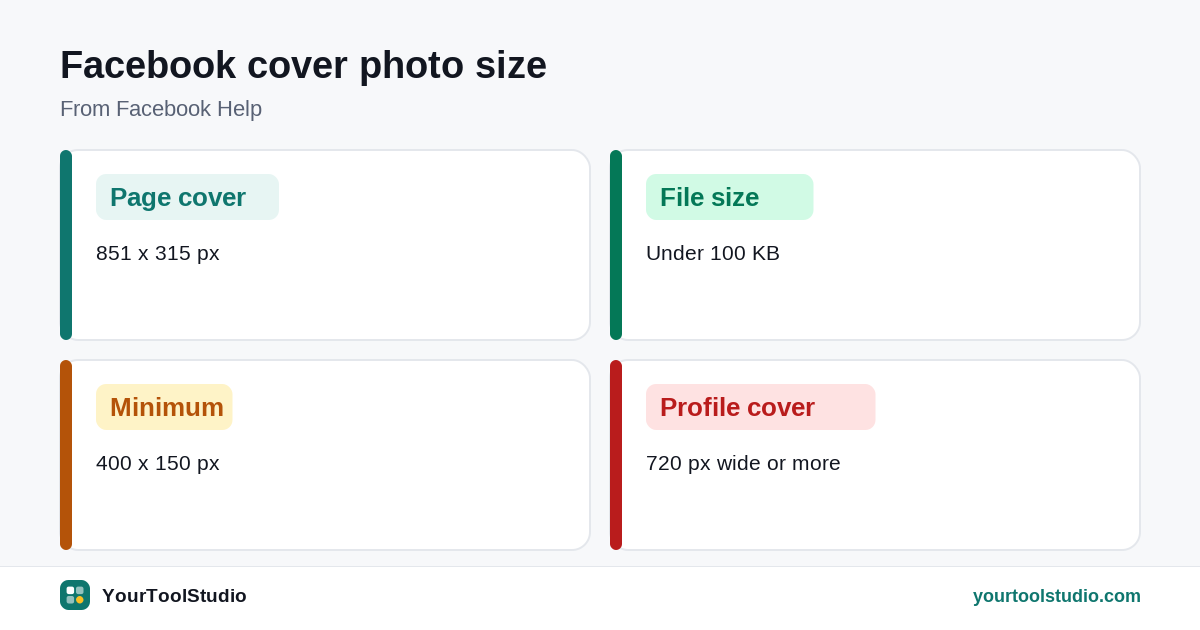
Facebook Help says a Page cover photo loads fastest as an sRGB JPG 851 pixels wide and 315 pixels tall, under 100 KB, and it must be at least 400 x 150 pixels. A cover on a personal profile has to be at least 720 pixels wide. These figures were read on Facebook Help on 20 November 2026; the help pages show no date of their own.
Facebook cover and profile picture sizes at a glance
| Image | What Facebook Help states | Help page |
|---|---|---|
| Page cover, recommended | sRGB JPG, 851 x 315 px, under 100 KB | Page profile picture and cover photo dimensions |
| Page cover, minimum | 400 x 150 px | Page profile picture and cover photo dimensions |
| Page cover on a computer | Left aligned, full bleed, 16:9 aspect ratio | Page profile picture and cover photo dimensions |
| Page cover on a phone | Left aligned, full bleed, 2.4:1 aspect ratio | Page profile picture and cover photo dimensions |
| Personal profile cover | At least 720 px wide | Add or change your cover photo on Facebook |
| Page profile picture, upload | 320 x 320 px for best quality, cropped to a circle | Page profile picture and cover photo dimensions |
| Page profile picture, display | 176 x 176 px on computers, 196 x 196 px on smartphones, 36 x 36 px on most feature phones | Page profile picture and cover photo dimensions |
| Overlap on phones | Profile picture covers about 40 px of the cover | Page profile picture and cover photo dimensions |
Facebook also says that a cover or profile picture containing a logo or text may look better as a PNG file, and that the left side of the cover is partly hidden by the profile picture and may be cropped and resized for different screens.
Why the published ratios do not match 851 x 315
An 851 x 315 image has a ratio of about 2.7:1, which is wider than both the 16:9 (1.78:1) and 2.4:1 shapes Facebook lists for computers and phones. In practice that means Facebook does not show the same rectangle on every screen: some of the image is trimmed or rescaled depending on the device. Facebook does not publish a pixel safe zone, so this page does not give one. The figures you will see elsewhere, such as 820 x 312 or a 640 x 312 safe area, come from third-party guides, not from a Facebook page checked for this chart.
Worked examples
| Starting image | Check against Facebook Help | What to do |
|---|---|---|
| Design exported at 851 x 315 px, 240 KB JPG | Right size, over the 100 KB load guide | Compress it to under 100 KB; it still uploads either way |
| Design exported at 1702 x 630 px | Twice the recommended size, same shape | Allowed, but resize to 851 x 315 if you want the fastest loading file |
| Phone photo, 4000 x 3000 px (4:3) | Far taller than any cover shape | Crop to a wide strip first, or Facebook decides what to cut |
| Logo banner, 600 x 200 px | Above the 400 x 150 minimum, below 720 px wide | Fine for a Page, too narrow for a personal profile cover |
| Page profile logo, 180 x 180 px | Below the 320 x 320 best quality size | Recreate it at 320 x 320 px or larger and keep it inside a circle |
How to prepare a cover that survives every crop
- Start from an image at least 851 pixels wide. Use Crop Image in Free mode to cut a wide strip close to 851 x 315.
- Keep text and faces away from the left side, where the profile picture sits, and away from the top and bottom edges, which are the parts most likely to be trimmed on other screens.
- Set the exact width with Resize Image.
- Save photos as JPG and bring the file under 100 KB with Compress Image. For a logo or text-heavy cover, try PNG as Facebook suggests and compare the result.
- For the Page profile picture, crop a 320 x 320 square with the circle option in Crop Image, so you see exactly what the round mask will show.
Sources and dates
| Page | Date | Used for |
|---|---|---|
| Facebook Help: Page profile picture and cover photo dimensions | No date shown, read 20 November 2026 | 851 x 315 px, 100 KB, 400 x 150 px minimum, 16:9 and 2.4:1, profile picture sizes, 40 px overlap, PNG advice |
| Facebook Help: Add or change your cover photo on Facebook | No date shown, read 20 November 2026 | 720 px minimum width for a personal profile cover, reposition steps |
| Facebook Help: How to add or change your Facebook Page cover photo | No date shown, read 20 November 2026 | Page cover upload steps and guidelines |
For other Meta sizes, see the Facebook video size limit and Instagram post size charts.
Frequently asked questions
What size is a Facebook cover photo?
Facebook Help says a Page cover loads fastest as an sRGB JPG 851 x 315 pixels and under 100 KB. It must be at least 400 x 150 pixels.
Is 820 x 312 the right Facebook cover size?
That figure comes from third-party guides. Facebook Help gives 851 x 315 pixels as the recommended Page cover size.
What is the minimum Facebook cover photo size?
400 x 150 pixels for a Page cover. A cover on a personal profile has to be at least 720 pixels wide.
Why is my Facebook cover photo cut off?
Facebook shows the cover at different shapes on computers and phones, and the profile picture covers part of the left side. Keep important content away from the edges and the left side.
What size should a Facebook Page profile picture be?
320 x 320 pixels for best quality. It is cropped to a circle and displays at 176 pixels on computers and 196 pixels on smartphones.