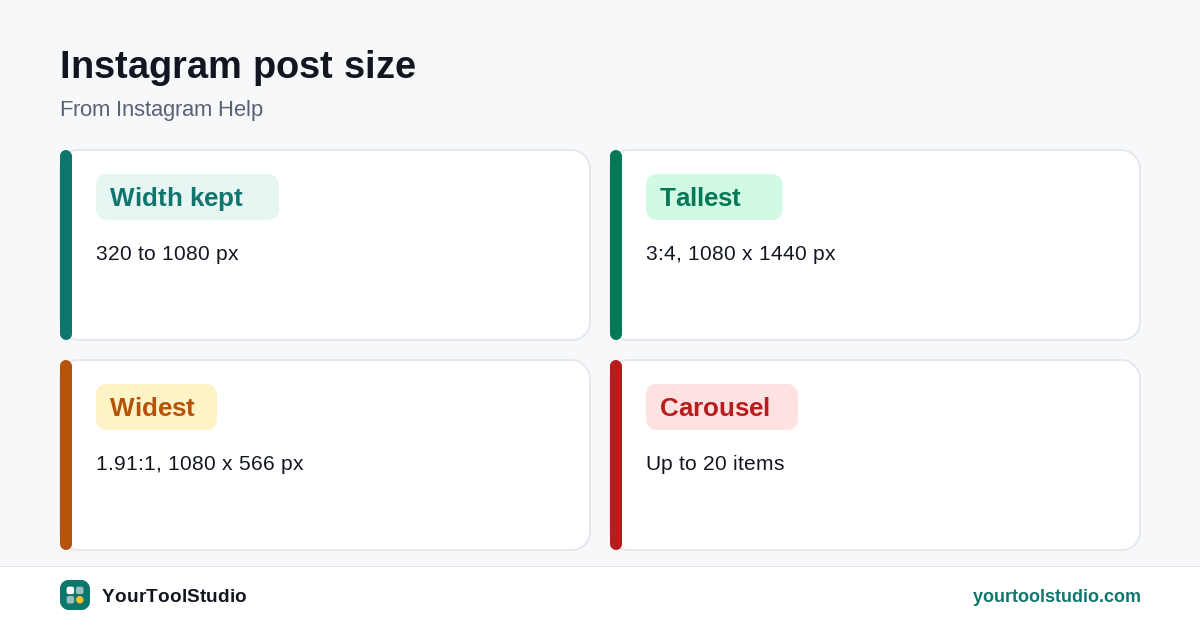
An Instagram feed photo is shared at up to 1080 pixels wide, and it keeps its original resolution when its aspect ratio is between 1.91:1 and 3:4, which at full width means 1080 x 566 to 1080 x 1440 pixels. Anything wider than 1080 pixels is scaled down, anything narrower than 320 pixels is enlarged, and a ratio outside that range is cropped. These figures were read on Instagram Help on 20 November 2026.
Instagram feed photo sizes at a glance
| Shape | Aspect ratio | Size at full width | Inside the kept range? |
|---|---|---|---|
| Tallest portrait | 3:4 | 1080 x 1440 px | Yes, the upper limit |
| Portrait | 4:5 | 1080 x 1350 px | Yes |
| Square | 1:1 | 1080 x 1080 px | Yes |
| Landscape | 16:9 | 1080 x 608 px | Yes |
| Widest landscape | 1.91:1 | 1080 x 566 px | Yes, the lower limit |
| Phone screenshot | about 9:19.5 | Too tall | No, it is cropped |
| Panorama | 21:9 | Too wide | No, it is cropped |
Only the 1.91:1 and 3:4 limits, the 566 and 1440 pixel heights and the 1080 pixel width come from Instagram. The other rows are the same rule worked out for common shapes, rounded to whole pixels.
What Instagram does to each upload
| Your photo | What Instagram Help says happens |
|---|---|
| Wider than 1080 px | Sized down to a width of 1080 px |
| 320 to 1080 px wide, ratio from 1.91:1 to 3:4 | Kept at its original resolution |
| Narrower than 320 px | Enlarged to a width of 320 px |
| Ratio outside 1.91:1 to 3:4 | Cropped to fit a supported ratio |
Instagram adds that the result also depends on using the latest version of the app and on the quality of the phone camera. The full wording is on Image resolution of photos you share on Instagram.
Worked examples
| Starting photo | Ratio | Result on Instagram |
|---|---|---|
| Camera photo, 4000 x 3000 px | 4:3 (1.33:1) | Inside the range, so it is scaled to 1080 x 810 px with nothing cut off |
| Phone photo held upright, 3000 x 4000 px | 3:4 | Exactly the tallest kept ratio, scaled to 1080 x 1440 px |
| Video still, 1920 x 1080 px | 16:9 (1.78:1) | Inside the range, scaled to 1080 x 608 px |
| Phone screenshot, 1170 x 2532 px | about 0.46:1 | Taller than 3:4, so Instagram crops it |
| Old web image, 250 x 250 px | 1:1 | Narrower than 320 px, so it is enlarged to 320 px wide and looks soft |
To avoid an automatic crop, crop the photo yourself first. Crop Image has 1:1, 4:5 and 3:4 presets, and Free mode for a 1.91:1 landscape. Then use Resize Image to set the width to exactly 1080 px so Instagram has nothing left to scale.
Carousel posts
- A carousel holds up to 20 photos and videos in a single feed post.
- The orientation you choose, square, portrait or landscape, applies to every photo and video in the post. You cannot pick a different one for each item.
- You can reorder or remove items after sharing, but you cannot add new photos or videos to a carousel that is already live.
- Videos inside a carousel are not treated as reels and do not appear in the Reels tab.
Because one orientation covers the whole set, crop every image to the same ratio before you upload. These rules are on Share a post with multiple photos or videos on Instagram.
The profile grid question
Many guides now say the profile grid shows taller thumbnails, but they disagree on whether those are 4:5 or 3:4, and some describe extra cropping of 1080 pixel wide posts. Neither Instagram Help page checked for this chart states a grid thumbnail size, so this page does not give one. If the grid crop matters, keep faces and text near the middle of the frame, which survives any of the crops those guides describe. For video sizes and Reels limits, see the Instagram video size limit chart.
Sources and dates
| Page | Date | Used for |
|---|---|---|
| Instagram Help: Image resolution of photos you share on Instagram | No date shown, read 20 November 2026 | 1080 px width, 320 px minimum, 1.91:1 to 3:4, 566 to 1440 px heights, crop and resize behaviour |
| Instagram Help: Share a post with multiple photos or videos | No date shown, read 20 November 2026 | 20 item carousel, one orientation per post, editing rules |
Frequently asked questions
What is the best Instagram post size?
Use a photo 1080 pixels wide. Instagram keeps ratios from 1.91:1 to 3:4, so 1080 x 1080 for square, 1080 x 1350 for 4:5 portrait or 1080 x 1440 for the tallest 3:4 portrait.
Is 1080 x 1440 allowed on Instagram?
Yes. Instagram Help says photos keep their resolution up to a 3:4 ratio, which is 1080 x 1440 pixels at full width.
Why does Instagram crop my photo?
Its aspect ratio is outside 1.91:1 to 3:4, for example a phone screenshot or a panorama. Crop it to a supported ratio before uploading.
Why does my Instagram photo look blurry?
A photo narrower than 320 pixels is enlarged, which softens it, and very large photos are scaled down to 1080 pixels wide. Upload at least 1080 pixels wide.
How many photos can an Instagram carousel have?
Up to 20 photos and videos, all shown in the same orientation.