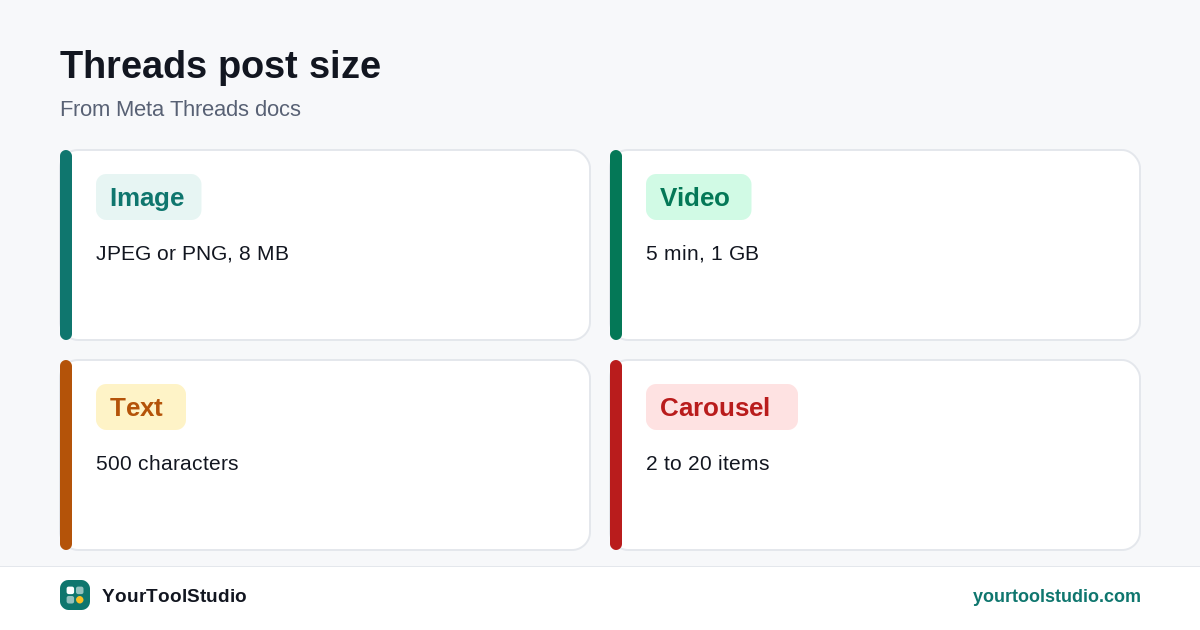
Meta's Threads documentation allows images in JPEG or PNG up to 8 MB, at least 320 pixels wide, with an aspect ratio limit of 10:1. Videos may be MP4 or MOV, up to 5 minutes and 1 GB, and Meta recommends a 9:16 shape to avoid cropping or blank space. These figures were read on the Meta for Developers Threads pages on 20 November 2026. They are written for the Threads API, which is what scheduling tools use; Meta does not publish a separate size chart for the Threads app.
Threads image post specifications
| Item | What Meta states | What it means in practice |
|---|---|---|
| Formats | JPEG and PNG are the officially supported types | Convert HEIC, WebP or GIF stills before posting |
| File size | 8 MB maximum | A large PNG screenshot or camera JPEG can pass this; compress it |
| Minimum width | 320 px, scaled up if necessary | Small images are enlarged and can look soft |
| Aspect ratio limit | 10:1 | Very long strips must be cropped |
| Largest size kept | Images larger than 4096 x 4096 px are scaled down to fit | There is no benefit in uploading above 4096 px |
| Wide images | 2:1 or wider are scaled down to about 16.8 megapixels | Panoramas lose some resolution |
| Height | Varies with width and aspect ratio | No fixed height is required |
| Color space | sRGB; other color spaces are converted to sRGB | Export in sRGB so colors do not shift |
Threads video post specifications
| Item | What Meta states |
|---|---|
| Container | MOV or MP4 (MPEG-4 Part 14), no edit lists, moov atom at the front of the file |
| Video codec | HEVC or H.264, progressive scan, closed GOP, 4:2:0 chroma subsampling |
| Audio codec | AAC, 48 kHz maximum sample rate, mono or stereo |
| Frame rate | 23 to 60 FPS |
| Width | 1920 horizontal pixels maximum |
| Aspect ratio | Between 0.01:1 and 10:1; 9:16 recommended |
| Video bitrate | VBR, 100 Mbps maximum |
| Audio bitrate | 128 kbps |
| Length | Longer than 0 seconds, 300 seconds (5 minutes) maximum |
| File size | 1 GB maximum |
Text, carousel and posting limits
| Limit | Value | Notes from Meta |
|---|---|---|
| Text post length | 500 characters | For the API count, emojis are counted as their number of UTF-8 bytes |
| Carousel items | Minimum 2, maximum 20 | Images, videos or a mix; a carousel counts as one post |
| Links in one post | 5 or fewer | Since 22 December 2025, posts with more than 5 links fail with THREADS_API__LINK_LIMIT_EXCEEDED |
| Link preview card | Text-only posts | The first URL in the text becomes the preview unless another link is attached |
| Topic tag | 1 to 50 characters, one per post | Only the first valid tag counts |
| Published posts | 250 per profile in a rolling 24 hours | Applies to posts made through the API |
| Replies | 1,000 per profile in a rolling 24 hours | Applies to replies made through the API |
The emoji rule matters because a common face emoji takes 4 bytes in UTF-8, so a post full of emojis reaches the API limit sooner than a plain character count suggests. Check your draft with the Word Counter and leave some room when it contains emojis.
What guides say that Meta does not
Many size guides say Threads images should be 1080 x 1350 pixels, list a 100 MB image limit or say carousels hold 10 items. None of those appear in the Meta documentation checked for this chart. A 1080 x 1350 (4:5) image is a sensible choice because it fits well in a phone feed, but it is a design choice, not a Threads rule. The published image limit is 8 MB and the carousel limit is 20.
Worked examples
| File | Check against Meta limits | What to do |
|---|---|---|
| Portrait graphic, 1080 x 1350 px PNG, 2.3 MB | Format, size and ratio all fine | Post as it is |
| iPhone photo, HEIC, 4032 x 3024 px | HEIC is not a supported type; both sides are under 4096 px, so it is not scaled | Convert to JPG, then post |
| Screenshot PNG, 1290 x 2796 px, 9.6 MB | Over the 8 MB limit | Save as JPG or compress it below 8 MB |
| Banner, 3000 x 250 px (12:1) | Wider than the 10:1 limit | Crop it to 2500 x 250 px (10:1) or less extreme |
| 4K clip, 3840 x 2160 px, 7 minutes, 1.8 GB | Too wide, too long and too large | Resize to 1920 x 1080 px, trim to 5 minutes, then compress under 1 GB |
| Phone video, 1080 x 1920 px, 120 FPS | Above the 60 FPS maximum | Re-export at 30 or 60 FPS |
How to prepare a Threads post
- For images, convert an iPhone photo with HEIC to JPG or a WebP file with WebP to JPG, so the file is JPEG or PNG.
- Crop to the shape you want with Crop Image; 4:5 or 9:16 fills more of a phone screen than a wide image.
- If the image is over 8 MB, reduce it with Compress Image.
- For videos, cut anything past 5 minutes with Trim Video and bring the width to 1920 pixels or less with Resize Video.
- If the video is still over 1 GB, shrink it with Compress Video, keeping MP4 with H.264 or HEVC.
- Keep the caption under 500 characters and no more than 5 links.
Sources and dates
| Page | Date | Used for |
|---|---|---|
| Meta for Developers: Threads API overview | No date shown, read 20 November 2026 | Image and video specifications, 500 characters, carousel 2 to 20, 250 posts and 1,000 replies per 24 hours |
| Meta for Developers: Threads posts | No date shown, read 20 November 2026 | Emoji byte counting, carousel rules, 5 link limit and error code, link previews, topic tags |
For other networks, see the Instagram post size, Instagram video size limit and X header size charts.
Frequently asked questions
What size should a Threads post image be?
Meta sets no fixed size. The image must be a JPEG or PNG up to 8 MB, at least 320 pixels wide, within a 10:1 ratio. Images above 4096 x 4096 pixels are scaled down.
How long can a Threads video be?
Up to 5 minutes (300 seconds), with a 1 GB maximum file size, according to the Threads API documentation.
How many characters can a Threads post have?
500 characters. For API posts, Meta counts each emoji as its number of UTF-8 bytes.
How many photos can a Threads carousel have?
Between 2 and 20 images, videos or a mix of both.
How many links can a Threads post contain?
Five or fewer. Since 22 December 2025, API posts with more than 5 links fail to post.