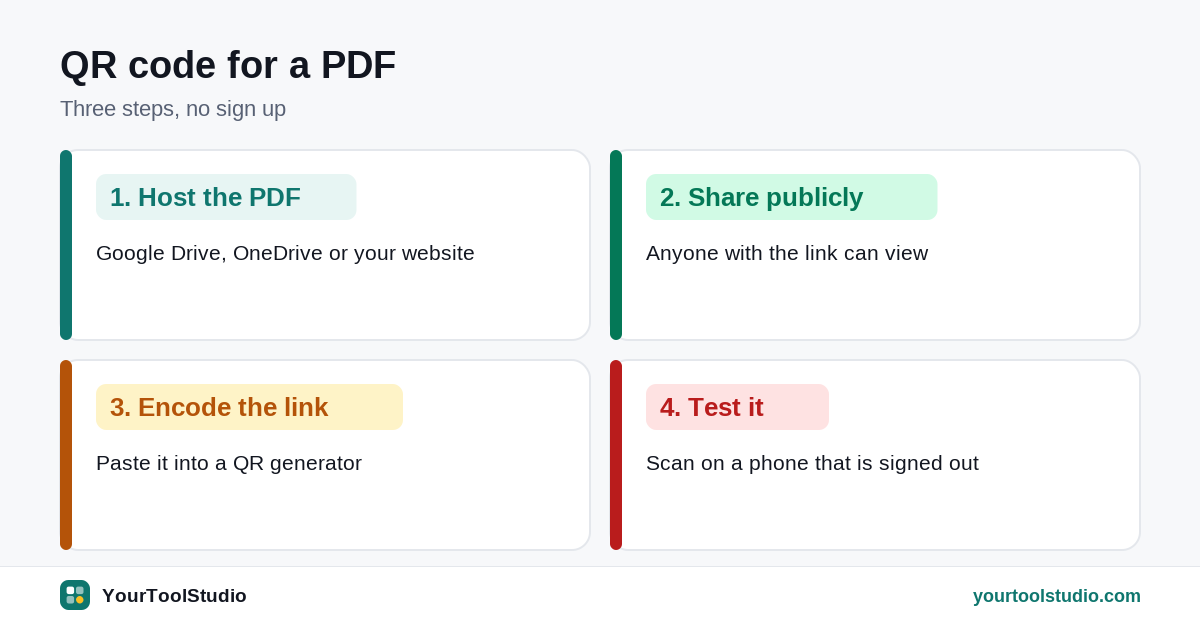
To make a QR code for a PDF, put the PDF online, set it so anyone with the link can view it, then paste that link into a QR code generator. The QR code does not contain the PDF itself; it contains the web address of the PDF, and the phone opens that address when the code is scanned. Adobe's guide to converting a PDF to a QR code describes the same process: upload the PDF to a file sharing service, make it publicly available and turn its URL into a code.
Why the code holds a link, not the file
A QR code is a grid of square modules. Denso Wave, which created the format, explains on its QR code version page that symbols range from Version 1, at 21 by 21 modules, to Version 40, at 177 by 177 modules, with each version adding 4 modules per side. Even the largest grid can store only a small amount of text, nowhere near a typical PDF of hundreds of kilobytes. So every "PDF QR code" service, free or paid, works by encoding a link. That has two practical consequences:
- The file must stay online. If you delete the PDF, move it or turn off sharing, the printed code stops working.
- A shorter link makes a simpler code. Fewer characters need fewer modules, so the code can be printed smaller and still scan. This is a property of the format, not of any one generator.
Step 1: put the PDF online and make it public
Pick the place you already use. Each option below is free with an ordinary account.
| Where to host | How to make it public | Good for |
|---|---|---|
| Google Drive | Share, then under General access choose Anyone with the link, role Viewer, then Copy link | Quick one-off codes |
| OneDrive | Share, then set the link audience to Anyone and the permission to Can view, then Copy link | People already on Microsoft 365 |
| Your own website | Upload the PDF to your site and use its direct address | Menus and brochures you control long term |
Google Drive. Google's help page on sharing Drive files gives these steps: select the file and click Share, open the menu under General access, choose Anyone with the link, select the role, click Copy link and then Done. Google says anyone with that link can open the file without signing in to a Google Account. Choose the Viewer role so visitors can read but not change, comment on or share the file. On a work or school account, your administrator may block outside sharing, in which case the option will not be available.
OneDrive. Microsoft's guide to sharing OneDrive files says to select the file, choose Share, and set the link audience to Anyone, which lets anyone who receives the link open it without signing in. Then choose Can view and select Copy link. On a personal account, Microsoft notes that Allow editing is turned on by default, so switch it off before you copy the link. If Anyone is greyed out, your administrator has disabled it.
Step 2: turn the link into a QR code
- Open QR Code Generator and choose Website.
- Paste the link you copied. If it does not start with https, the tool adds https:// for you.
- Leave error correction on Medium unless the code will be printed somewhere it may get scratched or dirty.
- Keep the quiet zone (the blank border) at the default of 4 modules. Cropping the border off is a common reason codes fail.
- Download PNG for documents and screens, or SVG for print, because SVG stays sharp at any size.
The generator runs in your browser and the code it makes is static: it points straight at your link, never expires and has no scan limit, because no redirect service sits in the middle.
Free, no sign up and no watermark. Download PNG, JPG or SVG, add your logo and set the colours.
Which error correction level to choose
Error correction lets a code scan even when part of it is damaged or covered. Denso Wave's error correction page says there are four levels, that Level M (15%) is the one most often chosen, that Q or H suit dirty environments such as factories, and that L suits clean settings with a lot of data. Higher levels need more modules for the same link.
| Where the code will be used | Level in our generator | Reason |
|---|---|---|
| Screen, email or a slide | Low or Medium | Nothing will damage it, so keep the code simple |
| Printed flyer, poster or menu | Medium | The most common choice, per Denso Wave |
| Outdoor sign, table sticker, packaging | High | Survives scratches, dirt and glare better |
| Code with a logo in the middle | Max (set automatically) | The logo covers part of the code, so more redundancy is needed |
Static code or dynamic code?
Adobe's guide also mentions editable, or dynamic, QR codes, which can be pointed at a new file without reprinting. These work by encoding a short address owned by the QR service, which then redirects to your PDF. The trade-off is that the code depends on that company staying in business and on your plan staying active. Our suggestions:
- You expect the PDF to change, such as a menu with seasonal prices: host it where you can replace the file without changing its address, such as your own website, so a static code keeps working. Uploading a new copy to a cloud drive usually creates a new link, which needs a new code.
- The PDF is final, such as an event programme: a static code is simplest and has nothing to expire.
- You need scan counts: that is the main reason to use a paid dynamic service.
Test before you print
The most common failure is a link that works for you only because you are signed in. Test like a stranger would:
- Scan the code with a phone camera that is signed out of Google or Microsoft, or open the link in a private browser window.
- Check that the PDF opens without a request for access.
- Print one copy at the final size and scan it from a normal distance.
- Try a second phone, ideally a different brand.
If the code will not scan from a printout, our guide to scanning a QR code from a screenshot explains how to read it from an image, and QR Code Scanner shows exactly what link a code contains.
Troubleshooting
| Problem | Cause | Fix |
|---|---|---|
| Request access page appears | Sharing is still Restricted or limited to your organisation | Set General access to Anyone with the link, or OneDrive to Anyone |
| File not found | The PDF was moved, renamed into a new copy or deleted | Restore the file or make a new code for the new link |
| Code will not scan | Printed too small, low contrast or the quiet zone was cropped | Print larger, use dark on light colours and keep the border |
| PDF opens slowly | The file is large | Shrink it with Compress PDF and replace the hosted copy |
To put the same PDF on a web page as well, see how to put a PDF on a website. The Adobe, Google, Microsoft and Denso Wave pages linked here were checked on 20 November 2026.
Frequently asked questions
Can a QR code hold a whole PDF?
No. Even the largest QR code, Version 40 at 177 by 177 modules, holds only a small amount of data, so a PDF QR code stores a link to the file instead.
How do I make a QR code for a PDF for free?
Share the PDF from Google Drive or OneDrive so anyone with the link can view it, copy the link and paste it into a free QR code generator using the Website option.
Do free PDF QR codes expire?
A static code that encodes the file link directly does not expire. It stops working only if the file is deleted, moved or no longer shared.
Why does my PDF QR code ask for access?
The file is not shared publicly. In Google Drive, set General access to Anyone with the link; in OneDrive, set the link audience to Anyone.
Can I change the PDF after printing the QR code?
Yes, if you replace the contents of the same hosted file so the link stays the same. A new link needs a new code unless you use a dynamic QR service.