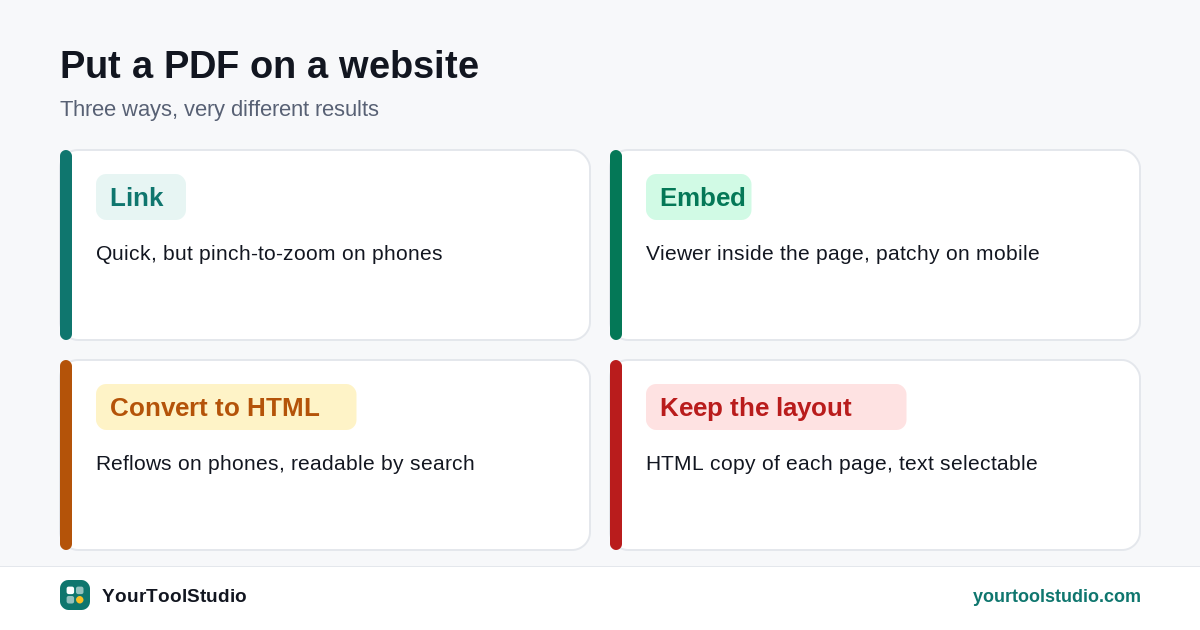
For most content, the best option is to convert the PDF to HTML: open PDF to HTML, choose Clean text, and publish the result as a normal web page. It reads well on phones, loads fast and can be found by search engines. Keep the PDF as a download link for people who want to print it.
The three options
| Option | Pros | Cons |
|---|---|---|
| Link to the PDF | Fastest, keeps the exact design | Small text on phones, readers leave your site |
| Embed a viewer | Stays inside your page | Unreliable on mobile, heavy to load |
| Convert to HTML | Responsive, fast, searchable, accessible | Complex layouts need a little tidying |
Convert a PDF to HTML
- Open PDF to HTML and add the file.
- Choose Clean text for articles, reports and menus; you get headings, paragraphs, lists and links.
- Or choose Keep the layout for brochures and designed pages: each page looks exactly like the PDF and the text stays selectable.
- Press Convert to HTML, check the preview and download or copy the code.
- Upload the file, or paste the content into WordPress, Shopify or your site builder.
Clean HTML or an exact layout, made in your browser.
If you link or embed
- Compress the PDF first with Compress PDF; big files are slow on mobile data.
- Give the file a clear name like
dinner-menu-2026.pdf, notscan0001.pdf. - Say what it is and how big: Download the menu (PDF, 1.2 MB).
- Make sure the PDF has real text, not just scanned pictures. Run OCR PDF on scans so it can be searched and read aloud.
Going the other way
Need a PDF from a web page or HTML? Use HTML to PDF. For notes and documentation, PDF to Markdown gives clean text for wikis and AI tools.
Frequently asked questions
How do I put a PDF on my website?
Upload it and link to it, embed a viewer, or convert it to HTML. Converting gives the best experience on phones and in search.
Can I convert a PDF to HTML for free?
Yes. PDF to HTML runs in your browser and gives you a single HTML file, with no upload.
Will the HTML look like my PDF?
With Keep the layout, yes, page by page. Clean text gives a simpler page that adapts to any screen.
Is it better for SEO to use HTML than PDF?
Usually. HTML pages load faster, work on phones and keep visitors on your site, which tends to help.
What about scanned PDFs?
Run OCR PDF first so the text is real text, then convert.