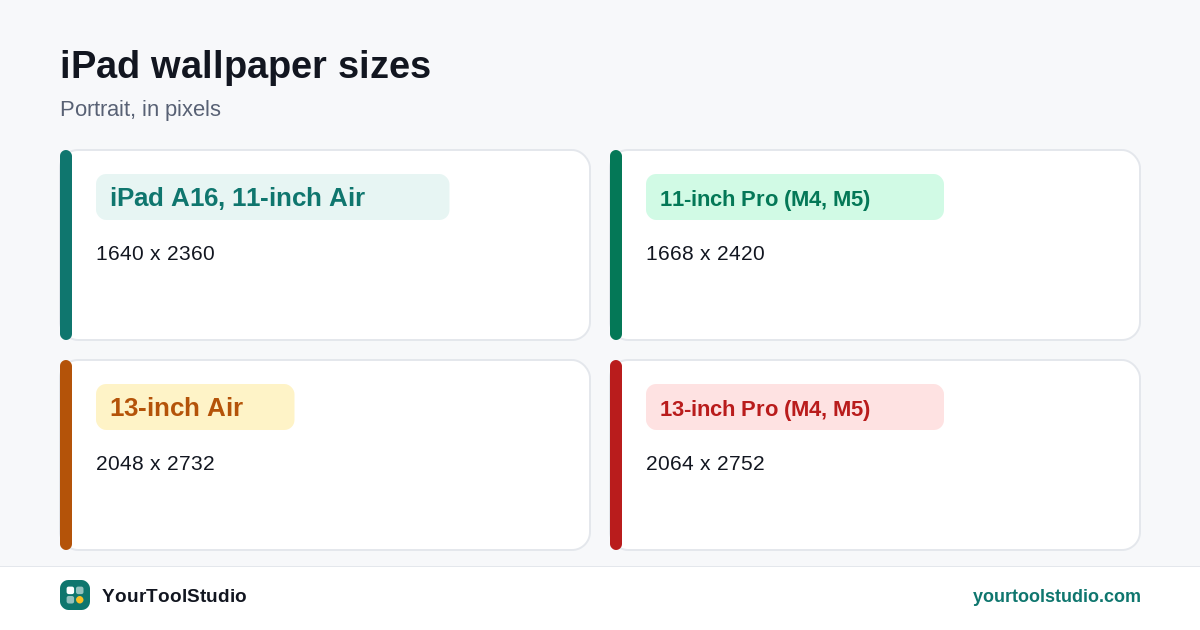
The right iPad wallpaper size is the screen resolution of your model: 1640 x 2360 pixels in portrait for iPad (A16) and the 11-inch iPad Air, 1668 x 2420 for the 11-inch iPad Pro (M4 and M5) and 2064 x 2752 for the 13-inch iPad Pro. Turn the numbers around for landscape, so the 13-inch Pro becomes 2752 x 2064. Every figure below was read on Apple tech specs pages on 22 November 2026.
iPad wallpaper sizes by model
| Model | Screen | Portrait (W x H) | Landscape (W x H) | Density |
|---|---|---|---|---|
| iPad Pro 13-inch (M5, M4) | 13 inch | 2064 x 2752 | 2752 x 2064 | 264 ppi |
| iPad Pro 11-inch (M5, M4) | 11.1 inch | 1668 x 2420 | 2420 x 1668 | 264 ppi |
| iPad Pro 12.9-inch (6th generation) | 12.9 inch | 2048 x 2732 | 2732 x 2048 | 264 ppi |
| iPad Pro 11-inch (4th generation) | 11 inch | 1668 x 2388 | 2388 x 1668 | 264 ppi |
| iPad Air 13-inch (M4, M3, M2) | 12.9 inch | 2048 x 2732 | 2732 x 2048 | 264 ppi |
| iPad Air 11-inch (M4, M3, M2) | 10.86 inch | 1640 x 2360 | 2360 x 1640 | 264 ppi |
| iPad Air (5th and 4th generation) | 10.86 inch | 1640 x 2360 | 2360 x 1640 | 264 ppi |
| iPad (A16) and iPad (10th generation) | 10.86 inch | 1640 x 2360 | 2360 x 1640 | 264 ppi |
| iPad (9th generation) | 10.2 inch | 1620 x 2160 | 2160 x 1620 | 264 ppi |
| iPad mini (A20 Pro) | 8.5 inch | 1512 x 2316 | 2316 x 1512 | 326 ppi |
| iPad mini (A17 Pro) and (6th generation) | 8.3 inch | 1488 x 2266 | 2266 x 1488 | 326 ppi |
Apple writes resolution with the long side first, such as 2752-by-2064 for the 13-inch iPad Pro. The portrait and landscape columns are the same screen in two directions. Screen sizes are Apple figures measured diagonally as a rectangle; the rounded corners make the real viewing area a little smaller.
One wallpaper for portrait and landscape
When you rotate an iPad, iPadOS keeps showing the same picture but has to fill a wider or taller frame, so part of a tall image is lost in landscape and part of a wide image is lost in portrait. The simple fix is a square image whose sides equal the long edge of your screen. A square that big covers the display both ways round, and only the edges change as you turn it.
| Model group | Square size that covers both orientations |
|---|---|
| 13-inch iPad Pro (M5, M4) | 2752 x 2752 |
| 13-inch iPad Air, 12.9-inch iPad Pro | 2732 x 2732 |
| 11-inch iPad Pro (M5, M4) | 2420 x 2420 |
| 11-inch iPad Pro (4th generation) | 2388 x 2388 |
| 11-inch iPad Air, iPad (A16), iPad (10th generation) | 2360 x 2360 |
| iPad mini (A20 Pro) | 2316 x 2316 |
| iPad mini (A17 Pro), iPad mini (6th generation) | 2266 x 2266 |
| iPad (9th generation) | 2160 x 2160 |
The square sizes are our own arithmetic from Apple figures, not an Apple recommendation. Put the important part of the picture in the centre, because the outer strips are the parts that disappear when the iPad turns.
Shape of each screen
Older charts often treat every iPad as 3 : 4, but the newer models are taller and narrower in portrait. Dividing Apple heights by widths gives these shapes:
- 3 : 4 exactly. 13-inch iPad Pro, 13-inch iPad Air, 12.9-inch iPad Pro and iPad (9th generation).
- About 1 : 1.44. iPad (A16), iPad (10th generation) and the 11-inch iPad Air.
- About 1 : 1.45. 11-inch iPad Pro (M4 and M5); the 4th generation 11-inch Pro is about 1 : 1.43.
- About 1 : 1.52. iPad mini (A17 Pro) and iPad mini (6th generation); the A20 Pro mini is about 1 : 1.53.
So a 3 : 4 wallpaper made for a 13-inch model will lose a strip down each side when it is used on an iPad mini held upright.
How to set it
- Find your model in the first table. If you are not sure which one you have, open Settings, General, About and tap the part number next to Model Number to see the model number, then match it on Apple Identify your iPad model page.
- Crop the picture with Crop Image: pick Free and type the portrait width and height, or the square size, under Crop area.
- Scale it to the exact pixels with Resize Image. Enlarging a small photo makes it softer, so start from one at least as large as the target.
- Save it to Photos on the iPad, open Settings, tap Wallpaper, then Add New Wallpaper and choose Photos.
- Tap Add, then Set as Wallpaper Pair to use it on both screens, or Customize Home Screen to pick a colour, another photo or Blur for the Home Screen.
Sources and when they were checked
Opened on 22 November 2026: Apple tech specs for iPad Pro (M5), iPad Air (M4), iPad mini (A20 Pro), iPad (A16), and Apple Support tech specs for iPad Pro 13-inch (M4), iPad Pro 11-inch (M4), iPad Pro 12.9-inch (6th generation), iPad Pro 11-inch (4th generation), iPad Air 13-inch (M3), iPad Air 11-inch (M3), iPad Air 13-inch (M2), iPad Air 11-inch (M2), iPad Air (5th generation), iPad Air (4th generation), iPad mini (A17 Pro), iPad mini (6th generation), iPad (10th generation) and iPad (9th generation); the model list in Identify your iPad model; and the iPad User Guide page Change the wallpaper on iPad.
Frequently asked questions
What size is an iPad (A16) wallpaper?
1640 x 2360 pixels in portrait or 2360 x 1640 in landscape. Apple lists a 2360-by-1640-pixel resolution at 264 ppi, the same as iPad (10th generation).
What is the 13-inch iPad Pro wallpaper size?
2064 x 2752 pixels in portrait for the M4 and M5 models. The 13-inch iPad Air is slightly smaller at 2048 x 2732.
What size is an 11-inch iPad Pro wallpaper?
1668 x 2420 pixels in portrait for the M4 and M5 models. The older 11-inch iPad Pro (4th generation) is 1668 x 2388.
What size wallpaper fits an iPad mini?
1512 x 2316 pixels for iPad mini (A20 Pro), and 1488 x 2266 for iPad mini (A17 Pro) and iPad mini (6th generation).
How do I make an iPad wallpaper that works in landscape too?
Use a square image with sides equal to the long edge of the screen, such as 2360 x 2360 for iPad (A16), and keep the subject in the centre.