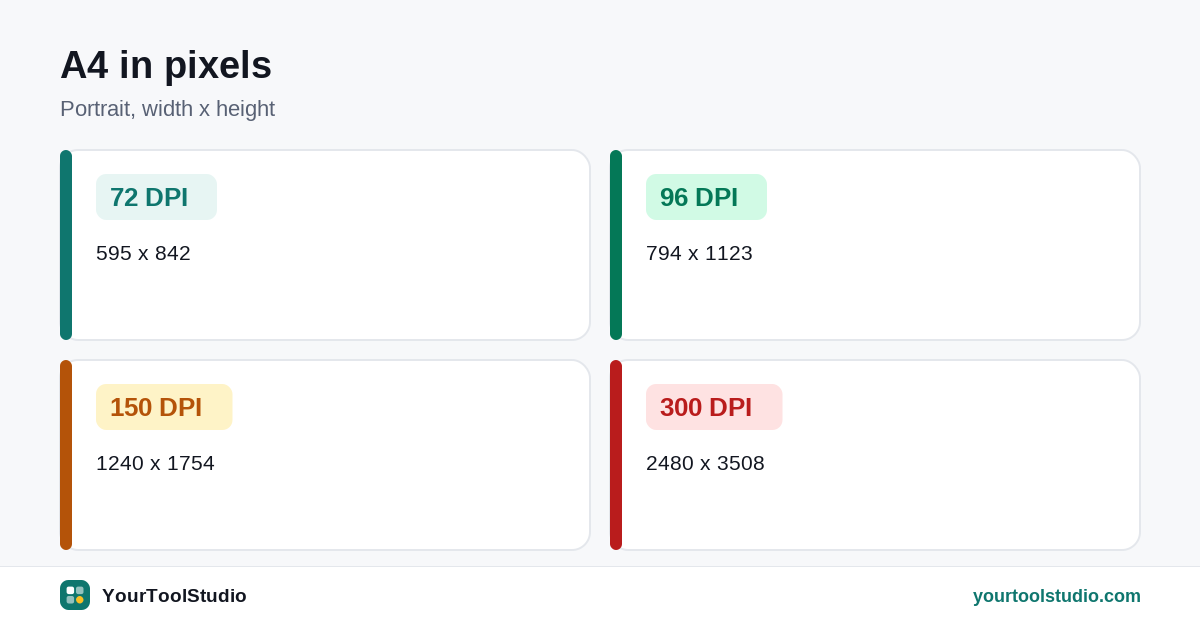
A4 is 2480 x 3508 pixels at 300 DPI and US Letter is 2550 x 3300 pixels at 300 DPI, in portrait, width first. At 96 DPI, the resolution web browsers use for CSS pixels, A4 is 794 x 1123 and Letter is 816 x 1056. The sheet sizes come from the W3C CSS Paged Media specification and the unit conversions from the W3C CSS Values specification, both opened on 22 November 2026; the pixel figures are our arithmetic.
How the numbers are worked out
Pixels = size in inches x dots per inch (DPI, also written PPI). ISO sizes are defined in millimetres, so they are divided by 25.4 first. A4 is 210 x 297 mm, which is 8.268 x 11.693 inches, so at 300 DPI it is 2480.3 x 3507.9 pixels, rounded to 2480 x 3508. Because of that rounding, a program that rounds down instead may give 2480 x 3507, and that is not an error worth worrying about. For landscape, swap the two numbers.
Paper sizes in pixels
| Paper | 72 DPI | 96 DPI | 150 DPI | 300 DPI | 600 DPI |
|---|---|---|---|---|---|
| A5 | 420 x 595 | 559 x 794 | 874 x 1240 | 1748 x 2480 | 3496 x 4961 |
| A4 | 595 x 842 | 794 x 1123 | 1240 x 1754 | 2480 x 3508 | 4961 x 7016 |
| A3 | 842 x 1191 | 1123 x 1587 | 1754 x 2480 | 3508 x 4961 | 7016 x 9921 |
| B5 (ISO) | 499 x 709 | 665 x 945 | 1039 x 1476 | 2079 x 2953 | 4157 x 5906 |
| B4 (ISO) | 709 x 1001 | 945 x 1334 | 1476 x 2085 | 2953 x 4169 | 5906 x 8339 |
| Letter | 612 x 792 | 816 x 1056 | 1275 x 1650 | 2550 x 3300 | 5100 x 6600 |
| Legal | 612 x 1008 | 816 x 1344 | 1275 x 2100 | 2550 x 4200 | 5100 x 8400 |
| Ledger / Tabloid | 792 x 1224 | 1056 x 1632 | 1650 x 2550 | 3300 x 5100 | 6600 x 10200 |
Halves are rounded up. Ledger and tabloid are the same 11 x 17 inch sheet; the W3C specification calls it ledger.
Physical sizes and PDF points
The W3C CSS Values specification defines 1 inch as 2.54 cm, 96 px and 72 pt, so a point is 1/72 inch. PDF page sizes are given in the same points: our own JPG to PDF code builds A4 pages at 595.28 x 841.89 points and Letter pages at 612 x 792, which matches the column below.
| Paper | Millimetres | Inches | Points (1/72 in) |
|---|---|---|---|
| A5 | 148 x 210 | 5.83 x 8.27 | 419.53 x 595.28 |
| A4 | 210 x 297 | 8.27 x 11.69 | 595.28 x 841.89 |
| A3 | 297 x 420 | 11.69 x 16.54 | 841.89 x 1190.55 |
| B5 (ISO) | 176 x 250 | 6.93 x 9.84 | 498.90 x 708.66 |
| B4 (ISO) | 250 x 353 | 9.84 x 13.90 | 708.66 x 1000.63 |
| Letter | 215.9 x 279.4 | 8.5 x 11 | 612 x 792 |
| Legal | 215.9 x 355.6 | 8.5 x 14 | 612 x 1008 |
| Ledger / Tabloid | 279.4 x 431.8 | 11 x 17 | 792 x 1224 |
Japanese JIS B sizes differ from ISO B: the W3C specification gives JIS B5 as 182 x 257 mm and JIS B4 as 257 x 364 mm, so check which one a printer means before sizing artwork.
Which DPI to use
| DPI | Typical use |
|---|---|
| 72 | One pixel per PDF point, so the pixel size equals the page size in points |
| 96 | CSS pixels in web browsers, and HTML pages printed or saved as PDF |
| 150 | Drafts, office printing and documents that are mostly read on screen |
| 300 | Common target for photos, flyers and anything handed to a print shop |
| 600 | Fine line art and text scans that need to stay crisp when zoomed |
Sources and when they were checked
Opened on 22 November 2026: W3C CSS Paged Media Module Level 3 (Working Draft, 14 September 2023) for the A5, A4, A3, B5, B4, JIS B, letter, legal and ledger dimensions, and W3C CSS Values and Units Module Level 4 (Working Draft, 12 March 2024) for 1 in = 2.54 cm = 96 px and 1 pt = 1/72 in. Pixel, inch and point values are our own arithmetic, and the PDF point sizes were also checked in the JPG to PDF tool code.
Frequently asked questions
What is A4 size in pixels at 300 DPI?
2480 x 3508 pixels in portrait, or 3508 x 2480 in landscape.
What is A4 size in pixels at 72 DPI?
595 x 842 pixels, which is also the A4 page size in PDF points.
What is letter size in pixels?
2550 x 3300 at 300 DPI, 1275 x 1650 at 150 DPI, 816 x 1056 at 96 DPI and 612 x 792 at 72 DPI.
Why do some tools say A4 is 2480 x 3507 pixels?
A4 at 300 DPI works out to 3507.9 pixels tall, so tools that round down give 3507 and tools that round to the nearest give 3508.
How many points is an A4 page?
595.28 x 841.89 points, at 72 points to the inch.