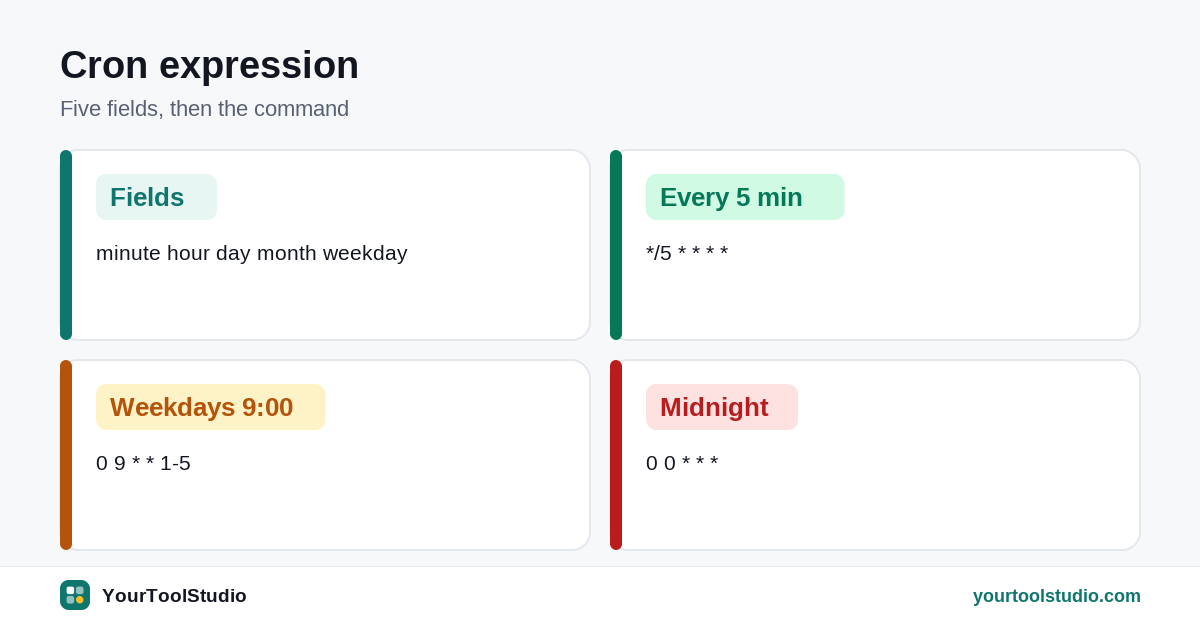
A cron expression has five fields separated by spaces, in this order: minute (0 to 59), hour (0 to 23), day of the month (1 to 31), month (1 to 12) and day of the week (0 to 6, with 0 as Sunday). For example, */5 * * * * runs every five minutes and 0 9 * * 1-5 runs at 9:00 on weekdays. The rules below were checked on 27 November 2026 against the POSIX crontab specification, the Linux crontab(5) manual from the cronie project and the GitHub Actions documentation.
The five fields
| Position | Field | POSIX values | Linux cron (cronie) also accepts | GitHub Actions |
|---|---|---|---|---|
| 1 | Minute | 0 to 59 | Same | 0 to 59 |
| 2 | Hour | 0 to 23 | Same | 0 to 23 |
| 3 | Day of the month | 1 to 31 | Same | 1 to 31 |
| 4 | Month | 1 to 12 | Names jan to dec, any case | 1 to 12 or JAN to DEC |
| 5 | Day of the week | 0 to 6, 0 = Sunday | 0 to 7 (0 and 7 are both Sunday) and names sun to sat | 0 to 6 or SUN to SAT |
In a user crontab the command follows the five fields on the same line. In the system file /etc/crontab and in files under /etc/cron.d/, crontab(5) adds a user name between the time fields and the command.
Symbols and what they mean
| Symbol | Meaning | Example | Supported by |
|---|---|---|---|
* | Every value of the field | * * * * * runs every minute | POSIX, cronie, GitHub |
, | A list of values | 0,30 * * * * runs at minute 0 and 30 | POSIX, cronie, GitHub |
- | An inclusive range | 0 8-11 * * * runs at 8, 9, 10 and 11 o'clock | POSIX, cronie, GitHub |
/ | A step through a range or through * | 0 */2 * * * runs every other hour | cronie, GitHub; not in POSIX |
~ | A random value in a range, picked when the file is read | 6~15 * * * * picks one minute from 6 to 15 | cronie only |
@daily and other nicknames | Replace all five fields | @daily is 0 0 * * * | cronie only; GitHub says it does not support them |
POSIX itself only defines the asterisk, single numbers, ranges and comma lists, so a strictly POSIX cron would reject */5. Linux distributions using cronie, and GitHub Actions, accept steps.
Common schedules to copy
| Schedule | Cron expression | When it runs |
|---|---|---|
| Every minute | * * * * * | At the start of every minute |
| Every 5 minutes | */5 * * * * | Minutes 0, 5, 10 and so on to 55 of every hour |
| Every 5 minutes, offset by 1 | 1-59/5 * * * * | Minutes 1, 6, 11 and so on to 56 |
| Every 15 minutes | */15 * * * * | Minutes 0, 15, 30 and 45 |
| Every hour | 0 * * * * | On the hour; same as @hourly in cronie |
| Every 2 hours | 0 */2 * * * | At 0:00, 2:00, 4:00 and so on to 22:00 |
| Every day at midnight | 0 0 * * * | 00:00; same as @daily |
| Every day at 2:30 | 30 2 * * * | 02:30 local time of the cron daemon |
| Weekdays at 9:00 | 0 9 * * 1-5 | Monday to Friday at 09:00 |
| Every 5 minutes in office hours | */5 9-17 * * 1-5 | 09:00 to 17:55, Monday to Friday |
| Every Sunday at midnight | 0 0 * * 0 | Same as @weekly |
| First day of every month | 0 0 1 * * | 00:00 on the 1st; same as @monthly |
| Once a year | 0 0 1 1 * | 00:00 on 1 January; same as @yearly and @annually |
| After every reboot | @reboot | Once after the system starts; cronie only |
Traps that cause the wrong run time
| Trap | What actually happens | Source |
|---|---|---|
| Steps restart every period | */35 in the minute field runs at minute 0 and 35 of each hour, not every 35 minutes; */23 in the hour field runs at hours 0 and 23 | crontab(5) |
| Day of month and day of week both set | The job runs when either matches. 30 4 1,15 * 5 runs at 4:30 on the 1st and 15th and also every Friday | POSIX and crontab(5) |
| Percent sign in the command | An unescaped % becomes a new line and the rest is sent as standard input; write \%, for example in date +\%F | POSIX and crontab(5) |
| Daylight saving time | Times in the skipped hour never match, so those jobs do not run, and times in the repeated hour run twice | crontab(5) |
| Comment after a command | Comments are only allowed on their own line; on a command line the text becomes part of the command | crontab(5) |
| No newline at the end of the file | cronie treats the crontab as at least partly broken and logs a warning | crontab(5) |
| GitHub Actions time zone | Schedules run in UTC unless a timezone is set, and the shortest interval is once every 5 minutes | GitHub Docs |
To check a cronie crontab file before installing it, crontab(5) points to the -T option of the crontab command. To work out a Unix time while debugging a log, use the Unix Timestamp Converter, and see Unix timestamps explained for how seconds since 1970 work. For the file modes of the scripts your jobs call, see the chmod permissions chart.
Time zones
Linux cron follows the local clock of the machine it runs on, which is why the crontab(5) manual warns about daylight saving changes. cronie also reads a CRON_TZ variable in the crontab, and its manual says times in that table are then entered in the given zone, while the log keeps using the daemon's local zone. GitHub Actions uses UTC by default and accepts an IANA time zone name such as America/New_York in a timezone key; its documentation adds that in a spring-forward transition a run in the skipped hour moves to the next valid time, so a 2:30 schedule runs at 3:00.
Sources and dates
| Page | Read | Used for |
|---|---|---|
| The Open Group: POSIX.1-2024 crontab | 27 November 2026 | Field ranges, asterisk, lists and ranges, the day matching rule and the percent sign |
| man7.org: crontab(5), cronie project | 27 November 2026 | Names, 0 and 7 as Sunday, steps, random ranges, nicknames, CRON_TZ, daylight saving, comments, final newline, -T |
| GitHub Docs: Events that trigger workflows, schedule | 27 November 2026 | Five-field syntax, UTC default, timezone key, 5 minute minimum, no nicknames |
Frequently asked questions
What is the cron expression for every 5 minutes?
Use */5 * * * *. It runs at minutes 0, 5, 10 and so on to 55 of every hour. On a strictly POSIX cron without step support, list the minutes instead: 0,5,10,15,20,25,30,35,40,45,50,55 * * * *.
What do the 5 fields in a cron expression mean?
In order they are minute (0 to 59), hour (0 to 23), day of the month (1 to 31), month (1 to 12) and day of the week (0 to 6, with 0 as Sunday). Linux cron also accepts 7 as Sunday and three-letter names.
Why does my cron job run on extra days?
If you set both the day of the month and the day of the week, cron runs the job when either one matches. 0 9 1 * 1 runs on the 1st of every month and also every Monday.
Does */35 run a job every 35 minutes?
No. Steps restart every hour, so */35 in the minute field runs at minute 0 and minute 35. For an exact 35 minute interval you need a check inside the script, as the crontab(5) manual shows.
What time zone does cron use?
Linux cron follows the local clock of the machine, so daylight saving changes affect it. cronie can use a CRON_TZ setting in the crontab, and GitHub Actions uses UTC unless a timezone is set on the schedule.