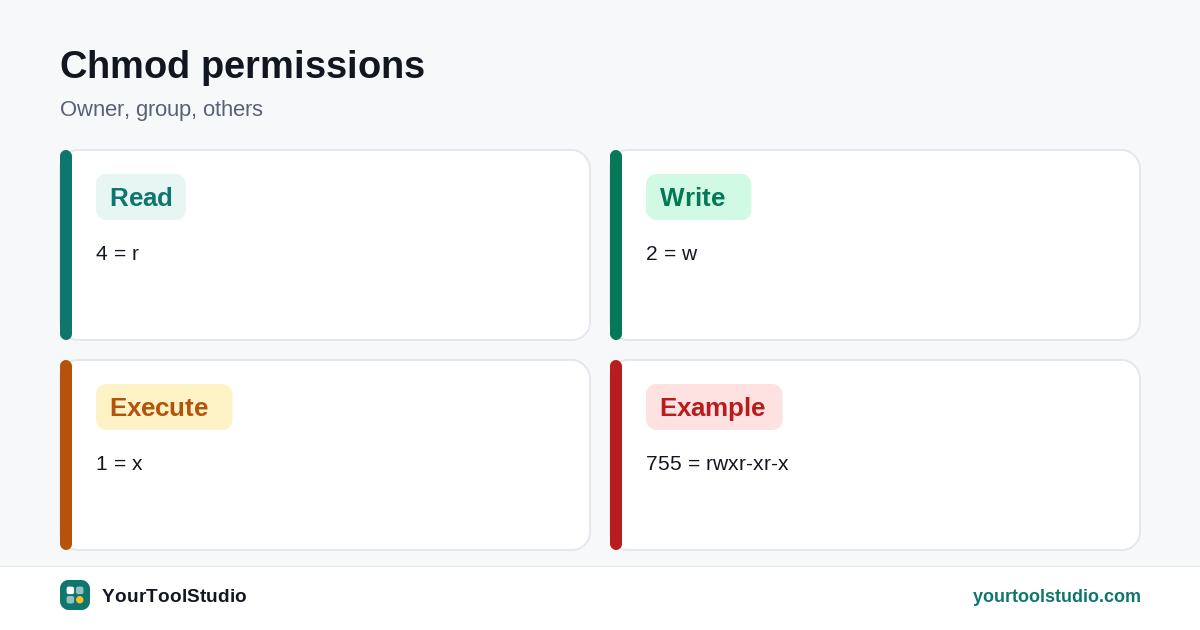
A chmod number has one digit for the owner, one for the group and one for everyone else, and each digit adds 4 for read, 2 for write and 1 for execute: 7 is rwx, 6 is rw-, 5 is r-x, 4 is r-- and 0 is no access. So chmod 755 file gives the owner full access and lets everyone else read and run it, and chmod 644 file lets the owner read and write while everyone else can only read. The values below come from the POSIX chmod and ls specifications (IEEE Std 1003.1-2024), checked on 25 November 2026.
What each digit means
| Digit | Sum | Letters | Access |
|---|---|---|---|
| 0 | 0 | --- | No access |
| 1 | 1 | --x | Execute only |
| 2 | 2 | -w- | Write only |
| 3 | 2 + 1 | -wx | Write and execute |
| 4 | 4 | r-- | Read only |
| 5 | 4 + 1 | r-x | Read and execute |
| 6 | 4 + 2 | rw- | Read and write |
| 7 | 4 + 2 + 1 | rwx | Read, write and execute |
The digits follow from the POSIX octal table: 0400, 0200 and 0100 are the owner's read, write and execute bits, 0040, 0020 and 0010 are the group's, and 0004, 0002 and 0001 are everyone else's. Add the bits you want and you get the mode. POSIX says a numeric mode sets the bits absolutely: every bit you do not include is cleared.
Common chmod modes
| Mode | ls -l letters | Owner | Group | Others | Typical use |
|---|---|---|---|---|---|
| 777 | rwxrwxrwx | All | All | All | Almost never: anyone can change the file |
| 775 | rwxrwxr-x | All | All | Read, run | Shared project folders |
| 755 | rwxr-xr-x | All | Read, run | Read, run | Scripts, programs and web folders |
| 750 | rwxr-x--- | All | Read, run | None | Folders for one team only |
| 700 | rwx------ | All | None | None | Private folders such as ~/.ssh |
| 664 | rw-rw-r-- | Read, write | Read, write | Read | Files a group edits together |
| 644 | rw-r--r-- | Read, write | Read | Read | Web pages, images, config that others may read |
| 640 | rw-r----- | Read, write | Read | None | Config files with passwords read by a service group |
| 600 | rw------- | Read, write | None | None | Private keys and personal secrets |
| 444 | r--r--r-- | Read | Read | Read | Read-only for everyone |
| 400 | r-------- | Read | None | None | A secret the owner must not change by accident |
Files and folders behave differently
For a file, execute means it can be run as a program. For a directory, POSIX calls the same bit search permission: without it, nobody can enter the folder or reach the files inside, even if they know the names. That is why folders normally get 755 or 700 while plain files get 644 or 600. A folder set to 644 looks readable but cannot be opened.
Letter form: what ls -l shows
The POSIX ls specification defines the ten characters at the start of each ls -l line. The first is the type: - regular file, d directory, l symbolic link, b block device, c character device, p FIFO and s socket. Then come three groups of three for the owner, the group and others, each read, write, execute. An extra character after them, often +, means the file has another access control method such as an ACL.
Symbolic mode: chmod with letters
| Part | Letters | Meaning |
|---|---|---|
| Who | u, g, o, a | Owner (user), group, others, all three |
| Operator | +, -, = | Add, remove, set exactly |
| Permission | r, w, x | Read, write, execute or search |
| Permission | X | Execute only for directories and for files that already have an execute bit |
| Permission | s, t | Set user or group ID, and the sticky (restricted deletion) bit |
| Command | Effect |
|---|---|
chmod u+x script.sh | Lets the owner run the script |
chmod go-w file | Removes write access for the group and others |
chmod a-w file | Removes write access for everyone |
chmod u=rw,go=r file | Same as 644 |
chmod -R a+X folder | Makes every folder enterable without making plain files executable |
The capital X is useful with -R, the one option POSIX defines for chmod, because it fixes folder access across a whole tree without turning every document into a program. If you leave out the who letters, as in chmod +x file, POSIX applies the change only where your umask allows it, so the result can differ from chmod a+x file.
Special bits: the fourth digit
| Value | Name | ls -l shows | What it does |
|---|---|---|---|
| 4000 | Set user ID | s or S in the owner execute place | A program runs with its owner's user ID |
| 2000 | Set group ID | s or S in the group execute place | A program runs with its group ID; on folders, behaviour depends on the system |
| 1000 | Sticky, restricted deletion | t or T in the others execute place | On a shared folder, users can delete only their own files |
A lowercase s or t means the execute or search bit is also set; uppercase S or T means it is not. So chmod 1777 /shared shows drwxrwxrwt, and chmod 4755 program shows rwsr-xr-x. With a three digit mode, the special bits are cleared.
SSH key permissions
OpenSSH refuses keys that other users can read. Its ssh manual says ssh will simply ignore a private key file that is accessible by others. The manual gives the rules in words; the modes below are the matching numbers.
| Path | What the ssh manual asks for | Matching mode |
|---|---|---|
| ~/.ssh/ | Read, write and execute for the user, not accessible by others | 700 |
| ~/.ssh/id_ed25519 and other private keys | Readable by the user, not accessible by others | 600 (or 400) |
| ~/.ssh/id_ed25519.pub | Not sensitive, may be readable by anyone | 644 |
| ~/.ssh/authorized_keys | Read and write for the user, not accessible by others | 600 |
| ~/.ssh/config | Read and write for the user, not writable by others | 600 |
Sources and dates
| Page | Checked | Used for |
|---|---|---|
| POSIX (IEEE Std 1003.1-2024): chmod | 25 November 2026 | Octal values, absolute numeric modes, symbolic letters and operators, X, s, t, umask rule, -R |
| POSIX (IEEE Std 1003.1-2024): ls | 25 November 2026 | File type letters, rwx positions, s, S, t and T, alternate access flag |
| OpenBSD manual: ssh(1) | 25 November 2026 | Permission rules for ~/.ssh, private keys, authorized_keys and config |
The GNU coreutils manual was rate limited when checked, so nothing on this page relies on GNU-only options. Working with other developer references? See the HTTP status codes list and the hash length chart.
Frequently asked questions
What does chmod 755 mean?
755 gives the owner read, write and execute (7), and the group and everyone else read and execute (5). ls -l shows it as rwxr-xr-x. It is the usual mode for scripts and folders.
What is the difference between chmod 644 and 755?
644 (rw-r--r--) has no execute bits, so it suits plain files such as web pages and images. 755 (rwxr-xr-x) adds execute, which programs need and folders need so people can open them.
Is chmod 777 safe?
Usually not. 777 lets every user on the system change or replace the file. Give write access only to the owner or a group, for example 755 or 775 for folders.
What permissions should an SSH private key have?
600, readable and writable only by you, or 400. The OpenSSH manual says ssh ignores a private key file that is accessible by others, and ~/.ssh itself should be 700.
What does the t in drwxrwxrwt mean?
It is the sticky or restricted deletion bit, set with chmod 1777 or chmod +t. On a shared folder it stops users deleting files that belong to others.