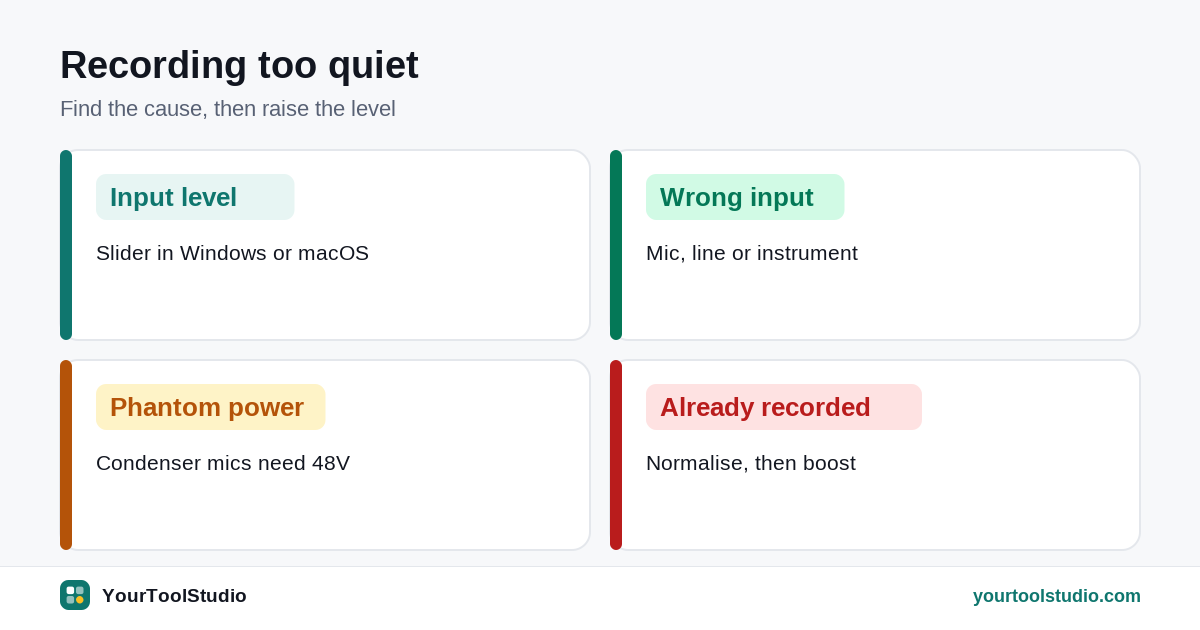
A recording is usually quiet because too little signal reaches the recorder: the input volume is set low, the microphone is plugged into the wrong kind of input or has no phantom power, or you are too far from it. If the file is clean apart from being quiet, you can fix it afterwards by normalising it, and some quiet files, such as raw 32-bit float recordings, are meant to sound that way. The Microsoft, Apple, PreSonus, RØDE, MDN and Audacity pages used in this guide were read on 28 November 2026.
First, decide which kind of quiet you have
Two very different problems sound alike. Listen to the recording on headphones at a normal volume and compare it with this table before you change any settings.
| What you hear | What it usually means | Where to look |
|---|---|---|
| Clear voice, just low, with little hiss | The level is low but the recording is good | Normalise the file; raise the input level next time |
| Low and with loud hiss when turned up | Too little signal reached the recorder, so noise is high compared with the voice | Input level, distance, input type |
| Almost silent, a faint voice far away | The recorder is hearing the wrong microphone, or a condenser mic has no power | Input device choice, phantom power |
| Very quiet but turns perfect after normalising | A 32-bit float file, or a recording made with plenty of headroom | Nothing is wrong: raise it in editing |
| Starts normal, then drops in volume | Automatic gain control in a call or browser app | App audio settings |
Cause 1: The input volume is low
Your computer has its own level control for each microphone, separate from the speaker volume. Microsoft's microphone help for Windows 11 says to open Start, Settings, System, Sound, pick the microphone under Input, choose Start test, and adjust the Input volume slider if needed. On Windows 10 the same page sends you to the microphone's Device Properties, where the Levels tab has a Microphone slider and a Microphone Boost slider.
On a Mac, Apple's guide says to choose Apple menu, System Settings, click Sound, click Input, select the device and drag the input volume slider. Apple's own rule of thumb is to lower the input volume for loud music, so the recording is not distorted, and raise it for someone speaking softly.
Also check that the app is allowed to use the microphone. Microsoft lists Let apps access your microphone and Let desktop apps access your microphone in Windows 11 privacy settings. A blocked app normally records silence rather than quiet sound, so this matters most when the file is completely empty.
Cause 2: The source is in the wrong input
Audio interfaces and mixers have different input types for different signal strengths. PreSonus's knowledge base gives the example that a passive electric guitar plugged into a line-level input makes an extremely low recording, because a line input expects a much stronger signal than a guitar produces. Match the source to the socket:
- Microphone into a mic input, usually an XLR socket with a gain knob.
- Electric guitar or bass straight from the instrument into an input marked Inst or Hi-Z.
- Keyboard, mixer or phone into a line input.
Cause 3: A condenser microphone has no phantom power
Condenser microphones need power from the interface, called 48V phantom power. PreSonus calls forgetting to turn it on a common mistake that gives little or no signal, and points out that most interfaces, including all of theirs, send 48V only through the XLR connection of the preamp. A condenser mic on a quarter-inch cable will therefore stay almost silent even with the switch on. Use an XLR cable and press the 48V button for that input. Dynamic microphones and USB microphones do not need it.
Cause 4: You are too far from the microphone, or facing the wrong way
Sound drops quickly with distance, so moving from a hand-width to arm's length away makes a big difference. PreSonus also notes that a unidirectional microphone picks up sound best from one direction, so check the documentation to find which side is the front. Many side-address microphones are spoken into from the side, not the top. Getting closer raises your voice compared with room noise, which no slider can do afterwards.
Cause 5: It is not actually a fault
Commercial music and podcasts are compressed and made loud after recording, so your raw take will look small next to them. PreSonus says recordings are usually made at around -24 dB to -12 dB, well below 0 dB, to leave headroom, and that raising the gain too far on the interface also raises the noise floor. A clean but quiet take is a good starting point, not a failure.
Files recorded in 32-bit float are a special case. RØDE's support page says it is normal for raw 32-bit float recordings to sound very quiet when first played back, that this does not mean anything is wrong, and that you should normalise or adjust the gain in your editing software.
Cause 6: An app is adjusting the level for you
Call, meeting and browser apps often turn on automatic gain control. MDN describes it as a feature that manages volume changes automatically to keep a steady overall level, and browsers report whether it is on for a microphone track. That can make a voice drift lower during a recording, especially after a loud sound. If the level changes on its own, look in the app's audio settings for automatic volume or gain adjustment and switch it off, then set the level by hand.
How to make the recording you already have louder
If the recording is clean, raise it afterwards instead of re-recording. Decibels are a ratio of loudness: +6 dB roughly doubles the size of the waveform, +12 dB makes it about four times bigger and +20 dB ten times bigger. The safe ceiling is just under 0 dB, the loudest a digital file can store; anything pushed beyond that is cut off and sounds harsh.
- Open Change Audio Volume and drop in the file. For a video, use Change Video Volume instead.
- Choose Normalize. On this site it raises the whole file so its loudest moment reaches -1 dB, the same starting value the Audacity manual gives for its Normalize effect.
- Save as MP3, M4A or WAV and listen. A take that peaked at -18 dB gets about +17 dB from this step.
- Still too quiet because of one loud cough or clap? Cut that part out first with Trim Video, which handles audio files too, then normalise again.
- Only use Change by amount above the normalised level if you accept some distortion on the loudest moments.
Raises MP3, WAV, M4A and other audio to a safe peak, or by an exact number of decibels, in your browser with no upload.
If the voice sounds thin or muddy after it is louder, the Voice preset in the Audio Equalizer can help. For the full volume walkthrough, including video files, see how to make an MP3 or video louder without distortion.
Normalise or amplify: what the editors mean
| Effect | What it does | Risk |
|---|---|---|
| Normalize | Raises or lowers the file so its highest peak reaches a set level. Audacity's starting value is -1 dB and it does not allow positive values | None, but one loud spike limits how much the rest rises |
| Amplify | Changes the volume by an amount you choose. Audacity proposes the amount that brings the peak to 0 dB | Audacity's Allow clipping box is ticked by default, so a large value can distort |
| Compression or a limiter | Lowers the loudest parts so the whole file can be raised further | Too much makes it sound flat and pumping |
Record louder next time
- Do a ten-second test take and check it before the real recording.
- Set the level so normal speech moves the meter well into the middle, with loud moments staying short of the end.
- Get closer to the microphone before turning up the gain.
- Record in a small, soft room to cut echo, and see how to record audio on your computer for a simple setup with the Voice Recorder.
Sources and dates
| Page | Read | Used for |
|---|---|---|
| Microsoft Support: Fix microphone problems | 28 November 2026 | Windows 11 and 10 input volume, Microphone Boost, app access to the microphone |
| Apple Mac User Guide: Change the sound input settings | 28 November 2026 | Mac input device and input volume, loud and soft sources |
| PreSonus: Why is my recorded signal too low or quiet? | 28 November 2026 | Input types, phantom power over XLR, mic direction, typical recording levels |
| RØDE: Why are my 32 bit float recordings so quiet? | 28 November 2026 | Quiet raw 32-bit float playback is expected; normalise in editing |
| MDN: autoGainControl | 28 November 2026 | What automatic gain control does |
| Audacity Manual: Normalize and Amplify | 28 November 2026 | Normalize default -1 dB, Amplify and Allow clipping |
Frequently asked questions
Why is my microphone recording so quiet?
Usually the input volume for that microphone is low in Windows or macOS, the wrong microphone is selected, or a condenser mic has no 48V phantom power. Check the input slider and device first, then the cable and power.
Why is my recording quiet even at full volume?
Turning up the playback volume does not change how much signal was recorded. If the input level was low or you were far from the mic, normalise the file, and raise the input level or move closer for the next take.
How do I make a quiet recording louder without distortion?
Normalise it so the loudest moment reaches about -1 dB. That raises everything as far as it can go without clipping. Go beyond that only with a limiter or by accepting some distortion.
Why are my 32-bit float recordings so quiet?
RØDE says raw 32-bit float files are meant to sound very quiet on first playback, because they keep the full dynamic range. Normalise them or raise the gain in your editor.
Should I turn the gain all the way up?
No. PreSonus notes that very high gain also raises the noise floor and can cause hiss. Set it so the recording is clean, record, then boost the file afterwards.