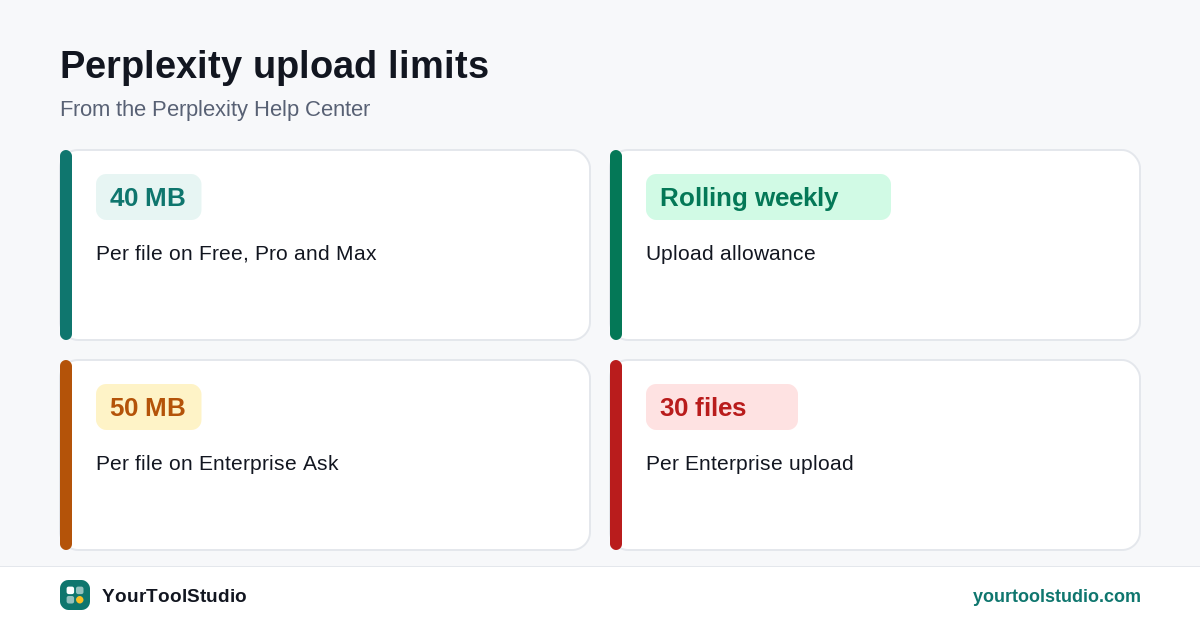
Perplexity limits each uploaded file to 40 MB on personal plans, and uploads count toward a rolling weekly allowance. The company does not publish the number of uploads included in Free, Pro or Max. These details come from Perplexity's File Uploads and Enterprise file limits help pages, checked on 19 November 2026.
Limits by account type
| Limit | Free, Pro and Max | Enterprise Pro | Enterprise Max |
|---|---|---|---|
| File size in a session | 40 MB | 50 MB on Perplexity Ask | 50 MB on Perplexity Ask |
| File size on Perplexity Computer | Not stated | 200 MB | 200 MB |
| Files in one upload | Not stated | Up to 30 | Up to 30 |
| Images per query | Not stated | Up to 30 | Up to 30 |
| Weekly file allowance | Rolling, with no published number | 100 files | 1,000 files |
How the weekly allowance works
- It rolls. Each upload stops counting about one week after you attached it, and there is no fixed weekly reset day.
- Images count. Pictures you attach or paste into a search use the same allowance.
- Connected apps count. Files attached from a service such as Google Drive use it too.
- The balance is hidden. Your remaining allowance is not shown in account settings.
- A pop-up marks the limit. On Pro, it may suggest upgrading to Max. Perplexity says this means the weekly limit was reached, not that uploads were removed from your plan.
Enterprise Projects
The Enterprise file limits page lists a separate set of figures for Projects.
| Project limit | Published figure |
|---|---|
| Files per Project | 10,000 |
| Storage per Project | 5 GB |
| File size | 100 MB per file |
| Retention | Kept until deleted |
Projects created before August 2026 may exceed 5 GB, but they cannot accept new uploads. The older organization file repository has been retired, and Perplexity set 1 October 2026 as the deadline for files stored there.
Supported file types
| Group | Formats Perplexity lists | What it can do |
|---|---|---|
| Text | Plain text, code and PDF | Short files can be analyzed in full, and longer files are reduced to their most important parts |
| Images | Image files | Count toward the weekly allowance |
| Audio | MPEG, WAV, AIFF, OGG, FLAC and MP3 | Speech is transcribed into searchable text |
| Video | MP4, MPEG, MOV, AVI, FLV, MPG, WebM, WMV and 3GPP | Speech is transcribed, but visual scenes are not indexed |
Because video scenes are not indexed, a video upload is useful mainly for what people say in it. Sending only the soundtrack can save a lot of space.
How long uploaded files are kept
| Where the file is | Retention published by Perplexity |
|---|---|
| Session upload | 30 days |
| Enterprise session upload | 7 days |
| Enterprise Project | Until you delete it |
After the period ends, the file contents are no longer available for follow-up questions, although the session can keep the context of earlier answers. Deleting a session also deletes its attached files, according to the security and privacy page.
How much fits in 40 MB
These planning figures are our own arithmetic, counting 1 MB as 1,000,000 bytes. Real files vary, and each part you split off is a separate upload.
| Your file | Parts at 40 MB | Parts at 50 MB (Enterprise Ask) |
|---|---|---|
| 100 MB PDF | 3 | 2 |
| 250 MB PDF | 7 | 5 |
| 1 GB PDF | 25 | 20 |
| Media bitrate | Approximate length in 40 MB |
|---|---|
| MP3 audio at 64 kbps | 83 minutes |
| MP3 audio at 128 kbps | 41 minutes |
| MP3 audio at 192 kbps | 27 minutes |
| Video at 2 Mbps | 2 minutes 40 seconds |
| Video at 5 Mbps | 1 minute 4 seconds |
Fixes when a file is too large
| Problem | What to do | Tool |
|---|---|---|
| PDF is over 40 MB | Shrink the images inside it | Compress PDF |
| You need only part of a PDF | Upload just those pages | Split PDF |
| Only the speech in a video matters | Upload the soundtrack instead | MP4 to MP3 |
| Video is over 40 MB | Cut it to the part you need | Trim Video |
| Video is still too large | Lower its resolution or bitrate | Compress Video |
| Image is over 40 MB | Reduce the file size | Compress Image |
Comparing assistants? See our charts of ChatGPT, Gemini and Claude upload limits.
Frequently asked questions
What is the maximum file size for Perplexity?
Perplexity lists 40 MB per file for all file types on Free, Pro and Max. Enterprise accounts get 50 MB per file on Perplexity Ask.
How many files can I upload to Perplexity per day?
Perplexity does not publish a daily number. Free, Pro and Max use a rolling weekly allowance, and its size is not stated.
When does the Perplexity upload limit reset?
There is no fixed reset day. Each upload stops counting about one week after you attached it.
Do images count toward the Perplexity upload limit?
Yes. Images you attach or paste into a search count toward the same weekly allowance as other files.
How many files can Perplexity Enterprise users upload?
Enterprise Pro includes 100 files a week and Enterprise Max includes 1,000. Each upload on Perplexity Ask can contain up to 30 files.