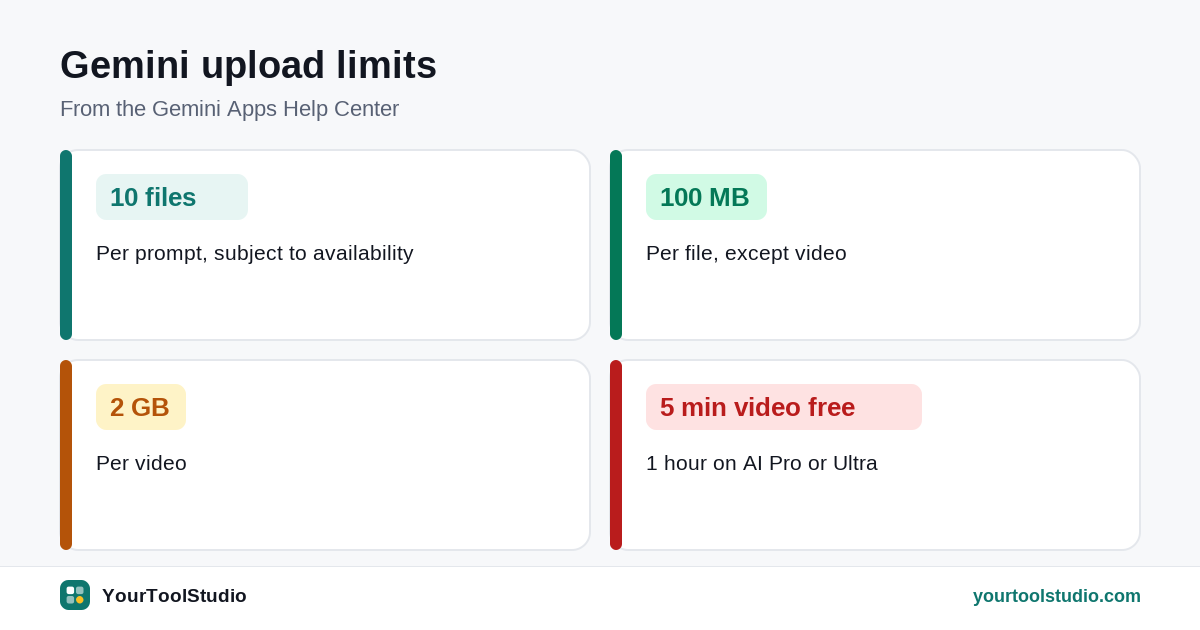
Gemini Apps let you attach up to 10 files per prompt, subject to availability. Each file can be up to 100 MB, except videos, which can be up to 2 GB. Google does not publish a daily upload count. All figures below come from Google's Upload and analyze files in Gemini Apps and Gemini Apps limits help pages, checked on 19 November 2026.
Upload limits chart
| What you attach | Published limit | Condition |
|---|---|---|
| Files in one prompt | Up to 10 | Subject to availability. Files inside an uploaded folder count toward the 10 |
| Video file | Up to 2 GB each | Total video length also applies |
| Any other supported file | Up to 100 MB each | Includes documents, images and audio |
| ZIP file | Up to 100 MB | Up to 10 files inside, with no video or audio files |
| Code folder or GitHub repository | Up to 100 MB | Up to 5,000 files in one chat |
Limits that change with your plan
| Limit | Without a Google AI plan | Google AI Plus | Google AI Pro | Google AI Ultra |
|---|---|---|---|---|
| Total video length | 5 minutes | Not stated | 1 hour | 1 hour |
| Total audio length | 10 minutes | Not stated | 3 hours | 3 hours |
| Context window | 32k tokens | 128k tokens | 1 million tokens | 1 million tokens |
| Usage limit | Standard | 2x standard | 4x standard | 5x or 20x AI Pro, depending on the subscription |
What Google does not put a number on
- Daily uploads. Google describes rolling limits on how much you can attach and analyze over a period of time. It does not state a per-day figure, so any exact daily number you see elsewhere did not come from these help pages.
- Extra files on paid plans. The help page says Google AI Pro and Ultra allow more file attachments, but it gives no higher count.
- Accepted formats. Google says Gemini Apps support most file types and does not print a complete list on the upload page.
- Stored history. Google says there is a storage limit for data saved from previous Gemini history, and that chats with attached files use more of it, without stating the size.
Usage limits refresh every 5 hours until you reach your weekly limit, according to Google. Google also says limits can change without notice, including when capacity is tight.
How much fits in one prompt
These totals are our own calculations from the published limits. They show the most that can be attached, not how much Gemini can analyze well.
| Your material | Parts needed at 100 MB each | Fits in one prompt? |
|---|---|---|
| 250 MB PDF | 3 | Yes |
| 640 MB PDF | 7 | Yes |
| 1 GB PDF | 10 | Yes, using all 10 attachments |
| 1.5 GB PDF | 15 | No, spread it across two prompts or compress it first |
Error messages and fixes
| What happened | What to try | Tool |
|---|---|---|
| PDF is over 100 MB | Shrink the images inside it | Compress PDF |
| PDF is still too large, or answers are poor | Attach only the section you need | Split PDF |
| Video is over 2 GB | Lower the resolution or bitrate | Compress Video |
| Video is longer than your allowance | Keep only the part you want analyzed | Trim Video |
| Only the speech in a video matters | Attach the sound, which has a longer free allowance than video | MP4 to MP3 |
| Message says Delete data to upload file | Delete Gemini history, then wait several minutes for the space to clear | No tool needed |
| Upload limit reached | Wait for the rolling limit to reset, or upgrade your plan | No tool needed |
You must be signed in to attach files. On work or school accounts, a Workspace administrator has to enable access to apps in Gemini before you can attach files from Google Drive, and only an administrator can delete Gemini history. If Gemini misreads a file, Google suggests attaching it again.
Comparing assistants? See our chart of ChatGPT file upload limits.
Frequently asked questions
How many files can I upload to Gemini at once?
Gemini Apps accept up to 10 files in one prompt, subject to availability. Files inside an uploaded folder count toward that total.
What is the maximum file size for Gemini?
Videos can be up to 2 GB each. All other supported file types can be up to 100 MB each.
Is there a daily upload limit in Gemini?
Google describes rolling limits that reset after a period of time, but its help pages do not publish a daily number.
How long can a video be in Gemini?
Total video length is up to 5 minutes without a paid plan, and up to 1 hour with Google AI Pro or Ultra.
Why does Gemini say Delete data to upload file?
Your saved Gemini history has reached its storage limit. Delete some history, wait several minutes for the space to clear, then attach the file again.