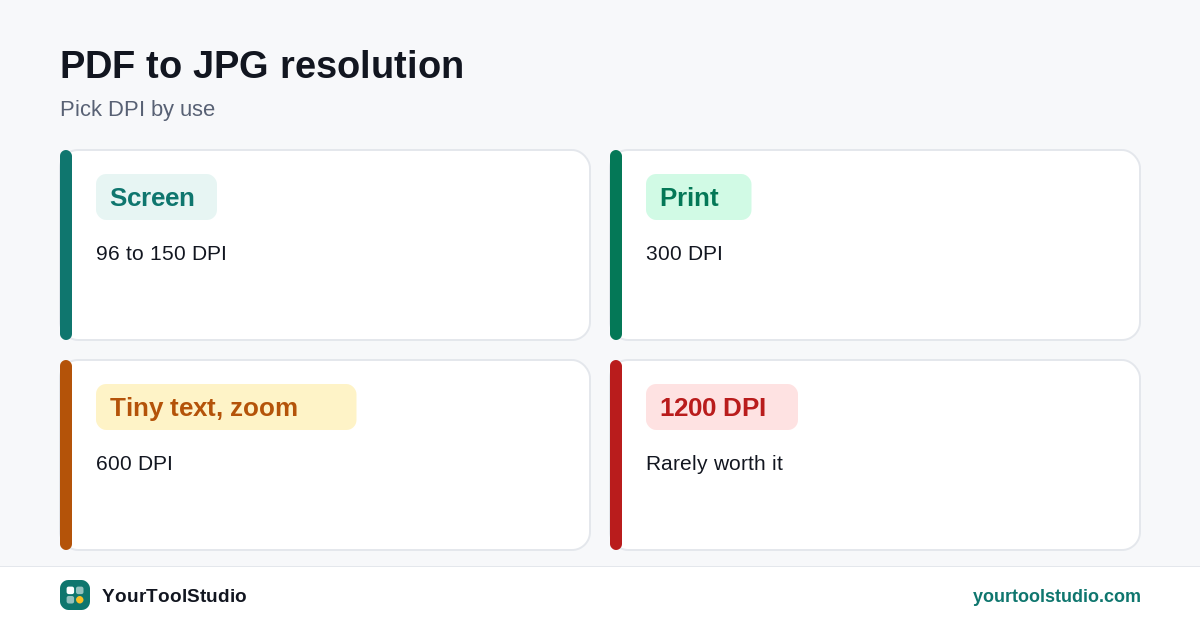
To convert a PDF to JPG in high resolution, render the pages at 300 DPI, which gives a Letter page 2550 x 3300 pixels and an A4 page about 2480 x 3508 pixels, enough to print the page at full size. Go higher, to 600 DPI, only when the page has very small text or fine drawings that people will zoom into; 1200 DPI has 16 times the pixels of 300 DPI and rarely shows anything new. On YourToolStudio, PDF to JPG does this free in your browser with its Print setting.
What DPI means when converting a PDF
A PDF page has a physical size rather than a pixel size. Its dimensions are stored in points, and a point is 1/72 of an inch, the same definition the W3C CSS units use. A JPG, on the other hand, is a grid of pixels. The DPI you choose (dots per inch) decides how many pixels each inch of the page becomes:
pixels = page size in inches x DPI, or equivalently page size in points x DPI / 72.
So a Letter page, 8.5 x 11 inches, at 300 DPI becomes 8.5 x 300 = 2550 pixels wide and 11 x 300 = 3300 pixels tall. Double the DPI and both sides double, so the number of pixels goes up four times and the file grows with it.
Pixel size of a page at each DPI
These are our own calculations from the formula above. A4 is 595 x 842 points, so its figures are rounded to whole pixels. Megapixels are width times height divided by one million.
| DPI | Letter (8.5 x 11 in) | A4 (210 x 297 mm) | Megapixels (A4) | Good for |
|---|---|---|---|---|
| 96 | 816 x 1056 | 794 x 1123 | 0.9 | Viewing on a screen, quick previews |
| 150 | 1275 x 1650 | 1240 x 1754 | 2.2 | Sharing on chat apps, email, slides |
| 300 | 2550 x 3300 | 2480 x 3508 | 8.7 | Printing at full size, most uploads that ask for high resolution |
| 600 | 5100 x 6600 | 4961 x 7016 | 34.8 | Tiny print, technical drawings, cropping a small area |
| 1200 | 10200 x 13200 | 9921 x 14031 | 139.2 | Specialist archiving; too large for most apps |
Memory matters as well as file size. While a page is being drawn, each pixel usually takes 4 bytes (red, green, blue and transparency), so a 600 DPI A4 page needs about 139 MB of memory and a 1200 DPI page about 557 MB, which is why phones and browsers often fail at the higher settings.
When higher DPI does not make the image sharper
Whether extra DPI helps depends on what the PDF contains:
- Text and vector drawings, such as a PDF exported from Word or a design app, are stored as shapes, so they redraw sharply at any DPI. Higher DPI really does give crisper letters, up to the point where nobody can see the difference at the size they view or print it.
- Scanned pages and photos are already pictures inside the PDF, with their own fixed resolution. Rendering a page scanned at 200 DPI at 1200 DPI only enlarges the same blurry pixels and makes the file far bigger.
- Mixed pages, such as a report with photos and text, gain sharper text from higher DPI but no extra detail in the photos.
How to convert PDF to high resolution JPG for free
In PDF to JPG, the Image quality setting has three choices. We read the tool's code to describe them exactly:
| Setting | DPI used | What else happens |
|---|---|---|
| Web | 96 | Smallest files, fine on screens |
| Standard | 150 | The default, a good balance for sharing |
| 300 | Sharpest, with the largest files |
- JPG output is saved at a quality of 92 out of 100. PNG output is lossless, which keeps text edges clean but makes larger files.
- If a page would exceed 16 million pixels, the tool lowers the scale for that page so the browser can still draw it. A normal Letter or A4 page at 300 DPI is well under this, at about 8.4 and 8.7 million pixels.
- One page downloads as a single image; several pages download together as one ZIP file.
- The PDF is opened and drawn on your device, so it is not uploaded.
The 16 million pixel safety limit exists because browsers cap the size of the drawing surface they use. MDN says the maximum canvas size depends on the browser and device, that most allow more than 10,000 x 10,000 pixels, and that iOS devices limit it to 4,096 x 4,096 pixels, about 16.8 million. Going past the limit, MDN says, makes the canvas unusable.
Converting at 600 or 1200 DPI
If you genuinely need 600 DPI or more, use a desktop converter, which has no browser canvas limit. The free command line tool pdftoppm, part of Poppler and available on Linux, macOS and Windows, is a reliable option. Its manual says -r sets the resolution in DPI with a default of 150, -jpeg writes JPG instead of its default PPM format, and -jpegopt quality= takes a whole number from 0 to 100. For example:
pdftoppm -r 600 -jpeg -jpegopt quality=95 report.pdf page
That writes one JPG per page, named from page. To limit the size by pixels instead of DPI, -scale-to 4000 fits the long side of each page into 4000 pixels and works out the short side from the page shape, which is handy when a form asks for a maximum width.
JPG or PNG for a high resolution page?
| Choose | When | Why |
|---|---|---|
| JPG | Pages with photos, or when the file must be small | Much smaller files; slight blur around text edges at lower qualities |
| PNG | Text, diagrams, screenshots, line art | Lossless, so edges stay crisp, but files are several times larger |
| Keep the PDF | Printing a document as a document | Text in a PDF prints sharply at any size without converting at all |
If a site rejects a 300 DPI JPG for being too large, shrink it with Compress Image or reduce its pixel width with Resize Image rather than converting again at a lower DPI.
Troubleshooting
| Problem | Likely cause | Fix |
|---|---|---|
| The JPG is blurry even at 300 DPI | The page is a low resolution scan | Higher DPI will not help; rescan the paper at 300 DPI or more |
| Text looks soft at the edges | JPG compression around sharp edges | Convert to PNG instead |
| The converter crashes or the page comes out blank | The page was too many pixels for the device | Use 300 DPI, convert fewer pages at once, or use pdftoppm on a computer |
| The file is too big to upload | 600 or 1200 DPI, or PNG for a photo page | Use 300 or 150 DPI, choose JPG, or compress the result |
| An app says the image is 72 DPI | The DPI note inside the file is only a label; the pixel size is what counts | Check the width and height in pixels against the table above |
For page sizes at other DPI values, see our paper sizes in pixels chart.
Sources and dates
| Page | Read | Used for |
|---|---|---|
| pdftoppm manual (Debian, poppler-utils) | 23 November 2026 | -r default 150 DPI, -jpeg, -jpegopt quality 0 to 100, -scale-to |
| MDN: the canvas element, maximum canvas size | 23 November 2026 | Canvas size depends on browser, iOS 4,096 x 4,096 limit |
| W3C CSS Values and Units Level 4 | 23 November 2026 | 1 inch equals 72 points |
| YourToolStudio PDF to JPG | 23 November 2026, code read | DPI settings, JPG quality, 16 million pixel limit |
Frequently asked questions
What DPI is high resolution for PDF to JPG?
300 DPI is the usual meaning of high resolution. It gives a Letter page 2550 x 3300 pixels and an A4 page about 2480 x 3508 pixels, enough to print at full size.
Is 600 DPI better than 300 DPI for PDF to JPG?
Only for very small text or fine drawings that will be zoomed into. A 600 DPI page has four times the pixels of a 300 DPI page and a much larger file.
Why is my PDF to JPG blurry at high DPI?
The page is probably a scanned image with a low resolution of its own. Rendering it at a higher DPI only enlarges the same pixels; rescan the original instead.
How do I convert PDF to JPG at 1200 DPI?
Use a desktop tool such as pdftoppm with -r 1200 -jpeg. Browser converters usually limit page size, because a 1200 DPI A4 page is about 139 million pixels.
Should I convert a PDF to JPG or PNG?
JPG for pages with photos or when the file must be small, PNG for text and diagrams that must stay crisp.