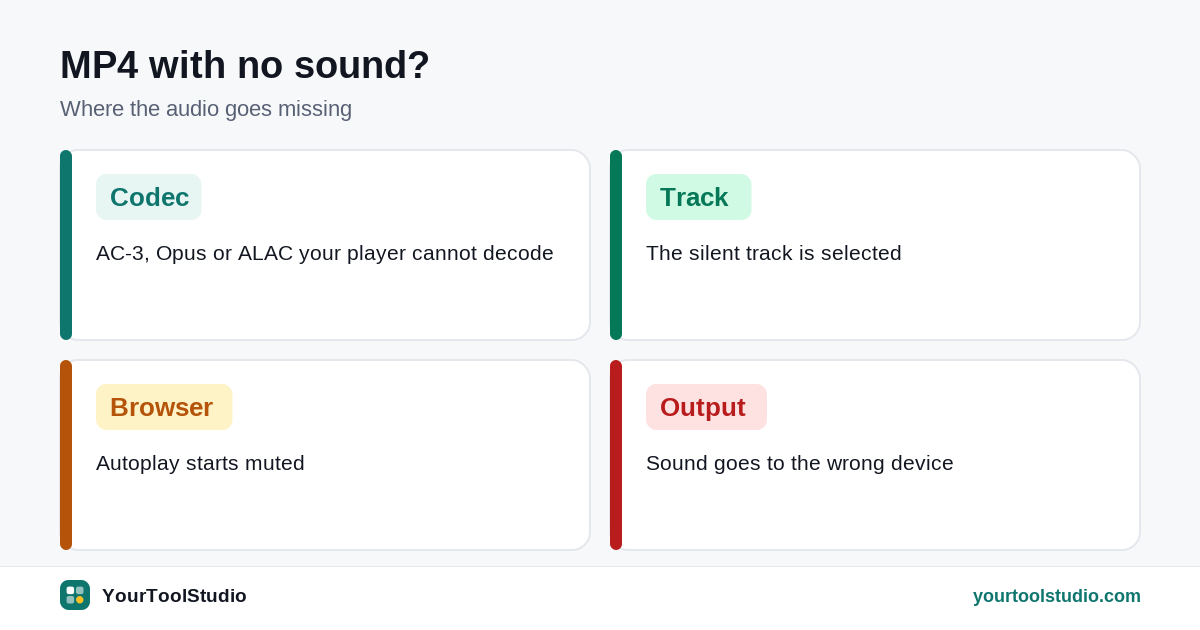
Your MP4 is not playing audio because, in most cases, the sound track uses a codec your player cannot decode, or the player has picked a silent track or a muted output. The usual suspects are Dolby Digital (AC-3) on newer Windows 11 PCs, Opus or Apple Lossless sound, and browsers that start videos muted. Play the file in VLC to confirm the sound is really there, then convert it to MP4 with AAC sound so every player can read it. The Microsoft, MDN and VideoLAN pages behind this guide were read on 22 November 2026.
First, make sure the file is the problem
Thirty seconds of checking saves a lot of guessing. Play a different video or a music file in the same player on the same device. If that is silent too, the file is fine and the fault is the volume, a mute switch, Bluetooth headphones that are still connected, or the wrong output device. If only this one MP4 is silent, keep reading.
Then play the silent MP4 in a second player. VideoLAN describes VLC as free, available for Windows, Mac, Linux, Android and iOS, and able to play most codecs with no codec packs needed. If VLC plays the sound, the file is healthy and your usual player is missing a decoder. That single test rules out corruption in most cases, which is exactly what repair software vendors tend to assume first.
The causes, from most to least common
| Cause | Typical sign | How to confirm | Fix |
|---|---|---|---|
| Dolby Digital (AC-3) sound on Windows 11 version 24H2 | Silent in the Films and TV app or Media Player, fine on another PC | VLC codec information shows AC-3 or Dolby Digital | Use VLC, get the codec from your PC maker, or convert to AAC |
| Opus, ALAC or another less common audio codec | Silent in one app, fine in another | Codec details name the audio codec | Convert the sound to AAC |
| Several audio tracks, silent one selected | Some players have sound, others do not | VLC shows more than one entry under Audio Track | Pick the other track, or keep only the good one when converting |
| Browser autoplay rules | A video on a web page plays but stays silent until you click | A muted speaker icon on the player | Click unmute or press play yourself |
| The track really is empty or very quiet | Silent in every player, including VLC | The waveform is flat in an editor | Raise the volume, or replace the sound from the original recording |
| A damaged or unfinished file | Stops early, cannot seek, or has no length shown | Other players fail too | Export or download the file again from the source |
Why Windows may suddenly lose Dolby sound
This is the cause people hit most often after an update. Microsoft's Windows Media Player troubleshooting guide says that versions of Windows before Windows 11 version 24H2 include the AC-3 codec, also called Dolby Digital, but it is no longer included with Windows from 24H2 onwards. Microsoft adds that many device manufacturers preinstall an AC-3 codec, and that PCs upgraded from an earlier version keep it.
That explains why the same MP4 has sound on one laptop and none on a brand new one. Videos recorded by some camcorders, ripped from discs or exported with surround sound often carry AC-3 audio. The same guide lists the audio formats Windows plays out of the box: MP3, MP2, AAC, M4A, FLAC, ALAC, WAV, WMA, 3GP, 3G2 and AMR. If your sound codec is not on that list, the built-in apps may play the picture and skip the sound.
How to find the sound codec in your file
- Open the MP4 in VLC. VideoLAN's Windows FAQ says to open the file and choose Tools, then Codec Information. Read the entry for the audio stream, not the video one.
- If you prefer a dedicated inspector, the same FAQ points to MediaInfo, as a useful tool for identifying the audio and video codecs in a file.
- In any modern browser, add the MP4 to MP4 to MP3. If your browser cannot decode the sound, the tool stops and names the codec it found, which tells you what you are dealing with without uploading the file.
MDN's audio codec guide lists AAC, ALAC, FLAC, MP3 and Opus as codecs that can sit inside an MP4. Support differs a lot between them. The same guide says Apple Lossless (ALAC) plays in Safari but not in Chrome, Edge or Firefox, so an MP4 with ALAC sound may be silent in most browsers while it plays fine on a Mac.
Fix it, step by step
Pick the fix that matches what you found. In order of effort:
- Choose another audio track. In VLC, open Audio, then Audio Track, and try each entry. Files from cameras, screen recorders and editors sometimes contain an empty commentary or microphone track that some players select first.
- Use VLC as the player. VideoLAN says it plays most codecs with no codec packs needed and uses only its own built-in codecs, which is the quickest fix if you only need to watch the video yourself.
- Check surround settings. VideoLAN's Windows FAQ says SPDIF passthrough of Dolby Digital and DTS does not work with every sound card, and that a 5.1 file with no dialogue may need the speaker setup changed under Audio, then Audio Device. If you hear music but no voices, set the output to stereo.
- Make a copy with AAC sound. AAC is on Microsoft's built-in list and in MDN's MP4 list, so it is the safest choice for sharing. Video Converter writes MP4 files with AAC sound when your browser can decode the original track. Play the new copy from start to finish to confirm it has sound.
- Turn up a very quiet track. If the sound is there but barely audible, use Change Video Volume to boost it.
Browsers decode fewer sound codecs than VLC. If the converted copy is also silent, the browser could not read the original sound, so watch the original in VLC or ask the sender for a version exported with AAC audio.
When the video is on a web page
A silent web video is often a policy, not a fault. MDN's autoplay guide explains that browsers generally block programmatic playback of media with sound in a tab where you have not interacted yet, while muted playback is allowed. Sites therefore start videos muted so they can autoplay. Click the speaker icon or press play yourself and the sound returns.
If you built the page, a video that must autoplay should be muted, with a visible unmute button. MDN also notes that autoplay blocking does not apply when a video has no audio track at all, which is a good reason to strip the sound from purely decorative background clips.
Sending a video other people can hear
Most silent MP4 complaints happen when a file moves from the device that made it to one that did not. Before you share, export or convert with H.264 video and AAC audio, keep one audio track, and use stereo unless the viewer has a surround system. Check the copy on a second device. If the file is too large to send after converting, Compress Video reduces it in the browser, and our guide to an MP4 that only plays audio covers the opposite problem, where the sound works and the picture is missing.
Frequently asked questions
Why does my MP4 have sound on my phone but not on my PC?
Your phone has a decoder for the sound codec and your PC does not. On Windows 11 version 24H2, Microsoft says the Dolby Digital (AC-3) codec is no longer included, so AC-3 sound can be silent in the built-in apps. Play the file in VLC or convert it to AAC.
Is my MP4 corrupted if there is no sound?
Usually not. If VLC plays the sound, the file is healthy and the problem is your usual player. Suspect damage only when every player fails, the video stops early or seeking does not work.
Which audio codec works in every player?
AAC is the safest choice inside an MP4. It is on the list of formats Windows plays without extra installs, and MDN lists it among the codecs an MP4 can carry, alongside MP3, FLAC, ALAC and Opus, which have patchier support.
Why is a video silent on a website until I click?
Browsers block media with sound from starting by itself in a tab you have not interacted with, while muted playback is allowed. Sites start videos muted to autoplay them, so click the speaker icon or press play.
Will converting the MP4 lose quality?
Converting re-encodes the sound and may re-encode the picture, which loses a little quality. At normal settings the difference is hard to hear, and keeping the original file means you can always convert again.