Save one picture as JPG, PNG and WebP and you can end up with three very different file sizes. The "Save as" menu makes it feel random, but the choice comes down to four questions. Is it a photo or a graphic? Does it need a transparent background? Must every pixel stay perfect? And who, or what, will open it?
The short version
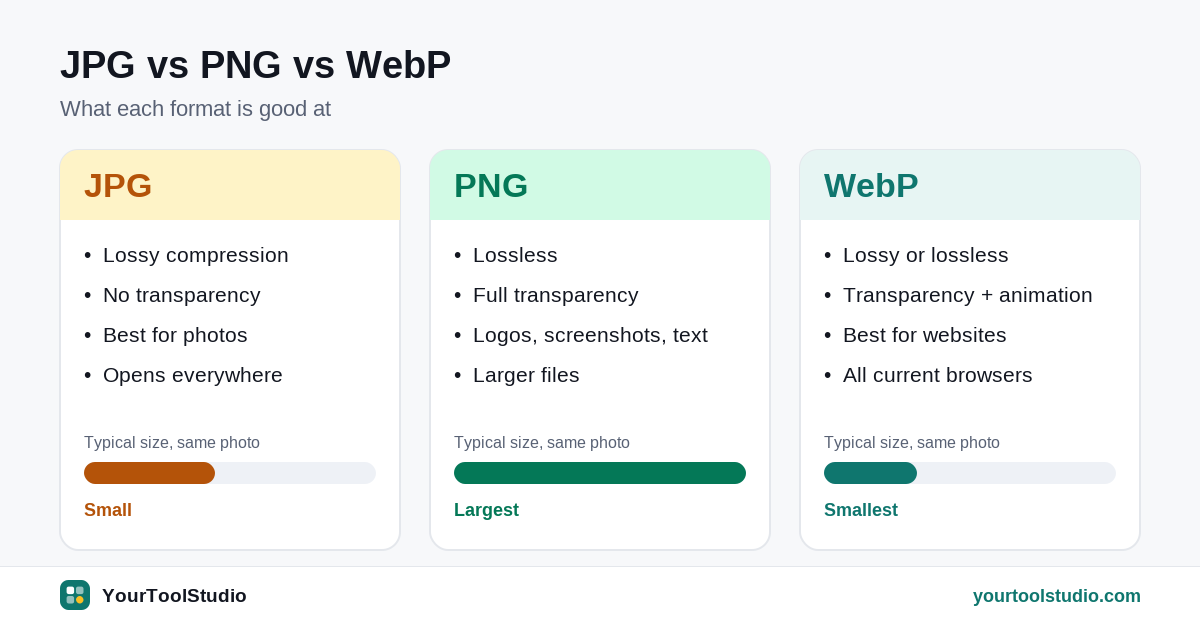
- JPG for photographs you email, print or archive. Small, and readable by literally everything.
- PNG for logos, screenshots, charts and anything with text or a transparent background. Flawless quality, heavier files.
- WebP for pictures on a modern website. Lighter than JPG at the same quality, with transparency and animation, and accepted by every current browser.
How each one works
JPG
JPG saves space by throwing away fine detail your eyes are unlikely to miss. That is how a 12-megapixel phone photo fits into a few megabytes. At normal viewing sizes you will not spot the difference, and every device, app and website can show a JPG. The downsides: no transparency, and a little quality is lost each time you edit and re-save, so it is a poor fit for logos or files you keep reworking.
PNG
PNG is lossless, rebuilding the image exactly every time. That makes it ideal for crisp lettering, interface screenshots, logos and diagrams, where even slight blur stands out. It handles full transparency too. Because it keeps every pixel, a photograph saved as PNG can be several times larger than the JPG version. A PNG is still a grid of pixels, so cutting machines need it traced into a vector first: see converting PNG to SVG for Cricut.
WebP
Google built WebP to do JPG's job more efficiently. At matching visual quality, a WebP photo usually comes in 25 to 35 percent smaller. It also supports transparency like PNG and animation like GIF. Every major browser handles it, Safari included since version 14, which makes it the natural first choice for websites.
| Feature | JPG | PNG | WebP |
|---|---|---|---|
| Ideal for | Photos | Graphics, text, transparency | Website images and photos |
| Compression | Lossy | Lossless | Lossy or lossless |
| Photo file size | Small | Very large | Smallest |
| Transparency | No | Yes | Yes |
| Animation | No | No | Yes |
| Opens in | Everything | Everything | All modern browsers |
Making the call
Putting it on your website? Use WebP, and keep a JPG copy for any service that has not caught up. Sending a photo to a friend or a form? JPG. Logo, transparent background or sharp text? PNG, or WebP if it only lives on your own site. Print jobs usually stay as the camera original or a high-quality JPG.
Switch formats in your browser
Changing an image between these formats needs no software. YourToolStudio converts JPG, PNG, WebP and HEIC right on your device, so the picture is never sent to a server. Try turning a photo into WebP, compare the sizes, and judge the result yourself.
Convert JPG to WebP, PNG to JPG or WebP to PNG, free and private.
Frequently asked questions
What is the best image format for a website?
For most web images, WebP. Every current browser shows it, and photos are typically 25 to 35 percent smaller than the same JPG. Keep PNG for logos and graphics that need sharp edges or transparency.
Does WebP look as good as JPG?
Yes, in everyday viewing. At matching visual quality a WebP file is clearly smaller than a JPG, so pages load faster without looking worse.
When is PNG better than JPG?
Choose PNG when the image needs a transparent background, contains text or crisp lines such as logos and diagrams, or has to stay pixel-perfect, like a screenshot.