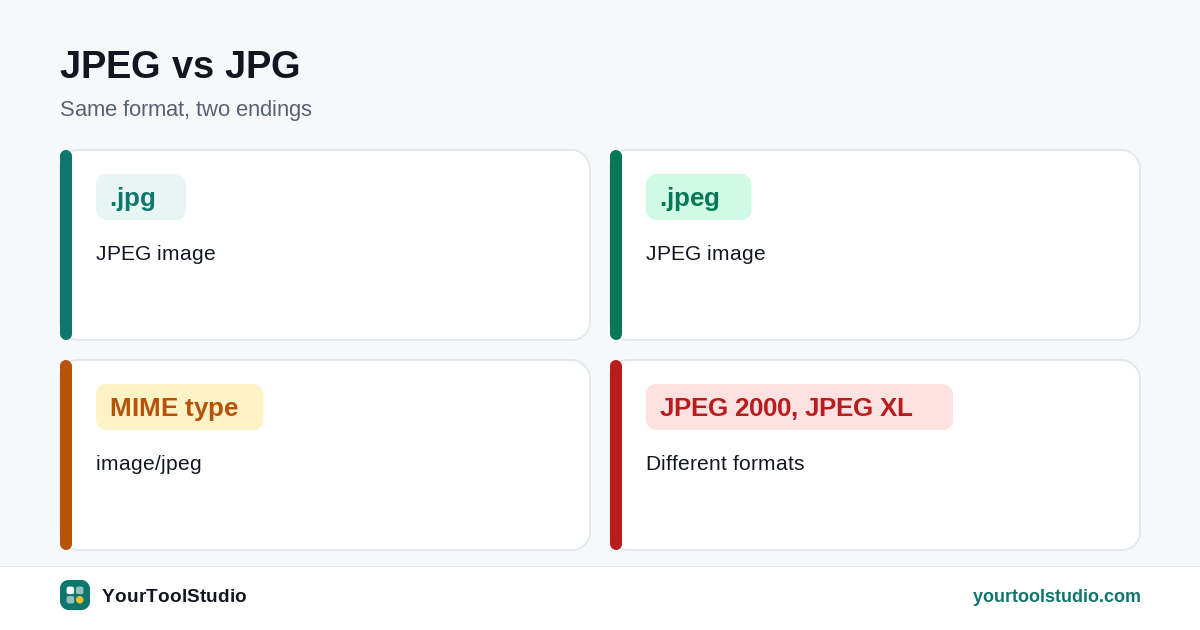
There is no difference between JPEG and JPG: both endings label the same image format, made by the same compression method, with the same quality and the same MIME type, image/jpeg. The shorter .jpg exists because old MS-DOS file names allowed only three letters after the dot; renaming a photo from .jpeg to .jpg, or back, changes nothing inside the file. The names that do mean something different are JPEG 2000 and JPEG XL, which are separate formats.
What JPEG stands for
JPEG is short for the Joint Photographic Experts Group, the committee that wrote the standard. On its own site the committee calls the original standard JPEG 1, published as ISO/IEC 10918 (also ITU-T Recommendation T.81). It was created in 1992, with the latest version from 1994. Part 5 of that standard specifies the JPEG File Interchange Format, or JFIF, which is the file layout most JPG photos use today.
MDN, the Mozilla web documentation, makes the same point in a useful way: JPEG is really a data format for compressed photos rather than a file type, and the JFIF specification describes the files we call JPEG images. In practice every .jpg or .jpeg file you meet holds that same compressed data.
Why there are two endings
Microsoft explains that the older MS-DOS FAT file system allowed at most 8 characters for the name and 3 for the extension, known as an 8.3 file name. A four letter ending such as .jpeg did not fit, so software on PCs saved photos as .jpg, while systems without that rule often used the full .jpeg. Modern Windows, macOS, Android and iOS all accept long extensions, so both survive simply out of habit and software defaults.
Microsoft Support now lists jpg, jpeg together on a single row in its table of common Windows file name extensions, described as a Joint Photographic Experts Group photo file. MDN lists the file extensions for the format as .jpg, .jpeg, .jpe, .jif and .jfif, all with the MIME type image/jpeg.
JPEG vs JPG at a glance
| Question | .jpg | .jpeg |
|---|---|---|
| Image format inside | JPEG (usually JFIF) | JPEG (usually JFIF) |
| MIME type | image/jpeg | image/jpeg |
| Compression | Lossy, based on the discrete cosine transform | The same |
| Quality and file size | Set by the quality used when saving, not by the ending | The same |
| Transparency | Not supported | Not supported |
| Largest size | 65,535 x 65,535 pixels (MDN) | The same |
| Opens in all major browsers | Yes | Yes |
Because the content is identical, a .jpeg file is not higher quality than a .jpg. Quality depends only on the compression setting chosen when the photo was saved and on how many times it has been saved again.
Other endings that are also JPEG
| Ending | What it is | What to do |
|---|---|---|
| .jpg | The most common JPEG ending | Nothing; it works everywhere |
| .jpeg | The full four letter ending | Nothing, unless a form only accepts .jpg |
| .jpe | An older short form | Rename to .jpg if an app does not recognise it |
| .jfif | Named after the JPEG File Interchange Format | Rename to .jpg, or convert if renaming is not allowed |
| .jif | A rare variant | Rename to .jpg |
A .jfif download often confuses people because some upload forms do not list it, even though it is the same JPEG data. Our image tools read .jpg, .jpeg and .jfif files as JPEG, and when they save a JPG they use the .jpg ending with the image/jpeg type, which every site and app accepts.
Can I rename .jpeg to .jpg?
Yes. Microsoft states that changing a file name extension does not convert the file to another format or change anything else about it except the name. Between .jpeg and .jpg that is exactly what you want, because the format is already the same. Renaming is safe only within the JPEG family: renaming a PNG, WebP or HEIC photo to .jpg leaves it as a PNG, WebP or HEIC file with a misleading name, and many sites will reject it. For those, convert the file instead with PNG to JPG, WebP to JPG or HEIC to JPG.
On Windows, endings are often hidden. Microsoft says to open File Explorer and choose View, Show, File name extensions to see them. On a Mac, Apple says to open Finder, Settings, Advanced and select Show all filename extensions, or use File, Get Info for one file. Apple also warns that changing an extension can stop a file opening in the app that made it, so to change the real format, Apple recommends converting in an app such as Preview.
- Show file name extensions using the steps above.
- Right-click the photo and choose Rename.
- Replace .jpeg with .jpg (or the other way round) and press Enter.
- Confirm the warning. The picture opens exactly as before.
When the difference actually matters
- A form that checks the ending. Some upload pages accept only .jpg, or only .jpeg, because the developer listed one ending. Renaming fixes it in seconds.
- Scripts and file searches. A search for *.jpg will skip photos ending in .jpeg. Search for both, or rename the files to one ending first.
- Size limits. If a site rejects a photo for being too big, the ending is not the problem. Shrink it with Compress JPG or reduce its pixel size with Resize Image.
- Transparency. Neither ending can store a transparent background, because the JPEG format has no alpha channel. Use PNG or WebP for logos and cut-outs; see JPG to PNG.
JPG vs JPEG 2000 and JPEG XL
Google suggests searches such as jpg vs jpeg 2000 and jpeg vs jpg xl, and these are where real differences appear. Both formats come from the same committee but are separate standards with their own file types:
| Format | Standard | File type | How it differs from JPG |
|---|---|---|---|
| JPEG (JPG) | ISO/IEC 10918 | .jpg, .jpeg | Almost always lossy in everyday use, no transparency, opens everywhere |
| JPEG 2000 | ISO/IEC 15444 | JP2 file format | Lossy and lossless coding, very high bit depths, resolution scalability; used mainly in specialist imaging |
| JPEG XL | ISO/IEC 18181 | .jxl | Lossy and lossless, transparency, HDR and animation; can losslessly repack an existing JPG; browser support is not yet universal |
The committee describes JPEG 2000 as supporting lossy and lossless coding, terapixel images and progressive decoding, with its Part 1 defining the JP2 file format. MDN lists JPEG XL under the MIME type image/jxl and advises providing a fallback such as AVIF, WebP or JPEG with the picture element. Renaming either of these to .jpg does not work; they need to be converted.
If you are deciding between JPG and other everyday formats, our comparison of JPG, PNG and WebP covers quality and file size side by side.
Troubleshooting
| Problem | Likely cause | Fix |
|---|---|---|
| A website says my .jpeg is not allowed | The form lists only .jpg | Rename the ending to .jpg |
| My photo downloaded as .jfif | The server named it after the JFIF layout | Rename to .jpg; it is the same JPEG data |
| I renamed to .jpg and the site still rejects it | The file was really PNG, WebP or HEIC | Convert it with the matching converter instead of renaming |
| I cannot see .jpg or .jpeg at all | Extensions are hidden | Turn on file name extensions in File Explorer or Finder |
| The JPG has a white box instead of a clear background | JPEG cannot store transparency | Save the image as PNG or WebP |
Sources and dates
| Page | Read | Used for |
|---|---|---|
| MDN: image file type and format guide | 23 November 2026 | Endings .jpg, .jpeg, .jpe, .jif, .jfif; image/jpeg; no alpha; 65,535 pixel limit; JPEG XL details |
| JPEG committee: overview of JPEG 1 | 23 November 2026 | ISO/IEC 10918, 1992 and 1994 dates, JFIF in Part 5 |
| JPEG committee: overview of JPEG 2000 | 23 November 2026 | JPEG 2000 features and the JP2 file format |
| Microsoft Learn: naming files | 23 November 2026 | MS-DOS FAT 8.3 names, 3 character extensions |
| Microsoft Support: common file name extensions | 23 November 2026 | jpg and jpeg on one row; renaming does not convert; showing extensions |
| Apple: show or hide filename extensions | 23 November 2026 | Finder steps and the warning about changing extensions |
Frequently asked questions
Is JPG the same as JPEG?
Yes. Both endings label the same image format with the MIME type image/jpeg, so the picture, quality and file size are identical.
Which is better, JPG or JPEG?
Neither. Quality depends on the compression setting used when saving, not on the ending. Use .jpg when in doubt, because every app and site accepts it.
Why do some files end in .jpeg and others in .jpg?
Old MS-DOS file names allowed only three letters after the dot, so PCs used .jpg. Other systems kept the full .jpeg, and both stayed in use.
Is JPG the same as JPEG 2000?
No. JPEG 2000 is a separate standard, ISO/IEC 15444, with its own JP2 file format. It must be converted, not renamed, to become a JPG.
Is a .jfif file a JPG?
Yes. JFIF is the file layout used by most JPEG images, so a .jfif photo can usually be renamed to .jpg and used anywhere.