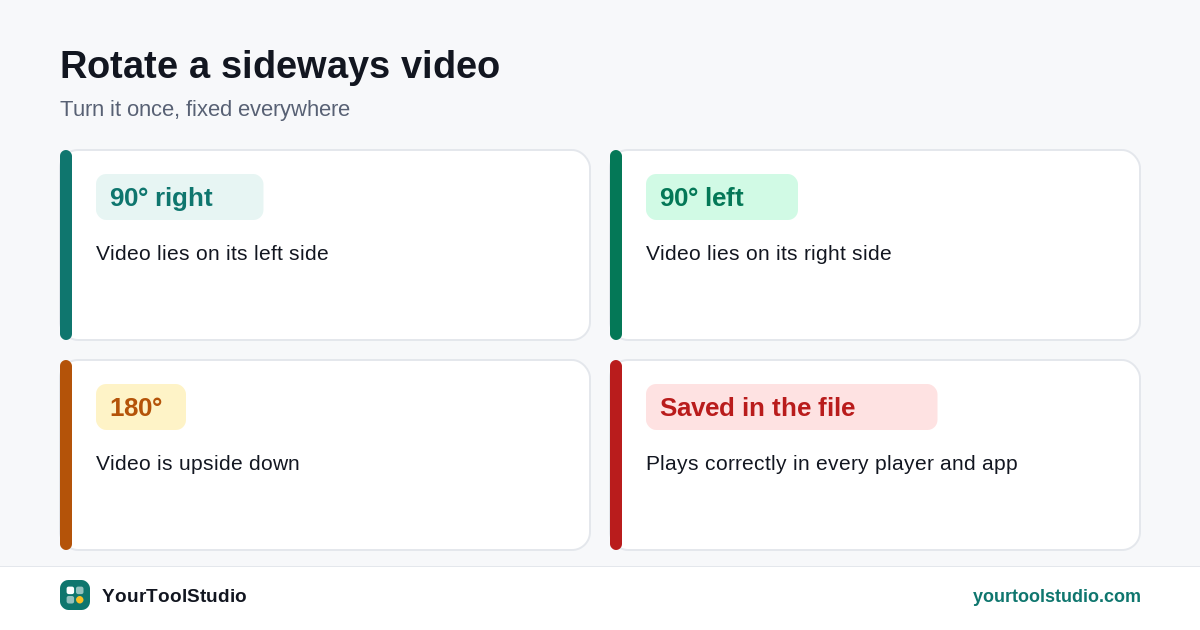
The fix: open Rotate Video, add the clip, press 90° right, 90° left or 180° until it looks right, then press Rotate video. The rotation is written into every frame, so the video plays upright in any player, website or app.
Why videos end up sideways
Your phone decides which way is up when you press record. If it was lying flat, or you turned it after starting, the whole clip keeps the wrong orientation. Phones also store a small rotation note in the file. Some players read it and some ignore it, which is why a video can look fine on your phone and sideways on a computer or website.
Which button to press
| What you see | Press |
|---|---|
| The top of the picture points left | 90° right |
| The top of the picture points right | 90° left |
| The picture is upside down | 180° |
| It is a mirror image (text backwards) | Use Flip Video instead |
Rotate on each device
iPhone
The Photos app can rotate: tap Edit, then the crop icon, then the rotate button. If the result still shows sideways elsewhere, use Rotate Video in Safari, which turns the frames themselves.
Android
Google Photos has a rotate button under Edit > Crop. Results vary between phones, so the browser tool is the reliable option.
Windows and Mac
On Mac, QuickTime Player has Edit > Rotate Left and Rotate Right; remember to export afterwards. Windows has no simple built-in rotate-and-save, so the browser tool is the quickest route.
Free and private. The new file plays the right way up everywhere.
Related fixes
- Mirror image from a selfie camera: Flip Video.
- Wrong shape for TikTok or Reels after rotating: crop it to 9:16.
- File too big to share: Compress Video.
Frequently asked questions
How do I permanently rotate a video?
Use a tool that re-draws every frame, such as Rotate Video. Rotating in a media player only changes the view, not the file.
Why is my video sideways on my computer but not my phone?
The phone stored a rotation note that your computer player ignores. Rotating the frames themselves fixes it on every device.
Can I rotate a video by 45 degrees?
Videos can be rotated in steps of 90 degrees. For a slight tilt, crop or re-record.
Does rotating affect the sound?
No. The audio is copied across unchanged.
Will rotating reduce quality?
The video is re-encoded at high quality, which looks the same when watched normally.