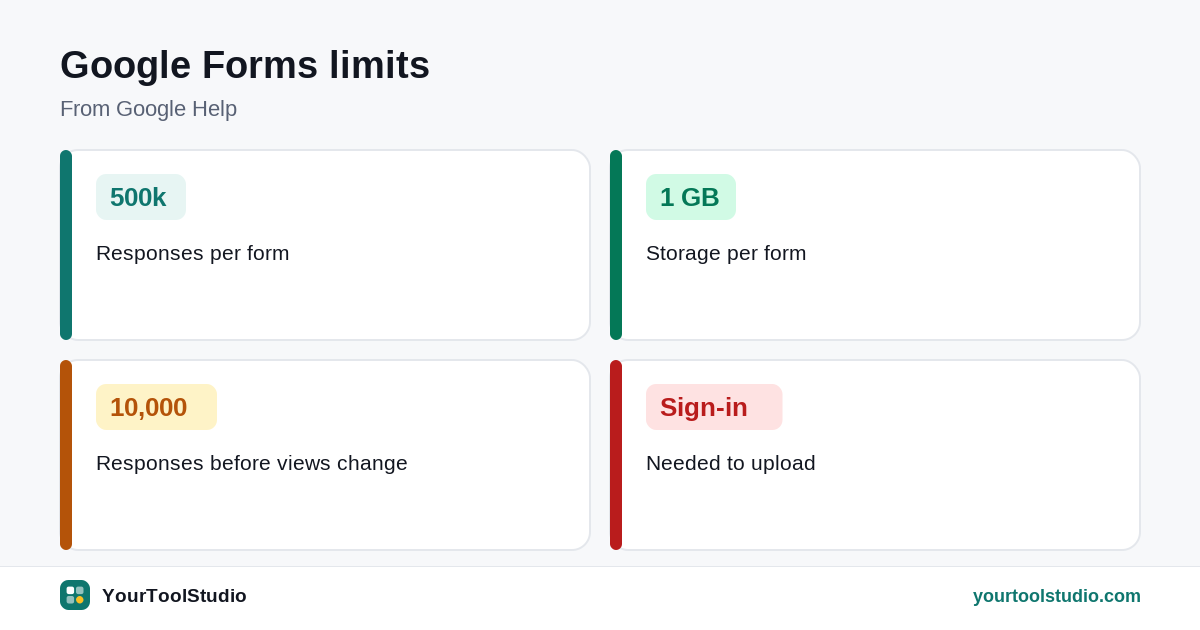
Each Google Form can hold up to 500,000 responses and 1 GB of total storage, and the 1 GB counts the form and its response data but not the files people upload. Those uploaded files are copied into the form owner's Google Drive instead, so they use the owner's Drive storage. These figures come from the Google Docs Editors Help pages View and manage form responses, Choose a type of question for your form and Fix common errors while you respond to a Google Form, plus the Forms API reference, all checked on 19 November 2026.
Google Forms limits at a glance
| Limit | Value | Source |
|---|---|---|
| Responses per form | 500,000 | Docs Editors Help, View and manage form responses |
| Storage per form | 1 GB, counting the form and response data | Docs Editors Help, View and manage form responses |
| Uploaded files | Not counted in the 1 GB; stored in the owner's Drive | Docs Editors Help, responses and question type pages |
| When the new limits started | September 2026 | Docs Editors Help, View and manage form responses |
| Older enterprise forms already over the limit | Can take new responses until March 2027 | Docs Editors Help, View and manage form responses |
| File upload question | Responders must sign in to a Google Account | Docs Editors Help, question types |
| Shared drive forms | File upload questions are not available | Docs Editors Help, question types |
Response view thresholds
Long before a form reaches 500,000 responses, some views stop working. Google lists these points where features change:
| Responses in the form | What changes |
|---|---|
| More than 10,000 | The Question and Individual response views may not appear, and a downloaded CSV may not be sorted by timestamp |
| More than 50,000 | The response Summary may not appear |
| More than 100,000 | Responses may stop syncing to the linked Google Sheet |
| 500,000 | New responses stop; download and delete old responses to accept more |
Google says the form keeps receiving responses past the view thresholds and you can still download them as CSV. If you see a blank summary, count your responses before assuming the form is broken. A CSV export can be sorted by timestamp after you open it in Sheets, and the CSV to JSON converter helps if you need the data in another app.
Reaching the 500,000 response limit
To keep accepting responses, Google says the owner can download and then delete existing responses, and it recommends closing the form to new responses before doing so. Two details catch people out:
- Deleting responses does not delete the files that were uploaded with them. Those stay in the owner's Drive folder until you remove them.
- A response limit you set yourself in Settings must be higher than the number of responses already received, and if several people submit at the same moment the form may accept more than your limit.
For existing enterprise forms that were already over the new limits, Google says they can take new responses until March 2027, after which a Google Takeout archive is generated for the admins or owners and the responses are deleted. Forms below the limit simply stop taking responses when they reach it, and an in-product alert appears as a form approaches the limits.
File upload question rules
The form owner sets three things on a file upload question: which file types are accepted, the maximum number of files per response, and the maximum size of each file. The Workspace Learning Center page Tips to customize your forms adds a fourth: a maximum size for all files collected by the form. The Forms API names the accepted type groups as Any, Document, Presentation, Spreadsheet, Drawing, PDF, Image, Video and Audio, and stores the per-file cap as a byte count. The API cannot create file upload questions, so they have to be added in the editor.
| Situation | Result |
|---|---|
| Form saved in a shared drive | The file upload question cannot be used |
| Administrator has turned on Data Loss Prevention | The file upload question cannot be used |
| Responder is not signed in | They are asked to sign in to a Google Account before uploading |
| Responder picks a file from a shared drive | Not allowed; they must upload from another location |
| File larger than the owner's cap | Rejected; shrink it or ask the owner to raise the cap |
Owner storage and worked fixes
Because uploads land in the owner's Drive, the owner's storage is the real ceiling. Google One Help says each account includes up to 15 GB shared by Gmail, Drive and Photos, and accounts created from 9 March 2026 start with 5 GB and can unlock 10 GB more by verifying a phone number. Keep an eye on that total if a form collects large files. See the Google Drive upload limits for Drive file caps.
| Responder file | Fix | Tool |
|---|---|---|
| Scanned PDF over the size cap | Compress the PDF before uploading | Compress PDF |
| Several PDFs but the question allows one file | Merge them into a single PDF | Merge PDF |
| iPhone HEIC photo on a form that wants images | Convert to JPG for wider support | HEIC to JPG |
| Large phone photo | Compress the image | Compress Image |
| Video over the size cap | Compress the video | Compress Video |
| Photos of a document on a PDF-only question | Combine the images into a PDF | JPG to PDF |
Frequently asked questions
How many responses can a Google Form have?
Up to 500,000 responses per form under the limits Google introduced in September 2026. To accept more, download and then delete existing responses.
What is the Google Forms storage limit?
Each form can use up to 1 GB, counting the form itself and its response data. Files uploaded by respondents are not included because they are stored in the owner's Google Drive.
Why is the response summary missing in Google Forms?
Google says the summary may not appear when a form has more than 50,000 responses, and the Question and Individual views may not appear past 10,000.
Why can I not add a file upload question?
File upload questions are not available when the form is stored in a shared drive or when your administrator has turned on Data Loss Prevention.
Do respondents need a Google account to upload files?
Yes. Google says responders must sign in to a Google Account to answer a file upload question.
Does deleting responses delete the uploaded files?
No. Google says deleting responses from Forms does not delete the attached files, so remove them from the Drive folder separately.