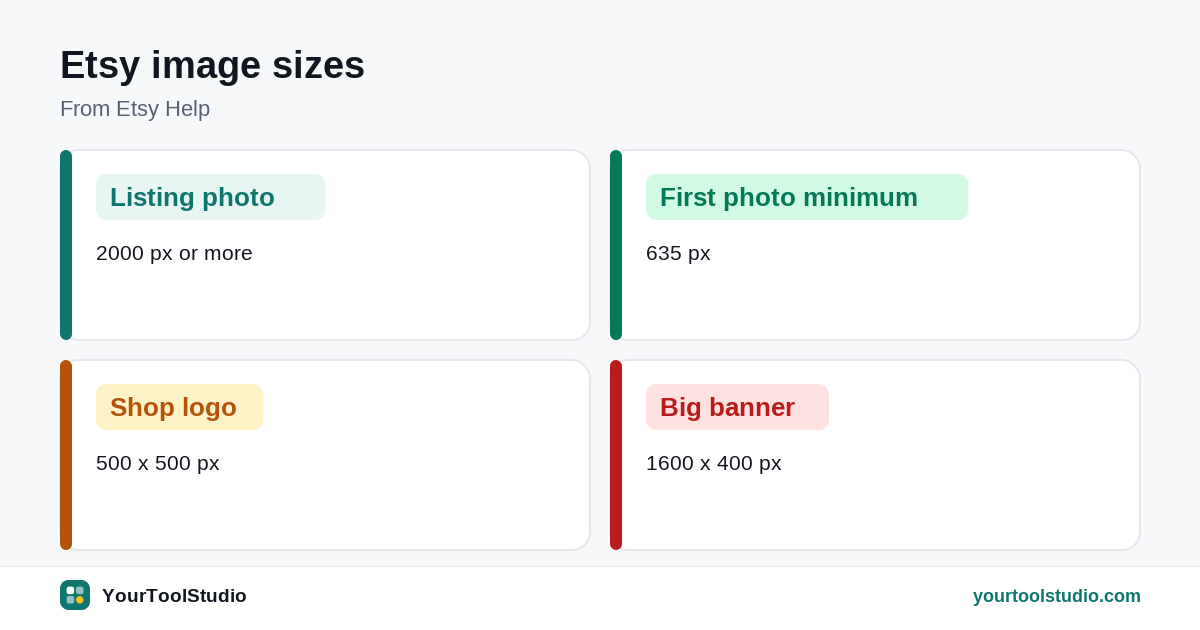
Etsy recommends that listing photos are at least 2000 pixels wide and 2000 pixels tall, and says the first listing photo should be at least 635 pixels on each side so the listing is not pushed lower in search. The recommended shop logo is 500 x 500 px and the big shop banner is 1600 x 400 px. Every figure below comes from the Etsy Help article on image requirements, read on 20 November 2026.
Etsy image size chart
| Image | Minimum | Recommended | Notes |
|---|---|---|---|
| Listing photo | Not stated | 2000 px or more on width and height | Etsy sizes images for mobile screens |
| First listing photo | 635 px on width and height | 2000 px or more | Should be landscape or square; sets the thumbnail |
| Shop logo | Not stated | 500 x 500 px | Square |
| Profile photo | Not stated | 400 x 400 px | Square |
| Team logo | Not stated | 170 x 100 px | For Etsy Teams |
| Order receipt banner | 760 x 100 px | Not stated | Shown on order receipts |
| Mini shop banner | 1200 x 160 px | 1600 x 213 px | Ratio about 7.5:1 |
| Big shop banner | 1200 x 300 px | 1600 x 400 px | Ratio 4:1 |
| Carousel banner | Not stated | 1200 x 300 px | Etsy Plus only |
| Collage banner, 2 images | 600 x 300 px each | Not stated | Etsy Plus only |
| Collage banner, 3 images | 400 x 300 px each | Not stated | Etsy Plus only |
| Collage banner, 4 images | 300 x 300 px each | Not stated | Etsy Plus only |
Where a cell says not stated, the help article gives only one of the two figures. A minimum is a hard floor; a recommended size is what Etsy suggests for the sharpest result. Upload at the recommended size whenever you have it, because Etsy compresses images after upload and a larger original leaves more detail after that step.
File rules that cause upload problems
- Formats: Etsy accepts .jpg, .gif, .png, .svg and .heic, and no other image types.
- No transparency: transparent PNG files are not supported, and transparent areas show as black. Flatten the image onto a background colour first.
- No animation: animated GIF files are not supported.
- File size: Etsy warns that images over 1 MB may not finish uploading, particularly on a slow connection. That is a warning, not a stated hard limit.
- Colour: Etsy converts images to the sRGB profile. If colours shift after upload, convert the file to sRGB yourself before uploading; CMYK is meant for print.
Getting the thumbnail right
Etsy crops listing photos into square, portrait and landscape thumbnails in different parts of the site, and the first photo also sets how the listing appears in search. Etsy advises a horizontal or square first photo, with the product in the centre and plenty of empty space around it, so that no crop cuts the item off. Shoot from further back than feels natural, then use Adjust Thumbnail in the listing editor to check each crop. Crop before you adjust the thumbnail, because cropping changes it, and keep the original file: Etsy cannot undo a saved crop, so the only way back is to upload the original again.
For the shop itself, Etsy offers a mini or big banner, or none at all, which moves your listings higher on the shop page. The logo appears at the top of the shop, and Etsy notes that a shop without a logo may be less visible in Etsy search, so add one even if you skip the banner.
Worked example: a phone photo of 4032 x 3024 px is already above 2000 px on both sides. Crop it to a square of 3024 x 3024 px around the product, resize it to 2000 x 2000 px, and save it as a JPG. The result meets the listing recommendation, has no transparency and is usually small enough to upload quickly once compressed.
Prepare an Etsy photo in four steps
- Crop to square or landscape with Crop Image, leaving space around the product.
- Set the size to 2000 px or more on each side with Resize Image. Do not enlarge a small photo; take a new one instead.
- Remove transparency with PNG to JPG, which places transparent areas on white, or convert iPhone photos with HEIC to JPG if you prefer a common format.
- Bring the file under about 1 MB with Compress JPG, keeping the pixel size the same.
Also need images for other platforms? See the Pinterest pin size and Instagram post size charts.
Sources and dates
| Page | Date | Used for |
|---|---|---|
| Etsy Help: Requirements and Best Practices for Images in Your Etsy Shop | No date shown, read 20 November 2026 | Every size in the chart, file types, transparency, 1 MB warning, sRGB, thumbnail advice, Etsy Plus banners |
| Etsy Help: How to Customize Your Shop Appearance | No date shown, read 20 November 2026 | Mini and big banner minimums, the no banner option, logo and search visibility |
| Etsy Help: How to Edit Your Listing Photos | No date shown, read 20 November 2026 | First photo as thumbnail, crop before thumbnail, crops cannot be undone |
Frequently asked questions
What size should Etsy listing photos be?
Etsy recommends at least 2000 pixels on both width and height. The first listing photo should be at least 635 pixels on each side so it is not shown lower in search.
What is the Etsy banner size?
The big shop banner needs at least 1200 x 300 px and Etsy recommends 1600 x 400 px. The mini banner needs at least 1200 x 160 px, with 1600 x 213 px recommended.
What size is the Etsy shop icon or logo?
Etsy recommends 500 x 500 px for the shop logo and 400 x 400 px for the profile photo.
Why does my PNG have a black background on Etsy?
Etsy does not support transparent PNG files, and transparent areas appear black. Convert the image to JPG or flatten it onto a solid background before uploading.
Is there a file size limit for Etsy photos?
Etsy Help warns that images over 1 MB may not finish uploading, especially on a slow connection. Compress the JPG to stay near or under that size.