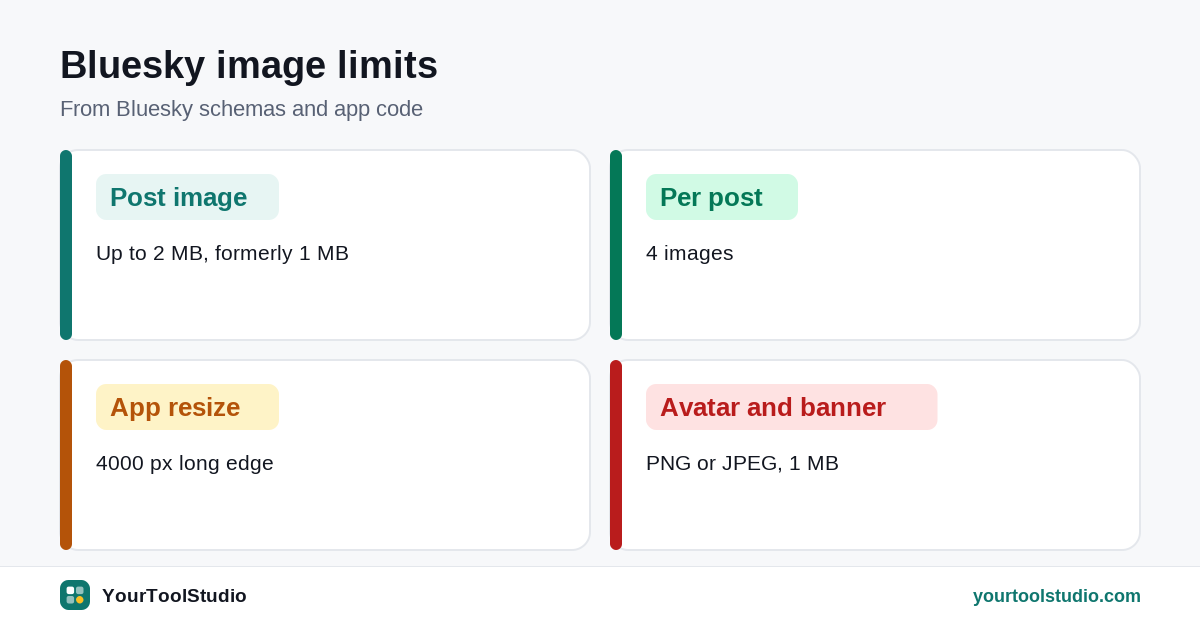
A Bluesky post image can be up to 2 MB (2,000,000 bytes), formerly 1 MB, with up to four images in a standard image post, and the official Bluesky app resizes post images to at most 4000 pixels on the long edge. Profile pictures and banners are smaller: PNG or JPEG only, up to 1,000,000 bytes. Every figure below was read in Bluesky's own schema files and app source code on 22 November 2026.
Bluesky media limits chart
| What you upload | Maximum size | Count or other limit | Accepted types | Where it is stated |
|---|---|---|---|---|
| Post image | 2,000,000 bytes (2 MB); formerly 1 MB | Up to 4 in an images embed | Any image type in the schema | app.bsky.embed.images |
| Gallery image | 2,000,000 bytes each | Schema allows 20; clients should limit authoring to 10 | Any image type in the schema | app.bsky.embed.gallery |
| Video | 300,000,000 bytes (300 MB); formerly 100 MB | One per post; app limit 10 minutes | MP4 in the schema | app.bsky.embed.video, app constants |
| Video captions | 20,000 bytes per file | Up to 20 caption files | WebVTT (text/vtt) | app.bsky.embed.video |
| Link card thumbnail | 1,000,000 bytes | One per link card | Any image type in the schema | app.bsky.embed.external |
| Profile picture (avatar) | 1,000,000 bytes | One | PNG or JPEG | app.bsky.actor.profile |
| Profile banner | 1,000,000 bytes | One | PNG or JPEG | app.bsky.actor.profile |
| List and custom feed avatar | 1,000,000 bytes | One | PNG or JPEG | app.bsky.graph.list, app.bsky.feed.generator |
The schemas set the hard limit that the network checks. The app constants show what the official app does before upload: for posts, it uses a configuration with a maxDimension of 4000 and a maxSize of 2,000,000, so a larger photo is scaled down and compressed rather than refused. Bluesky's code comments note that its video figure is in megabytes, not mebibytes.
Text and alt text limits
| Field | Limit | Source file |
|---|---|---|
| Post text | 300 graphemes (3,000 bytes) | app.bsky.feed.post |
| Image alt text in the app | 2,000 characters | App constants |
| Display name | 64 graphemes | app.bsky.actor.profile |
| Profile bio | 256 graphemes | app.bsky.actor.profile |
| Hashtags added outside the text | Up to 8 | app.bsky.feed.post |
A grapheme is one character as you see it, so an emoji built from several code points still counts as one.
Pixel sizes and aspect ratio
Bluesky's schemas do not set a required aspect ratio or minimum pixel size for post images; each image can carry an optional aspectRatio value so apps can lay it out before it loads. The only pixel figure in the code is the 4000 pixel resize in the app. In practice that means:
- A photo up to 4000 pixels on its long edge keeps its full resolution if it also fits in 2 MB.
- A 24 or 48 megapixel phone photo is larger than 4000 pixels, so the app scales it down before upload.
- A third-party client or script that uploads directly must respect the 2,000,000 byte schema limit itself, or the post is rejected.
- Avatars and banners have no pixel size in the schema; only the 1 MB size and the PNG or JPEG type are fixed.
Why guides say 1 MB
The images schema itself explains the confusion: its description says an image may be up to 2 MB, formerly limited to 1 MB. Guides written before the change still give 1 MB, and the 1 MB figure is still correct for avatars, banners and link card thumbnails. In the same way, the video schema says up to 300 MB, formerly limited to 100 MB.
Get an image under the Bluesky limits
Shrink the photo with Resize Image to a 4000 pixel long edge or less, then compress it with Compress JPG. For an avatar, convert a HEIC or WebP file with HEIC to JPG or WebP to JPG, because only PNG and JPEG are accepted, and crop it square with Crop Image. For a video over 300 MB, use Compress Video. If an upload still fails, our guide to why a photo is too large to upload covers unit counting and format problems.
Sources and dates
| Bluesky file | Read | Used for |
|---|---|---|
| app.bsky.embed.images | 22 November 2026 | 2 MB post images, formerly 1 MB, 4 per embed, aspect ratio field |
| app.bsky.embed.gallery | 22 November 2026 | Gallery of 20 in schema, 10 in clients, 2 MB images |
| app.bsky.embed.video | 22 November 2026 | 300 MB MP4, formerly 100 MB, captions |
| app.bsky.embed.external | 22 November 2026 | 1 MB link card thumbnail |
| app.bsky.actor.profile | 22 November 2026 | Avatar and banner, display name and bio |
| app.bsky.feed.post | 22 November 2026 | Post text and tags |
| app.bsky.graph.list and app.bsky.feed.generator | 22 November 2026 | List and feed avatars |
| Bluesky social-app constants | 22 November 2026 | 4000 px and 2 MB post image resize, 300 MB and 10 minute video, alt text |
These are source files, so Bluesky can change them at any time; check the linked file if a limit matters for your upload.
Frequently asked questions
What is the Bluesky image size limit?
Post images can be up to 2,000,000 bytes, or 2 MB, according to Bluesky's images schema, which says the limit was formerly 1 MB. A standard image post holds up to four images.
What resolution does Bluesky support?
The official app resizes post images to at most 4000 pixels on the long edge. The schema itself sets no pixel limit, only the 2 MB size.
What size should a Bluesky avatar or banner be?
Both must be PNG or JPEG and no more than 1,000,000 bytes. The schema sets no pixel size, so crop the avatar square and keep the banner wide.
How long can a Bluesky video be?
The app allows up to 10 minutes, and the video schema accepts MP4 files up to 300 MB, formerly 100 MB.
Why do some guides say Bluesky images are limited to 1 MB?
That was the old post image limit. Bluesky raised it to 2 MB, but 1 MB still applies to avatars, banners and link card thumbnails.