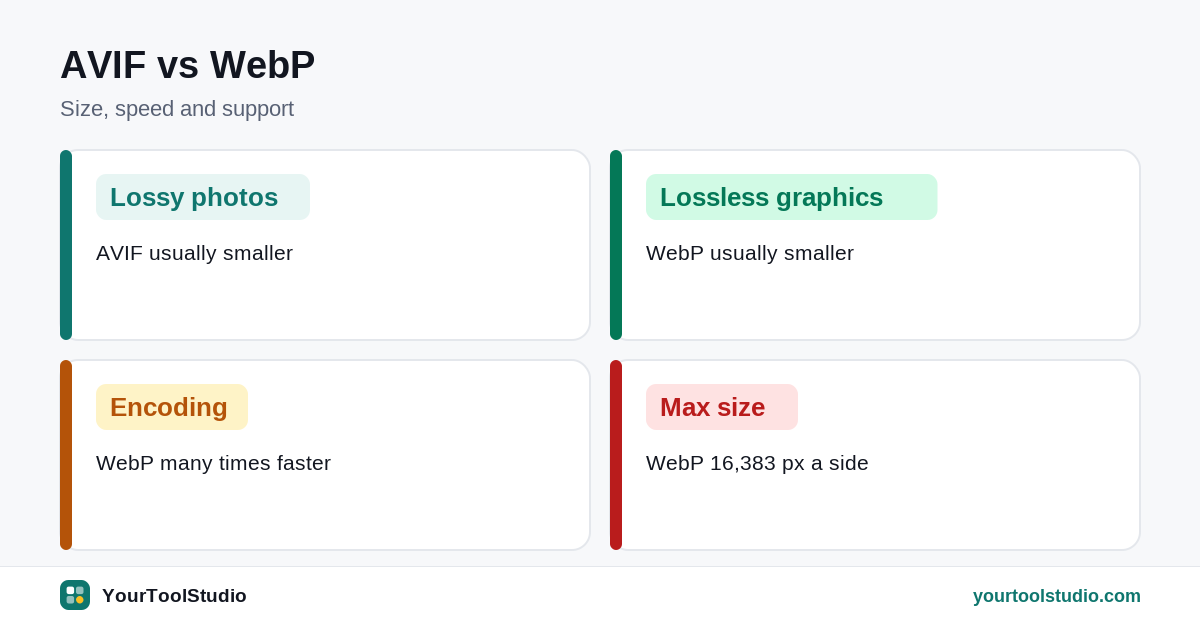
For most websites, AVIF is the better choice for lossy photos because it usually makes smaller files, and WebP is the better choice for lossless graphics, very large images and anything you must encode quickly. Both now work in Chrome, Edge, Firefox and Safari, so the safest setup is AVIF first, WebP second and JPG or PNG as the fallback. The figures below come from MDN, Google, the AOMedia AVIF specification, caniuse and our own test, all checked on 24 November 2026.
AVIF and WebP side by side
| Feature | AVIF | WebP |
|---|---|---|
| Based on | AV1 video codec in a HEIF container | VP8 video codec (lossy) and its own lossless format |
| Lossy and lossless | Both | Both |
| Transparency | Yes | Yes |
| Animation | Yes | Yes |
| Bit depth | 8, 10 and 12 bit | 8 bit (MDN lists 8-bit ARGB for lossless) |
| HDR and wide colour gamut | Yes | Not listed by MDN |
| Largest image | Set by the AVIF profile; bigger pictures are stored as a grid of tiles | 16,383 x 16,383 pixels |
| MIME type | image/avif | image/webp |
| Global browser support (caniuse) | 96.71 percent | 97.32 percent |
MDN sums it up on its image format guide: AVIF offers slightly better compression than WebP, but it does not support progressive rendering, and WebP is supported a little more widely. Google says lossy WebP files are 25 to 34 percent smaller than comparable JPEGs at the same SSIM quality, and lossless WebP files are 26 percent smaller than PNGs. MDN reports that, for the same set of JPG images, AVIF reached a median saving of 50 percent against 30 percent for WebP.
Our test: three images, five settings
To see how the gap looks in practice, we encoded three images with the same encoders our Compress Image tools use in your browser: MozJPEG, libwebp and libavif, compiled to WebAssembly. Two were flat illustrations from this site, each 1,200 x 630 pixels, and one was a 1,200 x 800 pixel test pattern of smooth gradients with random noise, which behaves more like grainy photo detail. Sizes are in bytes.
| Setting | Illustration A | Illustration B | Gradient and noise |
|---|---|---|---|
| Original PNG | 222,887 | 57,312 | not saved as PNG |
| JPG quality 75 | 44,782 | 42,346 | 77,595 |
| WebP quality 75 | 31,070 | 29,640 | 131,788 |
| AVIF quality 50 | 18,575 | 14,635 | 25,619 |
| WebP lossless | 178,028 | 23,210 | 991,902 |
| AVIF lossless | 349,885 | 86,535 | 1,672,804 |
Three patterns stand out. In lossy mode AVIF was the smallest every time, about 40 to 50 percent smaller than WebP on the illustrations. In lossless mode WebP won every time, and AVIF lossless files were roughly two to almost four times bigger. On the noisy image WebP at quality 75 was even bigger than the JPG, because noise is the hardest thing for its VP8 codec to compress, while AVIF kept it small.
Encoding speed: where WebP clearly wins
In the same test, each lossy WebP took between 68 and 163 milliseconds to encode, while each lossy AVIF took between 1.2 and 3.0 seconds, at the encoder speed setting of 6 out of 10. That is roughly 10 to 40 times slower. For a handful of hero images it does not matter, but for a shop that converts thousands of product photos on upload, or a server that resizes images on the fly, AVIF encoding can become the slowest step. Decoding in the browser is not part of this test.
When to choose AVIF
- Large photos on landing pages, blogs and galleries, where every kilobyte affects loading time.
- HDR or wide colour images, since the AVIF specification supports HDR, wide colour gamut and 10 or 12 bit depth, which WebP does not offer.
- Images with smooth gradients, such as skies and studio backgrounds, which show banding more easily at 8 bit.
- Animations that would otherwise be large GIFs, because MDN lists AVIF as a good choice for animated images.
When to choose WebP
- Screenshots, logos, charts and UI graphics saved losslessly, where WebP gave the smaller files in our test.
- Very wide or tall images, up to WebP's limit of 16,383 pixels on each side. Google's FAQ explains the limit comes from 14 bits being used for width and height.
- Bulk or on-the-fly conversion, where encoding time and server cost matter more than the last few kilobytes.
- Older browsers and apps. caniuse lists full WebP support from Chrome 32, Firefox 65 and Safari 16, compared with Chrome 85, Firefox 93 and Safari 16.4 for AVIF.
Browser support in detail
| Browser | AVIF full support from | WebP full support from |
|---|---|---|
| Chrome | 85 | 32 |
| Edge | 121 | 18 |
| Firefox | 93 | 65 |
| Safari on Mac | 16.4 (16.1 to 16.3 partial) | 16.0 (14 to 15.6 partial) |
| Safari on iPhone and iPad | 16.0 | 14 |
Browser support is no longer the reason to avoid AVIF, but outside the browser it is a different story. Email programs, some content management systems, office apps and older photo viewers may not open either format. Keep a JPG or PNG copy for downloads and attachments, and convert received files with AVIF to JPG or WebP to JPG when an app refuses them.
Use both with a fallback
You do not have to pick only one. The picture element lets the browser choose the first format it supports, which is the approach MDN recommends:
<picture>
  <source srcset="photo.avif" type="image/avif">
  <source srcset="photo.webp" type="image/webp">
  <img src="photo.jpg" alt="Describe the photo" width="1200" height="800">
</picture>
Put AVIF first so browsers that support it download the smallest file, then WebP, then the JPG that every browser can show. Keep the width and height on the img tag so the page does not jump while images load.
How to make the files
- Convert photos with JPG to AVIF and JPG to WebP, or graphics with PNG to AVIF and PNG to WebP.
- Compare the two versions at the size they will appear on the page, not zoomed in.
- Shrink them further with Compress AVIF or Compress WebP if a quality slider gives you room.
- Already have WebP files and want to try AVIF? AVIF to WebP and WebP to AVIF convert between them.
Every converter runs in your browser, so your images are not uploaded. For the older formats, see our comparison of JPG, PNG and WebP.
Sources and dates
| Page | Read | Used for |
|---|---|---|
| MDN: Image file type and format guide | 24 November 2026 | Features, bit depth, progressive rendering, median 50 and 30 percent savings, picture fallback |
| Google: WebP | 24 November 2026 | WebP size savings against PNG and JPEG |
| Google: WebP FAQ | 24 November 2026 | 16,383 pixel limit and 14-bit dimensions |
| AOMedia: AV1 Image File Format specification | 24 November 2026 | AV1 in HEIF, HDR and wide colour gamut support, grid images |
| caniuse: AVIF and caniuse: WebP | 24 November 2026 | Browser versions and global support |
Frequently asked questions
Is AVIF better than WebP?
For lossy photos usually yes, because AVIF files are often much smaller at similar quality. WebP is better for lossless graphics, very fast encoding and images larger than AVIF profiles comfortably handle.
Is AVIF smaller than WebP?
In lossy mode it usually is. In our test AVIF was about 40 to 50 percent smaller than WebP on two illustrations, but in lossless mode WebP files were two to four times smaller.
Do all browsers support AVIF?
All current major browsers do. caniuse lists full support from Chrome 85, Edge 121, Firefox 93 and Safari 16.4, about 96.7 percent of users worldwide.
Should I use AVIF or WebP for WordPress or a shop?
Use AVIF for large photos if your platform can create it, with WebP or JPG as a fallback. If uploads must be converted quickly in bulk, WebP is simpler and much faster to encode.
Why is AVIF so slow to create?
AVIF is built on the AV1 video codec, and its encoder does much more work per image than the WebP encoder. In our test lossy AVIF took 10 to 40 times longer to encode than WebP.