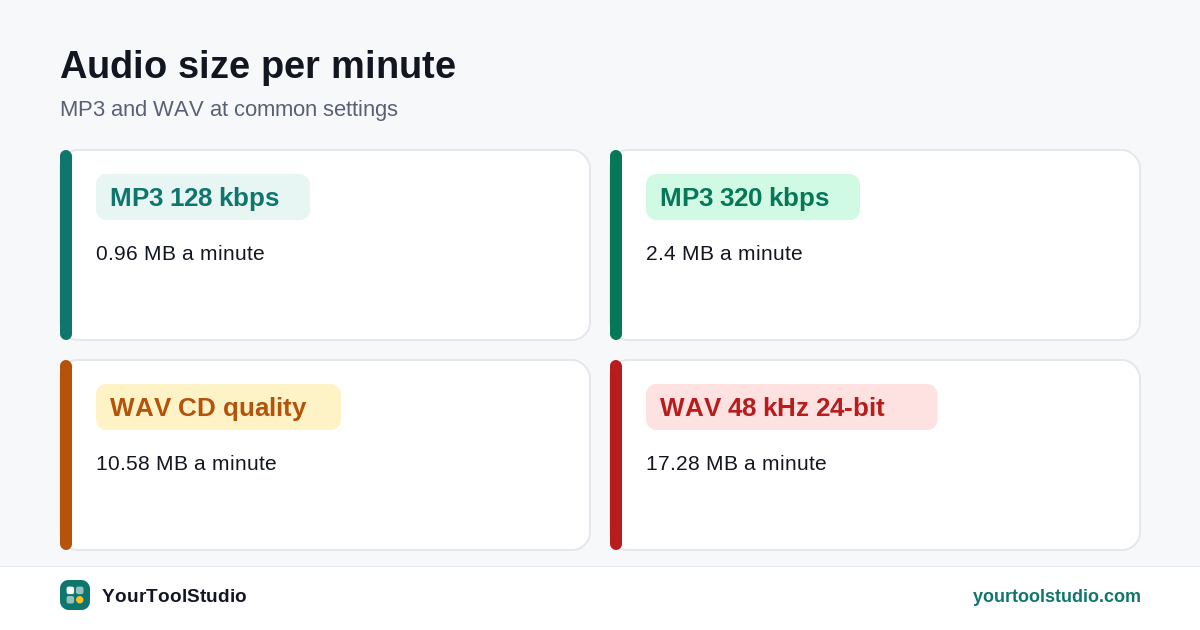
One minute of MP3 takes about 0.96 MB at 128 kbps, 1.44 MB at 192 kbps and 2.4 MB at 320 kbps, while one minute of CD quality WAV (44.1 kHz, 16-bit, stereo) takes about 10.58 MB. The rule behind every figure is the same: size in bytes equals bits per second times seconds, divided by 8. Sizes here use decimal megabytes (1 MB = 1,000,000 bytes); the formulas were checked against the Microsoft and Library of Congress pages listed below and against files we encoded with FFmpeg 9.1 on 28 November 2026.
MP3 size per minute and per hour
These are constant bitrate (CBR) figures. The measured column is the real size of a 60 second stereo file we encoded with the LAME encoder in FFmpeg at each bitrate; the few hundred extra bytes are frame padding and header data.
| Bitrate | Per minute (calculated) | Measured 60 s file | Per hour | Typical use |
|---|---|---|---|---|
| 64 kbps | 0.48 MB | 480,488 bytes | 28.8 MB | Speech, audiobooks in mono |
| 96 kbps | 0.72 MB | 720,711 bytes | 43.2 MB | Speech podcasts |
| 128 kbps | 0.96 MB | 960,932 bytes | 57.6 MB | Podcasts, casual music |
| 160 kbps | 1.20 MB | 1,201,155 bytes | 72.0 MB | Music, smaller files |
| 192 kbps | 1.44 MB | 1,441,376 bytes | 86.4 MB | Music; the bitrate this site uses for MP3 and M4A output |
| 256 kbps | 1.92 MB | 1,921,820 bytes | 115.2 MB | High quality music |
| 320 kbps | 2.40 MB | 2,402,264 bytes | 144.0 MB | The largest common music setting |
The Library of Congress format description for MP3 gives a handy cross-check: it says a 128 kbit/s MP3 is about one eleventh the size of the same audio as CD quality LPCM. CD quality is 1,411.2 kbps, and 1,411.2 divided by 128 is 11.0.
WAV size per minute and per hour
WAV files usually hold uncompressed PCM, so their size depends on the sample rate, the bit depth and the number of channels. Microsoft's WAVEFORMATEX documentation defines one audio frame for PCM as channels times bits per sample divided by 8; multiply by the sample rate to get bytes per second.
| Setting | Bitrate | Bytes per second | Per minute | Per hour |
|---|---|---|---|---|
| 44.1 kHz, 16-bit, mono | 705.6 kbps | 88,200 | 5.29 MB | 317.5 MB |
| 44.1 kHz, 16-bit, stereo (CD quality) | 1,411.2 kbps | 176,400 | 10.58 MB | 635.0 MB |
| 48 kHz, 16-bit, mono | 768 kbps | 96,000 | 5.76 MB | 345.6 MB |
| 48 kHz, 16-bit, stereo | 1,536 kbps | 192,000 | 11.52 MB | 691.2 MB |
| 48 kHz, 24-bit, stereo | 2,304 kbps | 288,000 | 17.28 MB | 1.04 GB |
| 48 kHz, 32-bit float, stereo | 3,072 kbps | 384,000 | 23.04 MB | 1.38 GB |
| 96 kHz, 24-bit, stereo | 4,608 kbps | 576,000 | 34.56 MB | 2.07 GB |
Our measured 60 second WAV files matched exactly apart from the header: 10,584,078 bytes for CD quality stereo, 5,760,078 bytes for 48 kHz 16-bit mono and 17,280,102 bytes for 48 kHz 24-bit stereo.
Work out any file yourself
- MP3, AAC or any CBR file: bitrate in kbps × 1,000 × seconds ÷ 8 = bytes. A 3 minute 30 second song at 192 kbps is 192,000 × 210 ÷ 8 = 5,040,000 bytes, about 5.04 MB.
- WAV: sample rate × channels × bit depth ÷ 8 × seconds = bytes. A 10 minute 48 kHz 24-bit stereo voice-over is 288,000 × 600 = 172,800,000 bytes, about 172.8 MB.
- Working backwards from a limit: limit in bytes × 8 ÷ seconds = the highest bitrate that fits. A 25 MB limit for a 30 minute recording allows 25,000,000 × 8 ÷ 1,800 ≈ 111 kbps, so export at 96 kbps.
How long a WAV can be before it hits 4 GB
A standard WAV file stores its sizes in 32-bit fields, so it cannot pass 4 GB (4,294,967,296 bytes). The Library of Congress description of Broadcast WAVE explains that larger files use the EBU RF64 format, which sets the 32-bit size field to 0xFFFFFFFF, adds a DS64 chunk holding 64-bit sizes and changes the first four bytes from RIFF to RF64. At common settings the 4 GB point arrives after:
| Setting | Longest standard WAV |
|---|---|
| 44.1 kHz, 16-bit, stereo | About 6 hours 45 minutes |
| 48 kHz, 24-bit, stereo | About 4 hours 8 minutes |
| 96 kHz, 24-bit, stereo | About 2 hours 4 minutes |
Make an audio file smaller
To shrink a recording, convert WAV to MP3 or lower the bitrate. The audio tools on this site, such as Change Audio Volume, open WAV files and save MP3 or M4A at 192 kbps, so a change of 0 dB turns a WAV into an MP3 without altering the sound level. For the sound of a video, use MP4 to MP3. A one hour WAV at CD quality (635 MB) becomes about 86 MB as a 192 kbps MP3. For upload limits that audio often runs into, see audio files too large to transcribe and MMS size limits; for quiet recordings, see why a recording is so quiet.
Sources and dates
| Source | Checked | Used for |
|---|---|---|
| Microsoft Learn: WAVEFORMATEX structure | 28 November 2026 | PCM frame size: channels × bits per sample ÷ 8; average bytes per second |
| Library of Congress: MP3 format description | 28 November 2026 | 128 kbit/s MP3 about one eleventh of CD quality LPCM |
| Library of Congress: WAVE format description | 28 November 2026 | WAVE as a RIFF wrapper commonly holding LPCM |
| Library of Congress: Broadcast WAVE Version 1 | 28 November 2026 | Files over 4 GB via RF64, DS64 chunk, 32-bit size field set to 0xFFFFFFFF |
| Own measurement with FFmpeg 9.1 (libmp3lame and PCM) | 28 November 2026 | Measured sizes of 60 second MP3 and WAV files |
Frequently asked questions
How many MB is a 1 minute MP3?
About 0.96 MB at 128 kbps, 1.44 MB at 192 kbps and 2.4 MB at 320 kbps. Variable bitrate files can be smaller or larger depending on the sound.
How big is a 3 minute song as an MP3?
About 2.9 MB at 128 kbps, 4.3 MB at 192 kbps and 7.2 MB at 320 kbps. As a CD quality WAV the same 3 minutes is about 31.8 MB.
How big is a 1 hour MP3?
About 57.6 MB at 128 kbps, 86.4 MB at 192 kbps and 144 MB at 320 kbps. A speech podcast at 64 kbps mono is about 28.8 MB.
How many MB is a minute of WAV?
About 10.58 MB for CD quality stereo (44.1 kHz, 16-bit), 11.52 MB at 48 kHz 16-bit stereo and 17.28 MB at 48 kHz 24-bit stereo. Mono halves each figure.
Why is my MP3 a different size from the chart?
The file may use variable bitrate, carry album art or tags, or be mono. Embedded artwork and tags are stored on top of the audio. The chart assumes constant bitrate audio with no artwork.