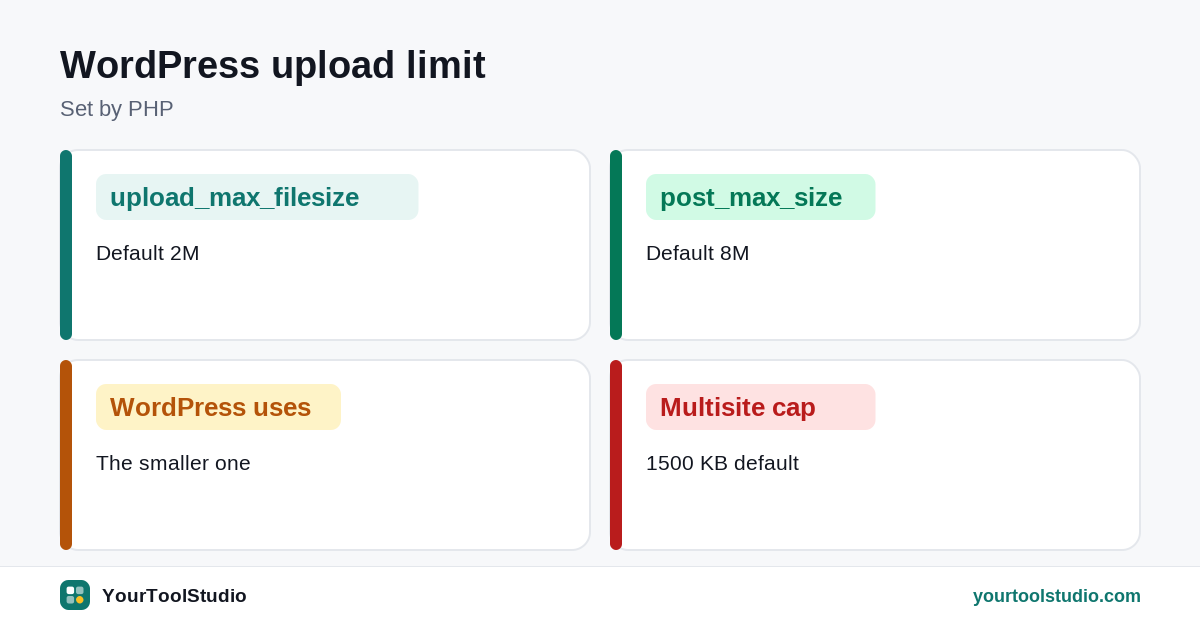
WordPress sets its maximum upload size to the smaller of two PHP settings, upload_max_filesize and post_max_size, so on a server running PHP's own defaults of 2M and 8M the limit is 2 MB. Hosts usually raise both, which is why the figure differs from site to site. To change it you edit PHP configuration, not WordPress, and only certain files can do that. The PHP manual and WordPress developer reference pages below were read on 23 November 2026.
How WordPress works out the limit
The WordPress function wp_max_upload_size() reads both PHP values with ini_get(), converts them to bytes and returns the smaller one, passed through the upload_size_limit filter, which has existed since WordPress 2.5.0. That number is what the media uploader and block editor show. A plugin can use the filter to show a lower limit, but PHP itself still refuses any file larger than upload_max_filesize, so the filter cannot lift the server cap.
The settings that decide your upload limit
| Setting | PHP default | Where it can be set (PHP mode) | What it does |
|---|---|---|---|
| upload_max_filesize | 2M | php.ini, .htaccess, httpd.conf or .user.ini (INI_PERDIR) | Maximum size of one uploaded file |
| post_max_size | 8M | php.ini, .htaccess, httpd.conf or .user.ini (INI_PERDIR) | Maximum size of the whole request; must be larger than upload_max_filesize |
| memory_limit | 128M | Anywhere, including ini_set() (INI_ALL) | PHP advises it should generally be larger than post_max_size |
| max_file_uploads | 20 | php.ini, .htaccess, httpd.conf or .user.ini (INI_PERDIR) | Files allowed in one request |
| max_execution_time | 30 seconds | Anywhere (INI_ALL) | Script run time; large image processing can hit it |
| max_input_time | -1 (no limit) | php.ini, .htaccess, httpd.conf or .user.ini (INI_PERDIR) | Time allowed to receive the upload |
| file_uploads | 1 (on) | php.ini or httpd.conf only (INI_SYSTEM) | If 0, no uploads at all; Site Health flags this |
PHP's manual adds an important detail about post_max_size: if a request is larger than it, PHP leaves $_POST and $_FILES empty. In WordPress this tends to show up as an upload that fails with a vague error rather than a clear message about size.
Which method works on which server
| Method | Works when | Source of the rule |
|---|---|---|
| Edit php.ini or the hosting panel PHP settings | You or your host control the main PHP configuration | PHP manual, INI modes |
| php_value lines in .htaccess | PHP runs as an Apache module and AllowOverride Options or All is allowed | PHP manual, changing configuration settings |
| A .user.ini file in the site folder | PHP runs as CGI or FastCGI, such as PHP-FPM; re-read every 300 seconds by default | PHP manual, .user.ini files |
| ini_set() in wp-config.php | Does not work for upload_max_filesize or post_max_size, because they are INI_PERDIR | PHP manual, INI modes |
| A plugin | Only if it writes one of the files above; the upload_size_limit filter alone cannot exceed PHP | WordPress developer reference |
Many guides suggest adding @ini_set( 'upload_max_filesize', '64M' ); to wp-config.php. PHP's documentation says INI_PERDIR settings can be set in php.ini, .htaccess, httpd.conf or .user.ini, and gives a similar INI_PERDIR setting as an example of one that may not be set with ini_set(), so this line has no effect on the upload limit.
Extra limits on WordPress Multisite
On a multisite network WordPress applies one more cap on top of PHP. The function upload_size_limit_filter() reads the network option fileupload_maxk, which defaults to 1500 KB, and returns the smallest of the PHP limit, that value and the space left in the site's upload quota. If the network has disabled the upload space check, the quota is ignored but the fileupload_maxk cap still applies.
Large photos are resized after upload
Getting a big photo through the upload limit does not mean WordPress keeps it at full size. The big_image_size_threshold filter defaults to 2560 pixels: if an uploaded image is wider or taller than that, WordPress scales it down and uses the scaled copy as the largest available size. Returning false from the filter turns this off. Resizing and compressing photos before upload with Compress Image or Resize Image keeps them under both limits.
How to check your current limit
- Media uploader: the add media screen shows the maximum upload file size WordPress calculated.
- Site Health: Tools, Site Health, Info, then the Server section lists the maximum upload file size and maximum input time.
- Too large to raise? Shrink the file instead with Compress Video or Compress PDF, and see why a photo is too large to upload.
If none of the methods above change the figure, the host has fixed the PHP configuration and only their support team can raise it.
Sources and dates
| Page | Read | Used for |
|---|---|---|
| PHP manual: core php.ini directives | 23 November 2026 | upload_max_filesize, post_max_size, max_file_uploads, file_uploads defaults and rules |
| PHP manual: runtime configuration | 23 November 2026 | memory_limit, max_execution_time, max_input_time defaults |
| PHP manual: INI modes | 23 November 2026 | Where INI_PERDIR, INI_ALL and INI_SYSTEM settings can be set |
| PHP manual: changing configuration settings | 23 November 2026 | php_value in .htaccess with the Apache module |
| PHP manual: .user.ini files | 23 November 2026 | CGI and FastCGI only, 300 second cache |
| WordPress: wp_max_upload_size() | 23 November 2026 | Smaller of the two PHP values, upload_size_limit filter |
| WordPress: upload_size_limit_filter() | 23 November 2026 | Multisite fileupload_maxk default and quota |
| WordPress: big_image_size_threshold | 23 November 2026 | 2560 pixel scaling of large images |
| WordPress: Site Health screen | 23 November 2026 | Where the maximum upload file size is shown |
Frequently asked questions
What is the default WordPress max upload size?
WordPress has no default of its own. It uses the smaller of PHP upload_max_filesize and post_max_size, which default to 2M and 8M, so an unchanged server allows 2 MB. Most hosts set higher values.
Why is my WordPress upload limit 2 MB?
Your server is using the PHP default upload_max_filesize of 2M. Raise it, together with post_max_size, in php.ini, .htaccess or .user.ini, depending on how your host runs PHP.
Can I increase the upload size in wp-config.php?
Not reliably. upload_max_filesize and post_max_size are INI_PERDIR settings, which PHP lets you set in php.ini, .htaccess, httpd.conf or .user.ini, but not with ini_set().
Why did my change in .user.ini not work straight away?
PHP re-reads .user.ini files every 300 seconds by default, and only when PHP runs as CGI or FastCGI. Wait five minutes, then check Site Health.
What is the upload limit on WordPress Multisite?
The network option fileupload_maxk, 1500 KB by default, applies on top of the PHP limit, along with each site's upload space quota.