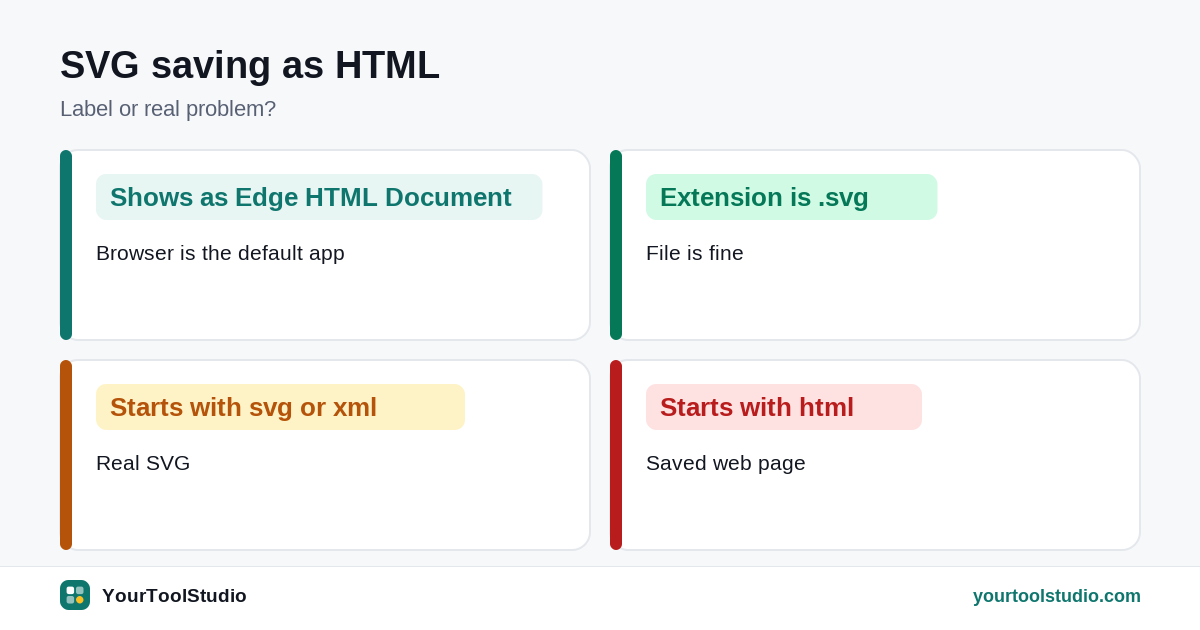
Most of the time your SVG is not saving as HTML at all: Windows is naming the file after the app that opens it, and when a web browser such as Chrome or Edge is the default app for SVG files, File Explorer shows the type as a Chrome HTML Document or Microsoft Edge HTML Document. Turn on file name extensions, and if the name ends in .svg, the file is fine. Only when the name ends in .html, or the text inside starts with an HTML tag, did you really save a web page, and then you need to export or download it again. The Microsoft, Apple, Adobe and W3C pages used here were read on 23 November 2026.
Why this happens so often with SVG
SVG is a web format. The W3C SVG specification registers it as the media type image/svg+xml with the file extension .svg, and every modern browser can display it. Windows therefore offers a browser as a natural app for SVG files, and once a browser becomes the default, the Type column in File Explorer describes the file with the browser's own wording. Chrome and Edge use the word HTML in that description, which makes it look as if your vector file has turned into a web page.
The label is only a description. Microsoft's guide to file name extensions explains that the extension at the end of the name is what tells Windows the format, and that you can see it by turning on file name extensions in File Explorer. On a Mac, Apple says extensions are usually hidden but macOS still opens files with the proper apps.
Check what you really have in 30 seconds
| What you see | What it means | What to do |
|---|---|---|
| Type says Edge or Chrome HTML Document, name ends in .svg | A real SVG with a browser as its default app | Nothing, or change the default app |
| Icon is a browser logo, double click opens a browser tab with your drawing | A real SVG shown by the browser | Open it from inside your design or cutting app instead |
| Name ends in .svg.html or .html | The file was saved as a web page, or renamed | Re-export or download it again |
| Text starts with <svg or <?xml | SVG content | The file is usable |
| Text starts with <!DOCTYPE html or <html | A saved web page, not the drawing | Get the original SVG |
| Name ends in .svgz | A gzip compressed SVG | Some apps need it unzipped to .svg first |
The text test is the one that settles it. SVG is XML, so you can open any SVG in Notepad on Windows or TextEdit on a Mac without breaking it. Look at the first line: an SVG starts with <svg, or with an XML declaration <?xml followed by an <svg tag a few lines later. A web page saved by mistake starts with <!DOCTYPE html> or <html> and is usually much longer, full of scripts and links. Close the editor without saving.
Fix 1: show the real file name extension
Hidden extensions are the root of most of the confusion, so turn them on first.
- Windows 11 and 10: open File Explorer and select View, Show, File name extensions, the path Microsoft gives in its file name extensions guide.
- Mac, all files: in the Finder choose Finder, Settings, click Advanced and select Show all filename extensions.
- Mac, one file: select it, choose File, Get Info, expand Name & Extension and untick Hide extension.
Apple warns that changing an extension when you rename a file can stop it opening in the app that made it, and Microsoft notes that changing the extension does not convert the file. So do not simply rename a real HTML page to .svg and expect it to work, because the drawing is not inside it.
Fix 2: stop SVG files opening in a browser
If the file is a real SVG and you would rather it opened in Illustrator, Inkscape or another editor, change the default app. Microsoft's steps for Windows 11 and 10:
- Open Settings and select Apps, Default apps.
- In the search box type .svg and select the result.
- Choose the app that should open SVG files.
After this the Type column shows your chosen app's wording instead of HTML Document. Cutting machine apps and online editors usually ignore the Windows default anyway: open them first and use their own Upload or Import button to pick the .svg file, rather than double clicking the file.
Fix 3: export the SVG correctly from Illustrator
Adobe Community threads on this problem show people using different commands, so use the one Adobe documents for exports. Adobe's export guide gives File, Export, Export As, then a format chosen from the Save As Type menu on Windows or the Format menu on macOS. Pick SVG, decide whether to tick Use Artboards so each artboard becomes its own file, and select Export to open the SVG options.
| SVG option in Illustrator | What Adobe says it does | Good choice for |
|---|---|---|
| Styling | Internal CSS, Inline Style or Presentation Attributes; Presentation Attributes is required for Android Studio | Presentation Attributes for apps and cutting machines that ignore CSS |
| Font | Outlines preserve the path definition and maximise compatibility | Outlines when the file will be opened on another computer |
| Images | Embedded inside the document or linked as external files | Embed, so the SVG is one self contained file |
| Minify | Removes empty groups and spaces, making the code harder to read | Websites; leave off while you are still editing |
| Responsive | Lets the SVG scale in browsers without absolute sizes | Websites; turn off if a cutting app needs exact dimensions |
| Show in browser | Displays the image in the default web browser | A quick visual check after export |
Note the last option: if Show in browser is on, Illustrator opens the new SVG in your browser after export. The file on disk is still an SVG, but seeing it in Chrome or Edge is often what makes people think it was saved as HTML.
Fix 4: download the file, not the preview page
When an SVG comes from a website, the most common way to end up with real HTML is saving the page that shows the drawing instead of the drawing itself. Browsers then save the whole page, sometimes with an .html extension. Go back to the site and use its download button or link, or right click the image and choose the option to save the image rather than the page. Then run the text test above to confirm the new file starts with an SVG tag.
Troubleshooting
| Problem | What to try |
|---|---|
| Design Space or another cutting app says the file is not supported | Check the extension is .svg, not .svg.html; use the app's own upload button; re-export with Font set to Outlines |
| The SVG opens blank in an editor | Linked images or fonts are missing; re-export with Images embedded and Font as Outlines |
| The file is very large | Clean the code with Compress SVG, which removes editor metadata and extra decimals |
| You only have a PNG or JPG of the logo | Trace it into a vector with PNG to SVG |
| Renaming to .svg did not help | The file was a web page; rename it back and get the original SVG |
For other image file puzzles, see why a PNG background turns black and how to open HEIC files.
Sources and dates
| Page | Read | Used for |
|---|---|---|
| W3C: SVG 2 media type registration | 23 November 2026 | image/svg+xml, the .svg extension and .svgz as gzip compressed SVG |
| Microsoft: Common file name extensions in Windows | 23 November 2026 | Showing file name extensions in File Explorer |
| Microsoft: Change default apps in Windows | 23 November 2026 | Setting the default app for a file type |
| Apple: Show or hide filename extensions on Mac | 23 November 2026 | Finder settings and the warning about changing extensions |
| Adobe: Export artwork from Illustrator | 23 November 2026 | File, Export, Export As and Use Artboards |
| Adobe: Illustrator export file format options | 23 November 2026 | SVG export options |
Frequently asked questions
Why does my SVG say Chrome HTML Document?
Chrome is set as the default app for SVG files, and Windows describes the file type using the default app. Turn on file name extensions: if the name ends in .svg, the file is a normal SVG.
How do I change an SVG from HTML back to SVG?
If the extension is already .svg, change the default app in Settings, Apps, Default apps. If the file is really an HTML page, renaming will not help; export or download the SVG again.
How can I tell if a file is a real SVG?
Open it in Notepad or TextEdit. A real SVG starts with <svg or <?xml. A saved web page starts with <!DOCTYPE html or <html.
Why does Illustrator open my SVG in a browser after export?
The Show in browser option in the SVG export dialog displays the file in your default browser. Untick it if you do not want that.
Will a cutting app open an SVG that shows as an Edge HTML Document?
The Windows label does not change the file, so if the extension is .svg and the text starts with an svg tag, upload it from inside the app. If it is still refused, re-export it from your design app.