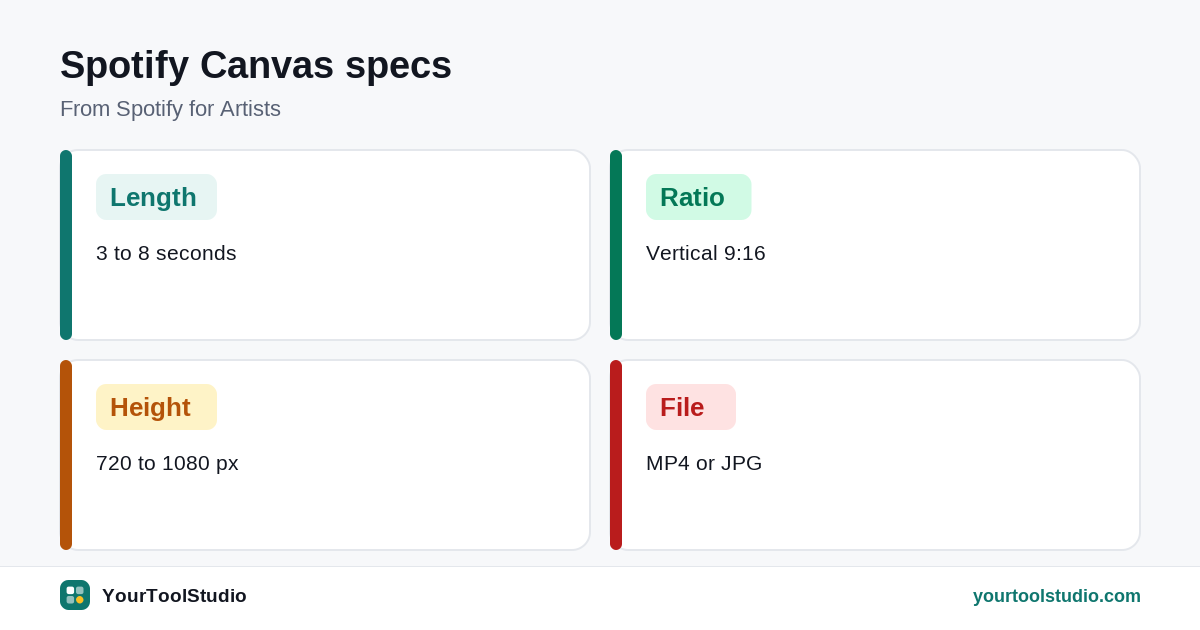
A Spotify Canvas must be 3 to 8 seconds long, vertical 9:16, between 720 px and 1080 px tall, and an MP4 or JPG file. Those four requirements come from the Spotify for Artists Canvas guidelines page, read on 21 November 2026; it shows no update date. Spotify does not state a file size limit, a frame rate or a pixel width on the pages we read.
Canvas spec sheet
| Spec | Requirement | Stated by Spotify? |
|---|---|---|
| Length | 3 to 8 seconds | Yes, Canvas guidelines |
| Aspect ratio | Vertical 9:16 | Yes, Canvas guidelines |
| Height | Between 720 px and 1080 px tall | Yes, Canvas guidelines |
| File type | MP4 (video) or JPG (still image) | Yes, Canvas guidelines |
| Width | Not stated; 405 to 608 px follows from 9:16 at 720 to 1080 px tall | No, our calculation |
| File size | Not stated | No |
| Frame rate | Not stated | No |
| Where it shows | Now Playing view of the Spotify mobile app, in place of album art | Yes, Adding a Canvas |
Pixel sizes that match the 9:16 rule
Spotify gives only a height range. These widths are our own arithmetic, width = height x 9 / 16, rounded to an even number because most video encoders need even dimensions:
| Height | Width at 9:16 | Within Spotify range? | Note |
|---|---|---|---|
| 720 px | 405 px (use 406) | Yes, the minimum | Smallest allowed; softer on large phones |
| 960 px | 540 px | Yes | Middle of the range |
| 1080 px | 608 px | Yes, the maximum | Sharpest allowed at 9:16 |
| 1920 px | 1080 px | No, taller than 1080 px | A standard vertical export; scale it down before upload |
The last row matters because many editors export vertical video at 1080 x 1920. That file is 9:16 but is 1920 px tall, outside the 720 to 1080 px range Spotify states, so resize the video to 1080 px tall or less first.
Content rules
| Topic | What Spotify says | Page |
|---|---|---|
| Text | Must be relevant to the track and not distract from the image or artwork, which should stay the main focus | Canvas content policy |
| Promotion | Should not be used to sell anything or be overly promotional; may be removed if it is | Canvas content policy |
| Links and social | Avoid directing people to websites, URLs or ticket vendors, or encouraging follows or likes | Canvas content policy |
| Brands and logos | Text must not promote brands, including the Spotify logo, products, deals, contests or other releases | Canvas content policy |
| Explicit content | Mark it explicit if it has profanity, violence, drugs, sexual behaviour or sensitive topics | Canvas content policy |
| Talking and singing | Choose footage without talking, singing or rapping | Canvas guidelines |
| Flashing | Avoid rapid cuts or intense flashing graphics | Canvas guidelines |
| Edges | The edges may be cut off on some phones | Canvas guidelines |
Loop styles Spotify describes
- Continuous loop: the end flows back into the start with no visible join.
- Hard cut: clear edit points, so the restart is part of the rhythm.
- Rebound: the clip plays forwards, then in reverse. Loop Video can preview how a short clip repeats.
Who can add a Canvas, and where
- Spotify says a Canvas can be added to any track, including upcoming releases.
- The person adding it needs to be the first main artist on the track, or main artist on both the track and the release, with the Admin or Editor role.
- On the web: artists.spotify.com, then Music, select the track and choose Add Canvas. In the Spotify for Artists mobile app: Music, select the track, Edit, then Canvas.
- Labels with split rights can add a Canvas only to the versions they own.
Why a Canvas is not showing
| Reason | What to check |
|---|---|
| Desktop or web player | Canvas plays only in the Spotify mobile app |
| Old phone software | Needs iOS 12 or later, or Android 6.0 or later |
| Data Saver is on | Settings and privacy, Data-saving and offline: turn Data Saver off |
| Canvas setting is off | Settings and privacy, Content and display: turn Canvas on |
| Listener country | Canvas is available only in the countries and regions Spotify lists |
| Wrong version of the track | Labels must view the version they own |
Prepare a Canvas with free tools
Cut the clip to 8 seconds or less with Trim Video, make it 9:16 with Crop Video, and bring it to 1080 px tall or less with Resize Video. A MOV or WebM file can be turned into MP4 with Video Converter. For a still Canvas, crop a JPG to 9:16 with Crop Image and size it with Resize Image. For other vertical formats see our Instagram Story size chart.
Sources and dates
| Spotify for Artists page | Date | Used for |
|---|---|---|
| Canvas guidelines | No date shown, read 21 November 2026 | Length, ratio, height, file types, footage advice, loop styles, edge cropping |
| Adding a Canvas to Spotify | No date shown, read 21 November 2026 | Where Canvas shows, who can add it, web and app steps |
| Canvas content policy | No date shown, read 21 November 2026 | Text, promotion, links, brands and explicit content rules |
| Canvas not showing in the Spotify app | No date shown, read 21 November 2026 | Mobile only, iOS and Android versions, settings, countries, split rights |
Frequently asked questions
What size is a Spotify Canvas?
Vertical 9:16, between 720 px and 1080 px tall, 3 to 8 seconds long, as an MP4 or JPG. At 1080 px tall that is about 608 px wide.
Can I upload a 1080 x 1920 video as a Canvas?
It has the right 9:16 ratio but is 1920 px tall, above the 720 to 1080 px range Spotify states. Scale it to 1080 px tall or less first.
How long can a Spotify Canvas be?
3 to 8 seconds. Spotify describes it as a short loop that replaces the album art in Now Playing.
Can a Spotify Canvas have text?
Yes, if it is relevant to the track and does not distract from the artwork. It must not include URLs, social handles, brands or sales offers.
Why is my Spotify Canvas not showing?
Canvas plays only in the mobile app, needs iOS 12 or Android 6.0 or later, and is hidden when Data Saver is on, Canvas is off in settings or the listener is outside the listed countries.