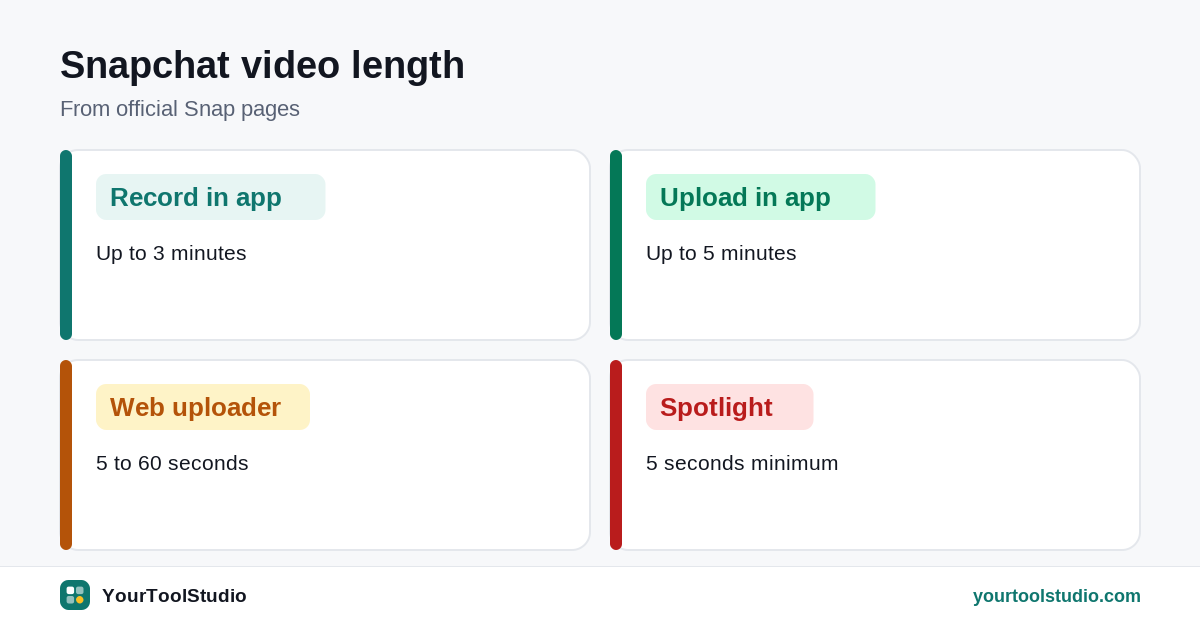
Snap says you can record videos of up to three minutes in Snapchat and upload videos of up to five minutes from your camera roll for Chats, Stories and Spotlight, a change it announced in March 2024. Posting from a computer is stricter: the web uploader accepts videos of 5 to 60 seconds only. Spotlight needs at least 5 seconds, and Spotlight videos must be 30 seconds or longer to earn money. Every figure below was read on Snap pages on 23 November 2026.
Snapchat video limits at a glance
| Where the video goes | Length | Other limits | Snap source |
|---|---|---|---|
| Video Snap recorded in the Snapchat camera | Up to 3 minutes | Long Snap joins several clips into one video | Snap Newsroom, 28 March 2024 |
| Video uploaded in the app from Memories or camera roll | Up to 5 minutes | For Chats, Stories and Spotlight | Snap Newsroom, 28 March 2024 |
| My Story from the web (profile.snapchat.com) | 5 to 60 seconds | 540 x 960 minimum resolution; cropped to 9:16 | Snapchat Support |
| Spotlight from the camera | At least 5 seconds | Post button shows only for users 16 and older in regions where Spotlight posting is on | Snapchat Support |
| Spotlight video that earns revenue | At least 30 seconds | Creator must be in the Monetization Program | Snapchat Support |
| Single Image or Video ad | Under 3 seconds is looped to 3 seconds | 1080 x 1920, 9:16, MP4 or MOV in H.264, 1 GB or less | Snapchat Business Help |
| Still image ad | Converted to a 5 second video | PNG or JPEG, at least 720 x 1280, 5 MB maximum | Snapchat Business Help |
Several third-party guides in search results still say Snapchat splits videos into 10 second pieces. Those guides predate Snap's March 2024 announcement of the three and five minute limits above, so check the date on any guide before you trust its numbers.
Recording in the app versus uploading
The two app limits are different on purpose. Holding the Camera button records a Long Snap, which Snapchat Support describes as several clips in one continuous video, and Snap's announcement caps what you create this way at three minutes. Uploading an existing video, such as a clip from your phone camera, allows up to five minutes. If you need a fixed clip length, the Video Timer lets you choose the length and a 3 or 10 second countdown before recording starts.
The Long Snap editor also lets you trim, split, change speed, crop and import extra clips from Memories or the camera roll, so you can cut a long recording down to what you want without leaving the app.
Posting from a computer
| Web uploader rule | Value |
|---|---|
| Minimum length | 5 seconds |
| Maximum length | 60 seconds |
| Minimum resolution | 540 x 960 pixels |
| Aspect ratio | 9:16; other shapes are cropped automatically |
| Where | profile.snapchat.com, signed in with your Snapchat account |
If a desktop video is longer than a minute, shorten it with Trim Video, or send it to your phone and upload it in the app, where the five minute limit applies. Landscape video is cropped to 9:16, so frame it vertically first with Crop Video or Resize Video to choose what stays in the shot.
Spotlight rules
- Minimum 5 seconds: the Post button appears on the camera preview only when the video is 5 seconds or longer.
- Age and region: the button also needs you to be 16 or older and in a region where Spotlight posting is enabled.
- Shared to your Story: Spotlight posts go to your Story by default; you can turn this off before submitting.
- Earning money: Spotlight videos must be at least 30 seconds long to be eligible for revenue in the Monetization Program.
Video ad specifications
Advertisers have different rules from everyday users. Snapchat Business Help lists a full screen canvas of 1080 x 1920 pixels at 9:16, video as MP4 or MOV encoded in H.264, a file size of 1 GB or less, and audio in PCM or AAC at a minimum of 192 kbps. A video shorter than 3 seconds is looped to reach the 3 second minimum. If a file is over 1 GB, Compress Video can reduce it in your browser without uploading it anywhere.
Sources and dates
| Page | Read | Used for |
|---|---|---|
| Snap Newsroom: More ways to create and personalize (28 March 2024) | 23 November 2026 | 3 minute recordings and 5 minute uploads for Chats, Stories and Spotlight |
| Snapchat Support: Post a Snap to My Story from the web | 23 November 2026 | 5 to 60 seconds, 540 x 960 minimum, 9:16 crop |
| Snapchat Support: How do I post Snaps to Spotlight? | 23 November 2026 | 5 second minimum, age and region rules |
| Snapchat Support: About the Monetization Program | 23 November 2026 | 30 second minimum for revenue |
| Snapchat Support: Capture or edit a Long Snap | 23 November 2026 | Long Snap recording and editing |
| Snapchat Support: Video Timer | 23 November 2026 | Clip length and countdown |
| Snapchat Business Help: Single Image or Video specifications | 23 November 2026 | Ad size, format, file size, audio and length |
Frequently asked questions
How long can a Snapchat video be?
Snap says you can record up to three minutes in the app and upload up to five minutes from your camera roll for Chats, Stories and Spotlight. From the web uploader the limit is 60 seconds.
Does Snapchat still split videos into 10 second clips?
Not under the limits Snap announced in March 2024, which allow three minute recordings and five minute uploads. Guides that mention 10 second pieces were written before that change.
How long can a video on Snapchat Spotlight be?
Snap allows uploads of up to five minutes for Spotlight in the app, and a Spotlight video must be at least 5 seconds long. To earn revenue it must be 30 seconds or longer.
Why will the Snapchat web uploader not accept my video?
The web uploader accepts only videos of 5 to 60 seconds with at least 540 x 960 resolution. Trim longer videos or upload them from the app instead.
What is the maximum file size for a Snapchat video ad?
Snapchat Business Help gives 1 GB or less for video ads, as MP4 or MOV encoded in H.264, and 5 MB for image ads.