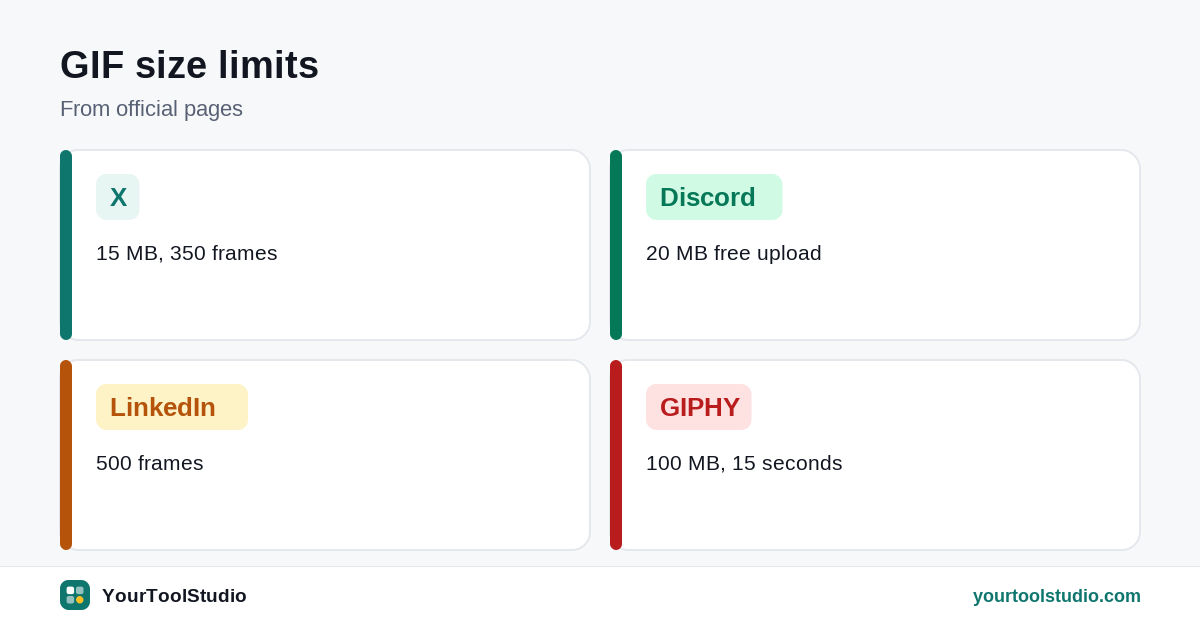
The main GIF limits are 15 MB on X, 20 MB on Discord for accounts without Nitro, 256 KB for a Discord animated emoji, 500 frames on LinkedIn and 100 MB with a 15 second cap on GIPHY. Each figure below comes from the platform's own page, opened on 21 November 2026. Where a platform gives a frame or pixel limit as well as a size, a GIF has to pass both.
GIF limits at a glance
| Platform | File size | Other limits | Source |
|---|---|---|---|
| X (posts and DMs) | 15 MB | Up to 1280 x 1080, up to 350 frames, up to 300 million pixels in total (width x height x frames); 1 animated GIF per post | X developer docs |
| Discord message upload | 20 MB without Nitro; larger with Nitro | Discord says it is testing other limits, so some accounts may see more | Discord File Attachments FAQ |
| Discord animated emoji | Under 256 KB | GIF, or JPEG, PNG and WebP for static emoji | Discord custom emoji help |
| LinkedIn posts | Not stated for GIFs (the page has a general 100 MB file cap) | 500 frames or 36,152,320 pixels; no GIFs for profile or background photos | LinkedIn Help |
| GIPHY uploads | 100 MB, 8 MB or less recommended | 15 seconds (6 or less recommended), source video 720p max (480p recommended), under 200 frames works well | GIPHY Help |
| Gmail attachment | 25 MB for personal accounts | Work and school limits are set by the administrator | Gmail Help |
Notes for each platform
X
The X developer documentation gives the same 15 MB GIF limit for default and premium accounts. The three GIF limits interact: at the full 1280 x 1080 resolution, the 300 million pixel cap allows only about 217 frames (300,000,000 / 1,382,400), not 350. At 640 x 360 the frame cap of 350 is reached first, at about 81 million pixels. Our own arithmetic, from the limits X states.
Discord
Discord's File Attachments FAQ says that as of August 2026 the free upload limit is 20 MB, up from 10 MB, and that desktop and mobile now check the limit the same way. That is why older guides quote 8 MB or 10 MB. Discord also notes that an image larger than 20 MB is shared as a download instead of displaying in the chat. Emoji are a separate, much smaller limit: under 256 KB. See our Discord emoji size guide for emoji dimensions.
LinkedIn's image specifications list GIF as supported on desktop, iOS and Android, with a limit of 500 frames or 36,152,320 pixels. The page does not say whether the pixel figure counts every frame. GIFs cannot be used as profile or background photos.
GIPHY
GIPHY separates hard limits from advice. The hard limits are 15 seconds and 100 MB. The advice is 6 seconds or less, 8 MB or less, 480p source video and fewer than 200 frames, because its apps resize GIFs for small screens and fewer frames survive that better.
How big is a GIF? Frame count quick reference
GIF size depends heavily on content, so there is no exact formula. What you can calculate is the frame count, which every platform limit above depends on: frames = seconds x frames per second.
| Length | At 10 fps | At 15 fps | At 24 fps |
|---|---|---|---|
| 3 seconds | 30 | 45 | 72 |
| 6 seconds | 60 | 90 | 144 |
| 10 seconds | 100 | 150 | 240 |
| 15 seconds | 150 | 225 | 360, over the X limit of 350 |
A 15 second clip at 24 fps passes GIPHY's 15 second cap but has more frames than X accepts. Dropping to 15 fps keeps it under every frame limit listed here.
How to get a GIF under the limit
- Compress it. Compress GIF reduces colours and optimises frames in your browser, with optional resizing, and keeps the animation.
- Shorten it. Each second removed takes out a full second of frames. Trim the source video before converting with Video to GIF, which also lets you set the frame rate and width.
- Lower the frame rate. 10 to 15 fps is usually smooth enough for reactions and screen demos and cuts frames sharply.
- Make it smaller on screen. Halving the width and height leaves a quarter of the pixels in every frame. GIPHY recommends 480p for source video.
- Send a video instead. Where a platform accepts MP4, a short video is usually far smaller than the same clip as a GIF.
Sources and dates
| Page | Date | Used for |
|---|---|---|
| X API: Media best practices | No date shown, read 21 November 2026 | 15 MB, 1280 x 1080, 350 frames, 300 million pixels, 1 GIF per post |
| Discord: File Attachments FAQ | Updated about October 2026 (shown as 1 month ago), read 21 November 2026 | 20 MB free limit since August 2026, up from 10 MB; testing other limits |
| Discord: How to Add Custom Emojis | Updated 30 October 2026, read 21 November 2026 | Emoji under 256 KB, formats |
| LinkedIn Help: image specifications | Shown as updated 2 months ago, read 21 November 2026 | 500 frames or 36,152,320 pixels, GIF support, profile restriction |
| GIPHY: GIF Creation Best Practices | No date shown, read 21 November 2026 | 15 seconds, 100 MB, 720p, frame advice |
| Gmail Help: attachments | No date shown, read 21 November 2026 | 25 MB personal attachment limit |
Frequently asked questions
What is the GIF size limit on X?
15 MB, with up to 1280 x 1080 resolution, 350 frames and 300 million pixels in total, according to the X developer documentation.
What is the Discord GIF size limit?
Discord says accounts without Nitro can upload files up to 20 MB as of August 2026, up from 10 MB. Animated emoji must be under 256 KB.
Can I post a GIF on LinkedIn?
Yes, in posts on desktop, iOS and Android, up to 500 frames or 36,152,320 pixels. GIFs cannot be profile or background photos.
How long can a GIF be on GIPHY?
Up to 15 seconds and 100 MB, though GIPHY recommends 6 seconds or less and 8 MB or less.
How do I make a GIF smaller?
Compress it, shorten it, lower the frame rate or reduce the width and height. Or send it as an MP4 where the platform allows video.