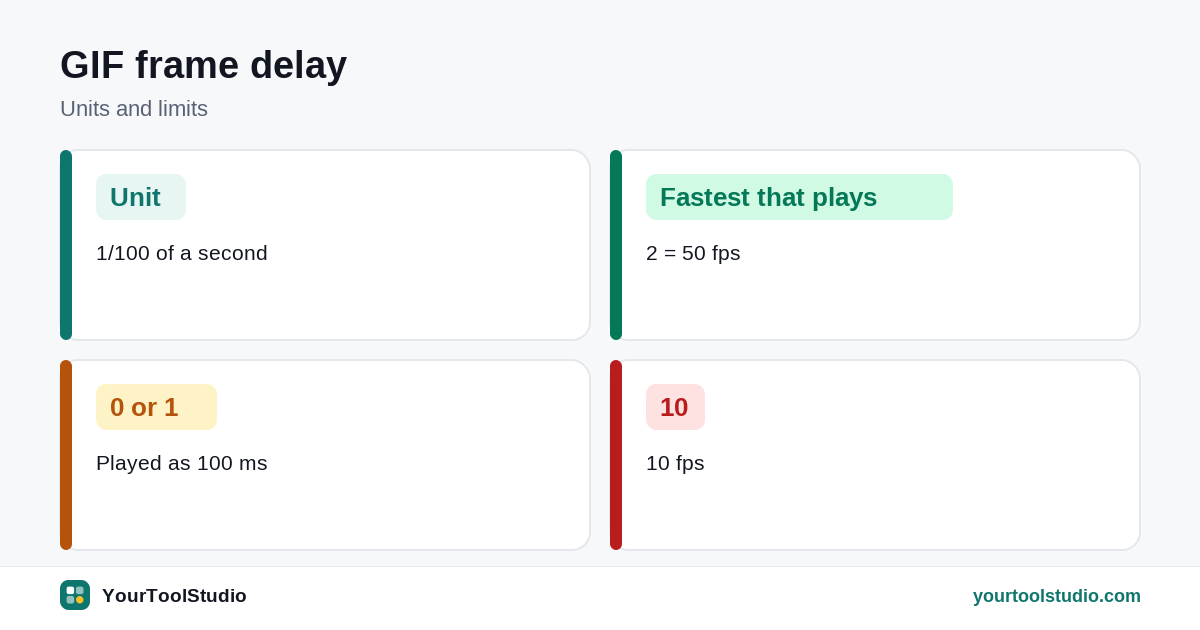
A GIF frame delay is stored in hundredths of a second, so a delay of 10 means 100 ms and about 10 frames per second. The shortest delay that browsers play as written is 2 (20 ms, 50 fps): Chrome, Edge, Firefox and Safari raise delays of 0 or 1 hundredth to 100 ms. These rules come from the GIF89a specification and the browsers' own source code, checked on 22 November 2026.
Delay to frames per second
Frames per second is 100 divided by the delay. Because the delay must be a whole number of hundredths, only these rates are exact:
| Delay value | Milliseconds | Frames per second | Notes |
|---|---|---|---|
| 0 | 0 ms | Played at 10 fps | Raised to 100 ms by Chromium, Firefox and WebKit |
| 1 | 10 ms | Played at 10 fps | Also raised to 100 ms |
| 2 | 20 ms | 50 fps | Fastest rate browsers play as written |
| 3 | 30 ms | 33.3 fps | Closest to 30 fps video |
| 4 | 40 ms | 25 fps | Closest to 24 and 25 fps video |
| 5 | 50 ms | 20 fps | |
| 6 | 60 ms | 16.7 fps | |
| 7 | 70 ms | 14.3 fps | Closest to 15 fps |
| 8 | 80 ms | 12.5 fps | Closest to 12 fps |
| 10 | 100 ms | 10 fps | A common default |
| 20 | 200 ms | 5 fps | |
| 50 | 500 ms | 2 fps | Slide show pace |
| 100 | 1,000 ms | 1 fps | One frame a second |
The delay field in the specification is a two byte unsigned number, so the longest single delay is 65,535 hundredths, a little under 11 minutes. A value of 0 in the specification means no delay; it is the browsers that turn it into 100 ms.
Matching video frame rates
| Video frame rate | Exact delay needed | Nearest GIF delay | What you get |
|---|---|---|---|
| 60 fps | 1.67 hundredths | 2 | 50 fps; a 1 or 2 pattern would be slowed to 100 ms on the 1s |
| 30 fps | 3.33 hundredths | 3 | 33.3 fps, about 11 percent fast |
| 25 fps | 4 hundredths | 4 | Exact |
| 24 fps | 4.17 hundredths | 4 | 25 fps, about 4 percent fast |
| 15 fps | 6.67 hundredths | 7 | 14.3 fps, slightly slow |
| 10 fps | 10 hundredths | 10 | Exact |
For smooth GIFs from video, 20 or 25 fps is the practical choice: the delay is a whole number, the motion stays smooth, and the file has fewer frames than at 50 fps. Video to GIF offers 8, 10, 15 and 20 fps; it rounds each delay to the nearest 10 ms, which gives 130 ms at 8 fps, 100 ms at 10, 70 ms at 15 and 50 ms at 20, and never goes below 20 ms.
How browsers treat short delays
| Engine | Rule in the source code | Used by |
|---|---|---|
| Chromium | Duration of 10 ms or less becomes 100 ms | Chrome, Edge and other Chromium browsers |
| Gecko | 0 to 10 ms becomes 100 ms; negative values mean forever | Firefox |
| WebKit | Under 11 ms becomes 100 ms | Safari |
| Internet Explorer (retired) | 50 ms or less became 100 ms; from IE10, 20 ms was allowed | Legacy only |
The Chromium and WebKit comments both say they follow Firefox, and give the reason: ads used a 0 duration to make images flash as fast as possible. The Internet Explorer rule comes from Microsoft's archived IEInternals blog and only matters for very old systems.
Frame disposal methods
Each frame also says what happens to it before the next one is drawn. The GIF89a specification defines four values:
| Value | Meaning | Typical use |
|---|---|---|
| 0 | No disposal specified | Single images and simple animations |
| 1 | Do not dispose: leave the frame in place | Frames that only change part of the picture |
| 2 | Restore to background colour | Animations with transparent backgrounds |
| 3 | Restore to previous | A moving object over a fixed scene |
Sources and when they were checked
All of these were opened on 22 November 2026: the W3C GIF89a specification for the delay unit and disposal methods; Chromium deferred_image_decoder.cc, Firefox FrameTimeout.h and WebKit ImageDecoderCG.cpp for the browser rules; and Microsoft IEInternals: Animated GIF timing for Internet Explorer. If a GIF will not animate at all, see our guide to why a GIF is not moving.
Frequently asked questions
What unit is GIF frame delay in?
Hundredths of a second. A delay of 10 is 100 ms, which is 10 frames per second.
What is the minimum GIF frame delay?
In practice 2 hundredths, or 20 ms, which is 50 fps. Chrome, Edge, Firefox and Safari play delays of 0 or 1 hundredth as 100 ms.
Can a GIF play at 60 fps?
Not in a browser. 60 fps needs about 1.67 hundredths per frame, and delays under 2 are raised to 100 ms, so 50 fps is the fastest rate.
What delay should I use for 30 fps?
A delay of 3 hundredths, which gives 33.3 fps. GIF cannot store exactly 30 fps.
Why does my GIF play slower in the browser than in my editor?
Its frames probably have a delay of 0 or 1 hundredth, which browsers raise to 100 ms. Re-save it with delays of at least 2 hundredths.